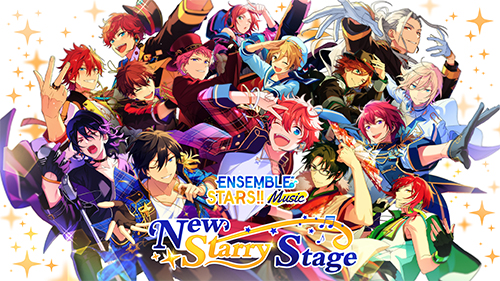
Play Ensemble Stars Music on PC and Mac
Ensemble Stars Music is a rhythm and idol management game that puts players in the heart of a vibrant entertainment world filled with performances, personal stories, and stylish 3D live stages. Built around a large cast of young idols navigating their careers, the game blends music gameplay with narrative depth, letting players experience both the thrill of the stage and the emotional journey behind it. With MuMuPlayer, you can bring this full idol experience to your PC screen and enjoy every performance with greater clarity and comfort.
At the center of the experience is a 3D LIVE mode that presents music performances as fully animated music videos, with four difficulty levels ranging from Easy to Expert so players of any skill level can participate without missing out on the visual spectacle. Players can freely assign any idol as the Center of a performance, unlocking Special Performances that make each live show feel distinct and personal. The game also features a customizable personal space where players decorate their own idol zone using furniture, ornaments, and themed suites, with idols reacting in charming and unique ways to specific items. The story, primarily written by celebrated Japanese light novelist AKIRA, follows the original narrative of Ensemble Stars and continues the emotional journey of its idol cast. Over 40 professional voice actors bring these characters to life, creating an audio experience that matches the quality of the visual presentation. Multilingual support covers English, Simplified Chinese, Traditional Chinese, and Korean, making the stories accessible to a wide international audience.
Playing Ensemble Stars Music on PC through MuMuPlayer gives you a noticeably upgraded experience in several practical ways. The larger screen makes the 3D LIVE performances far more immersive, letting you catch every choreography detail and visual effect that might be easy to miss on a smaller mobile display. Rhythm gameplay benefits from keyboard input, which many players find more precise and consistent than tapping on a touchscreen, especially on higher difficulty levels. MuMuPlayer also keeps the game running smoothly in the background, so you can follow story chapters or manage your idol zone without interrupting other tasks. For a game that rewards both careful reading and sharp timing, playing on PC through MuMuPlayer brings out the best of what Ensemble Stars Music has to offer.
About the Game
Ensemble Stars Music is a full-featured idol rhythm game that combines polished music gameplay with an emotionally driven narrative, a massive cast of voiced characters, and a deeply personalized experience built around your favorite performers. Rather than treating music and story as separate components, the game weaves them together into a cohesive world where every performance carries meaning and every character has a journey worth following.
The heart of the gameplay is the 3D LIVE system, which transforms rhythm stages into animated music video performances. As notes scroll across the screen, the idols on stage move through choreographed routines that match the energy of the music. What makes this system stand out is how it remains fully accessible regardless of player experience. Four difficulty settings are available, from Easy through to Expert, and the visual performance plays out in full on every level. This means newer players are never locked out of the best presentations, and experienced players can push their skills without sacrificing the spectacle.
Customization runs through nearly every part of the live experience:
- Any idol in your roster can be placed as the Center of a performance, changing the dynamic of the stage
- Centers trigger Special Performances, adding exclusive visual moments that make each live feel tailored to your lineup
- Outfits can be freely swapped across idols, letting you build the exact aesthetic you want before stepping onto the stage
Beyond the rhythm stages, Ensemble Stars Music gives players their own personal space to design and decorate. Furniture sets, individual ornaments, and themed suites can be arranged to build a custom idol zone that reflects your personal style. The idols themselves react to specific furniture pieces in small but endearing ways, from lounging in summer settings to dozing off with sleep accessories. These interactions are scattered throughout the catalog of available items, giving players ongoing reasons to explore and expand their collection.
The story content is a major part of what keeps players engaged over time. Written primarily by AKIRA, a well-known figure in Japanese light novel circles, the narrative picks up from Ensemble Stars Basic and continues the journeys of its young idol cast as they step further into the entertainment world. The writing captures the mix of ambition and uncertainty that comes with chasing a creative career, and the storylines balance lighter moments with genuine emotional weight. New content within Ensemble Square keeps the narrative moving forward consistently.
The voice cast supporting these characters is extensive and accomplished. More than 40 voice actors contribute to the game, including Hikaru Midorikawa, Yuki Kaji, Tetsuya Kakihara, Showtaro Morikubo, and Tomoaki Maeno, among others. The quality of performance across such a large ensemble cast is a genuine strength of the game, making conversations and story scenes feel grounded and expressive rather than mechanical.
For players outside Japan, the official English version includes multilingual story support across four languages: English, Simplified Chinese, Traditional Chinese, and Korean. This ensures that the nuance and tone of the writing carry through for a broad international audience, rather than being lost in translation.
Playing Ensemble Stars Music on PC through MuMuPlayer enhances the experience in ways that matter to both casual fans and dedicated players. The 3D LIVE stages look significantly better on a larger display, with the full choreography and lighting effects given room to breathe. Rhythm input through keyboard controls offers a level of precision that suits the more demanding difficulty levels. Story reading becomes more comfortable over longer sessions, and the game runs reliably without the battery and heat concerns that come with extended mobile play. For anyone who wants to experience this idol world at its fullest, MuMuPlayer on PC is the recommended way to do it.
Emulator Features

With a smart button scheme and image recognition function, provide a more concise UI, and support custom button mapping to meet different needs.

Run multiple games independently at the same time, easily manage multiple accounts, play games while hanging.

Break through FPS limit, and enjoy a seamless gaming experience without lag and delay!

Get a 3-second startup with 52% less memory usage and 65% more stability.
How to Download and Play Ensemble Stars Music on PC and Mac
Installation Guide
Download MuMuPlayer
Download and install MuMuPlayer on your PC or Mac
Sign-in Google Store
Complete Google sign-in to access the Play Store
Search and Install
Search Ensemble Stars Music in the Play Store
Enjoy Gaming
Enjoy 120 FPS high-def gameplay with big screen
System Requirements
Windows PC
Vulkan / DirectX supported. 4 cores + 4GB RAM recommended. Up to 240 FPS. VT required.
macOS
Recommended: Apple Silicon Mac with 8GB RAM or above. Up to 240 FPS.