What if I keep on failing to access BIOS because the startup happens too fast?
What if I keep failing to access BIOS because the startup is too fast?
Solution 1 (Windows 10):
Right-click Start → Settings → Update & Security → Recovery (IIRC) → Restart now, wait for the new menu to appear, then click Troubleshoot → Advanced options → Select UEFI Firmware Settings
If you can't find this icon, just click "Startup Settings" and reboot, then access BIOS by pressing the corresponding access key (usually F2) specified by the motherboard manufacturer.
Solution 2 (for all users):
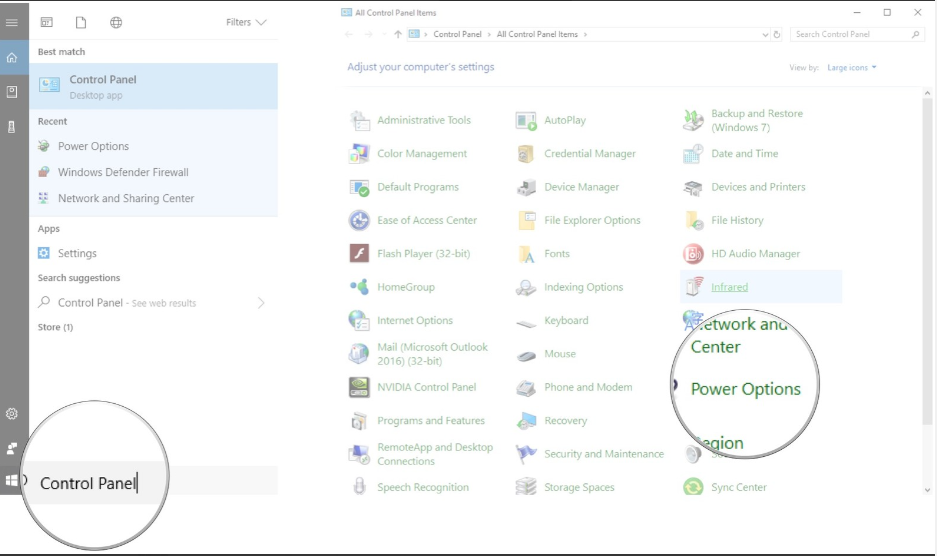
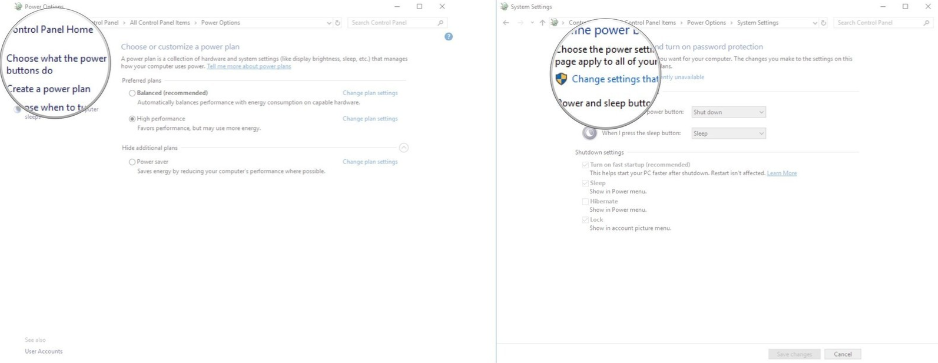
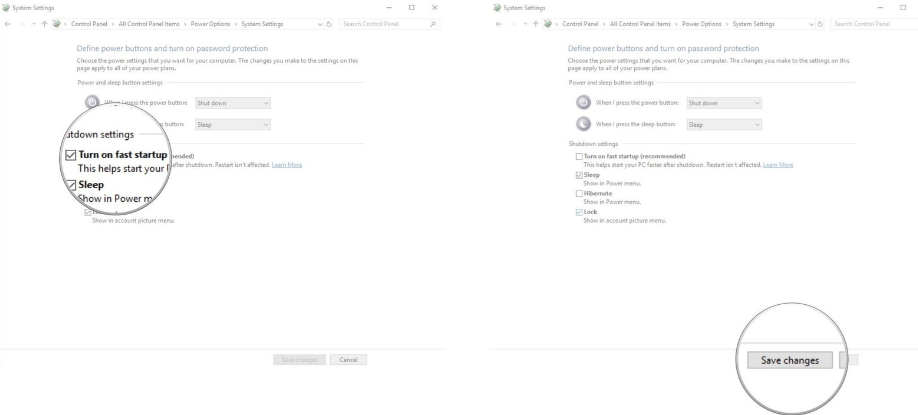
Go to "Control Panel" → "Hardware and Sound" → "Power Options" → "Choose what the power buttons do" → Click "Change settings that are currently unavailable" → Uncheck the box before "Turn on fast startup" → Click "Save changes" and reboot.
End of Article