Enabling VT in MSI PCs
Jul 3, 2025
1. Reboot the PC and access BIOS:
On the very first screen after booting, repeatedly press "Del" to enter BIOS.
Remark: (What if I keep failing to access BIOS because the startup is too fast?)
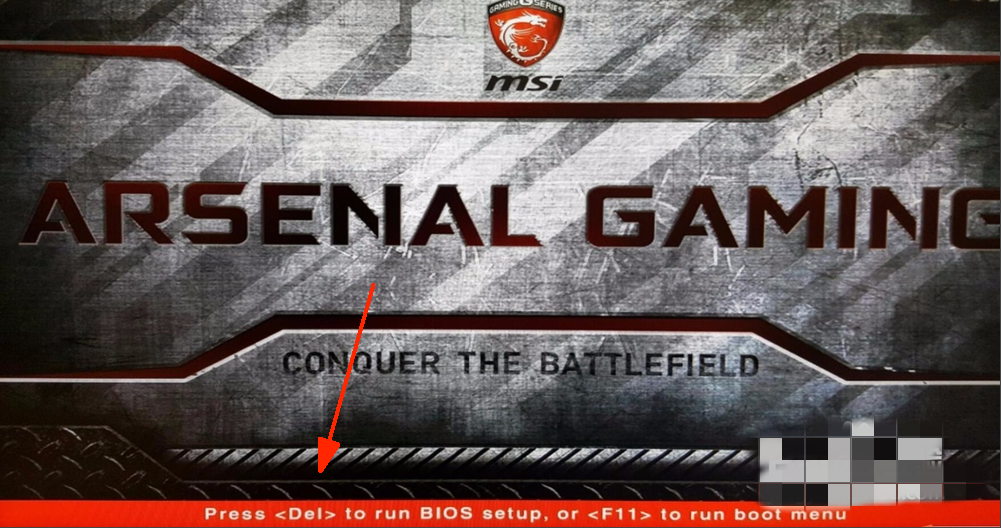
2. Find the setting and enable VT:
Case 1: Go to "OC"/"overclocking" → "CPU feature" → "SVM Mode" → Change it from "Disabled" to "Enabled" → Press F10 to save the setting and exit.
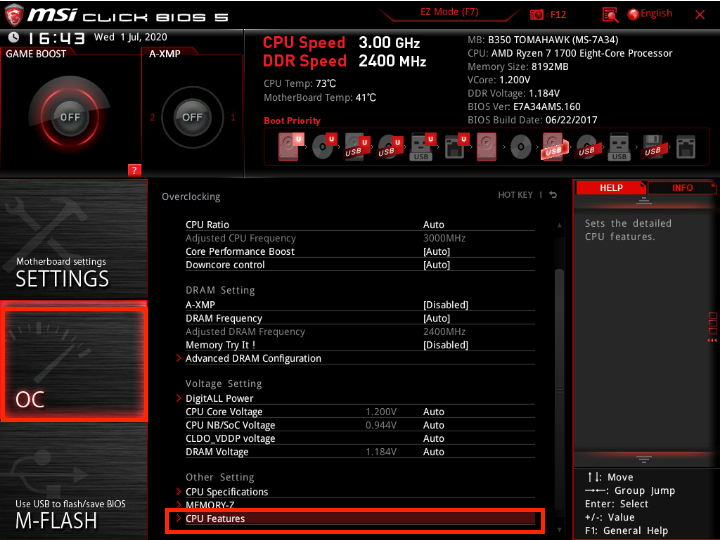
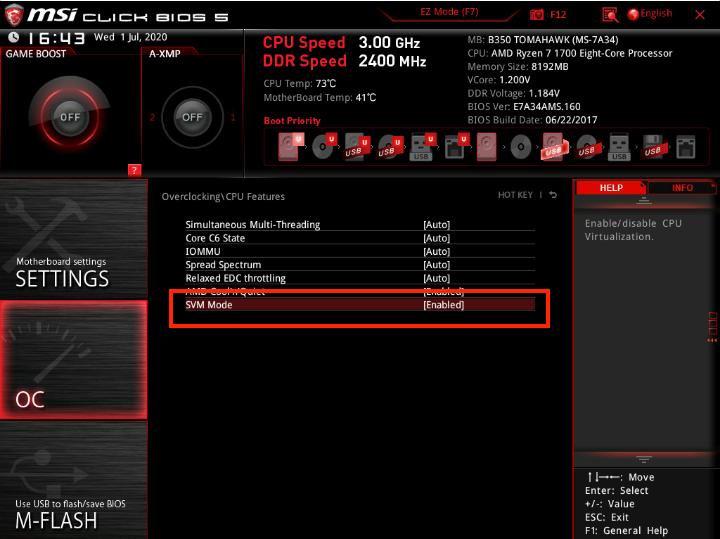
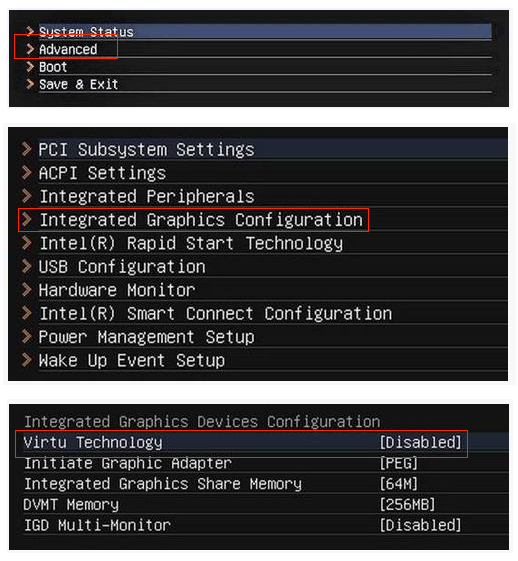
Case 2: Go to "SETTINGS" → "Advanced" → "Integrated Graphics Configuration" → "Virtu Technology" → Change it from "Disabled" to "Enabled" → Press F10 to save the setting and exit.
End of Article
Keyword: