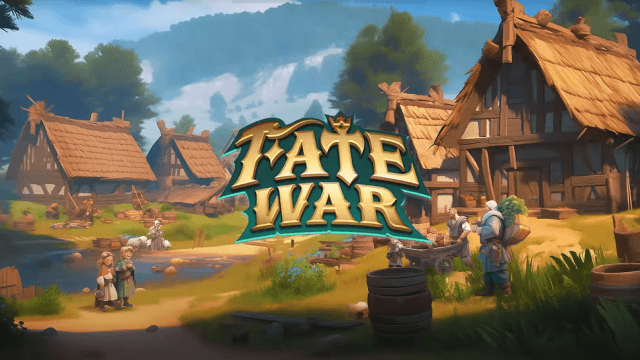
Play Fate War on PC and Mac
Download Fate War on PC or Mac with MuMuPlayer, get a PC like gameplay along with smart control and high graphics performance.
MuMuPlayer, the top Android emulator for PC and Apple silicon Mac, delivers an optimal gaming experience with minimal RAM usage and high FPS. It also allows you to create multiple instances of the emulator and run several games simultaneously, thanks to its Multi-instance feature. Its advanced emulator features ensure smooth gameplay, even on low-end PCs.
Download and play Fate War on PC or Mac with MuMuPlayer and start enjoying your gaming experience now.
About the Game
In an uncharted mythical world, calamities and monsters ravage the land. Survivors flee to Sanctuary, desperate to awaken the gods that vanished during Rangarok and reclaim their power.

Amidst the relentless cold, the embers of civilization flicker to life on this isolated island. But ravenous Blackforged, twisted by darkness, now stalk the wilds. Malevolent spirits from another time stir with sinister intent, and emboldened rival Tribes harbor ambitions of conquest...

As the Chieftain of your Tribe, how will you rise to the occasion and ensure your Tribe's survival?

Game Features:

[City-Building, Laidback Management]
Intuitive Simulation Gameplay: Build a thriving settlement of your own on a remote island. Easily manage every citizen's daily life, work, and relationships, and watch as their stories unfold through generations.

[Landscape or Portrait, Your Choice]
Freely Switch Between Modes: Play casually in portrait mode or switch to landscape mode for an immersive experience.

[Realistic World, Enhanced Strategic Depth]
Intricate Gameplay with Dynamic Environments: The shifting of seasons and day-night cycles hold the key to the Tribe's development speed. Master the elements to turn small gains into great victories.

[Free Movement, Tactical Battles]
Innovative Combat Mechanics and Systems: Commanders and Lieutenants fight alongside each other in battle. Manage and position four soldier types to outmaneuver foes and turn the tide of battle.

[Trade and Auction, Rapid Development]
Unique Auction System for Faster Growth: With a fair bidding system on Tribe Bounty, enjoy the thrill of an RPG raid in an SLG title.

[Unique Looks, Endless Customization]
Wide Variety of Cosmetic Items: With territory decorations, Hero skins, chat boxes, and portraits, create a Tribe that is uniquely yours.

[Roguelike Mechanics, Endless Exploration]
Open-World Inspired Design with Infinite Possibilities: Original roguelike gameplay where every expedition, from gathering resources to arming your Tribe, brings new excitement.
Emulator Features

With a smart button scheme and image recognition function, provide a more concise UI, and support custom button mapping to meet different needs.

Run multiple games independently at the same time, easily manage multiple accounts, play games while hanging.

Break through FPS limit, and enjoy a seamless gaming experience without lag and delay!

Get a 3-second startup with 52% less memory usage and 65% more stability.
How to Download and Play Fate War on PC and Mac
Installation Guide
Download MuMuPlayer
Download and install MuMuPlayer on your PC or Mac
Sign-in Google Store
Complete Google sign-in to access the Play Store
Search and Install
Search Fate War in the Play Store
Enjoy Gaming
Enjoy 120 FPS high-def gameplay with big screen
System Requirements
Windows PC
Vulkan / DirectX supported. 4 cores + 4GB RAM recommended. Up to 240 FPS. VT required.
macOS
Recommended: Apple Silicon Mac with 8GB RAM or above. Up to 240 FPS.