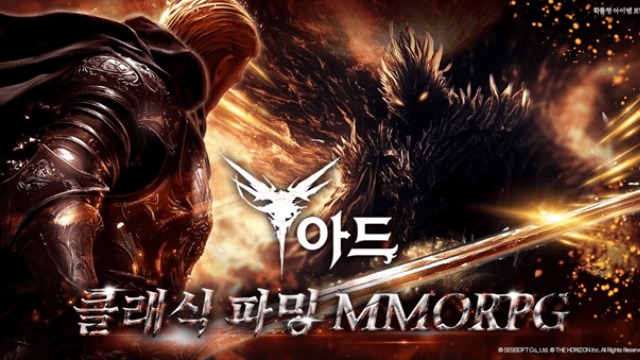
Play 아드 on PC Play 아드 on PC and Mac
ARD is a classic-style MMORPG that brings back the nostalgic spirit of old-school online role-playing games with modern visuals and deeply layered content. Built around a vast worldview filled with hidden stories and NPC-driven quests, the game invites players to explore an expansive narrative while building their characters into formidable powerhouses. If you have been looking for an MMORPG that rewards genuine effort over luck, ARD delivers that experience, and you can take it even further by playing on PC through MuMuPlayer.
ARD stands out from the crowded mobile MMORPG space by focusing on meaningful progression over random rewards. Equipment is obtained through farming, crafting, and synthesis, and even identical items carry different effects depending on their options, giving every piece of gear real strategic value. The story unfolds organically through quests, pulling players into a narrative woven together by the various NPCs scattered across the world. A user-friendly system ensures that becoming stronger feels achievable and satisfying without relying on luck-based transformations or pay-to-win shortcuts.
Playing ARD on PC through MuMuPlayer gives you a noticeably more comfortable experience when managing the long grinding sessions and complex crafting systems that define the game. The larger screen makes it easier to track item stats, compare equipment options, and navigate the world map with precision. Keyboard and mouse controls add a level of responsiveness that suits the combat and quest systems well, while MuMuPlayer's stable performance ensures that farming runs and synthesis sessions are never interrupted. For players committed to building the strongest character through skill and dedication, MuMuPlayer on PC is the ideal environment to put in that effort.
Download 아드 on PC or Mac with MuMuPlayer, get a PC like gameplay along with smart control and high graphics performance.
MuMuPlayer, the top Android emulator for PC and Apple silicon Mac, delivers an optimal gaming experience with minimal RAM usage and high FPS. It also allows you to create multiple instances of the emulator and run several games simultaneously, thanks to its Multi-instance feature. Its advanced emulator features ensure smooth gameplay, even on low-end PCs.
Download and play 아드 on PC or Mac with MuMuPlayer and start enjoying your gaming experience now.
About the Game
ARD is an MMORPG crafted for players who remember what made classic online role-playing games so compelling. Rather than chasing the latest trends in mobile gaming, ARD draws inspiration from the depth and atmosphere of traditional MMORPGs, combining that nostalgic emotional quality with updated graphics and a content structure rich enough to keep dedicated players engaged for the long term.
At the heart of the game is a sprawling world filled with secrets waiting to be uncovered. The narrative is not handed to players through cutscenes or simple menus. Instead, it is woven into the fabric of the world through NPCs, each carrying their own piece of a larger hidden story. Quests serve as the primary vehicle for exploring this lore, encouraging players to pay attention to the characters they meet and the places they visit. The worldbuilding rewards curiosity, making exploration feel worthwhile rather than routine.
Progression in ARD is built on a foundation of effort and knowledge rather than random chance. The path to obtaining powerful equipment runs through three interconnected systems:
- Farming: defeating enemies and completing content to collect valuable drops
- Crafting: using gathered materials to create equipment with specific properties
- Synthesis: combining items to push gear to higher tiers of power
What makes this system especially engaging is that two identical pieces of equipment can behave differently depending on the options attached to them. This creates a layer of depth where players must not only obtain good gear but also understand which option combinations best suit their build and playstyle. The result is a system where expertise matters, and two players using the same item class can have very different experiences depending on how thoughtfully they approach their setup.
The game also takes care to keep the process of becoming stronger accessible. The character progression system is designed so that players do not need to rely on complex or opaque transformation mechanics to advance. Growth feels direct and earned, which makes the journey toward becoming a true powerhouse satisfying rather than frustrating.
For those who want to engage with the community side of the game, ARD maintains an official site and an active lounge where players can connect, share information, and stay up to date with developments. The game does include optional paid items, so players who prefer a free approach will want to note that premium content is available as a separate purchase.
Playing ARD on PC through MuMuPlayer brings real practical advantages to this kind of MMORPG. The farming and crafting loops that form the backbone of progression benefit greatly from the stability and control that a PC environment provides. A larger display makes managing inventory, comparing item options, and reading quest dialogue considerably more comfortable. Keyboard and mouse input gives players more precise control during combat, and MuMuPlayer's consistent performance means long play sessions stay smooth throughout. For anyone serious about building their character from the ground up through strategy and persistence, running ARD through MuMuPlayer is a smart way to get the most out of everything the game offers.
Emulator Features
Highest Android 15 Support Best Compatibility on Mac

With a smart button scheme and image recognition function, provide a more concise UI, and support custom button mapping to meet different needs. With a smart button scheme and image recognition, enjoy a cleaner UI and custom button mapping to fit different gaming needs on Mac.

Run multiple games independently at the same time, easily manage multiple accounts, play games while hanging. Take your Mac gaming further with multiple independent instances, easy account management, and seamless AFK gaming on Apple Silicon Mac.

Break through FPS limit, and enjoy a seamless gaming experience without lag and delay! Break through FPS limits for a seamless, lag-free gaming experience on MacBook, Mac mini, iMac, and Mac Studio.

Get a 3-second startup with 52% less memory usage and 65% more stability. Enjoy 3-second startup, 52% less memory usage, and 65% greater stability on Apple Silicon Mac.
How to Download and Play 아드 on PC and Mac
Installation Guide
Download MuMuPlayer
Download MuMuPlayer and install it on your PC or Mac
Sign-in Google Store
Complete Google sign-in to access the Play Store
Search and Install
Search 아드 in the Play Store
Enjoy Gaming
Enjoy 120 FPS high-def gameplay with big screen
System Requirements
Windows PC
Vulkan / DirectX supported. 4 cores + 4GB RAM recommended. Up to 240 FPS. VT required.
macOS
Recommended: Apple Silicon Mac with 8GB RAM or above. Up to 240 FPS.