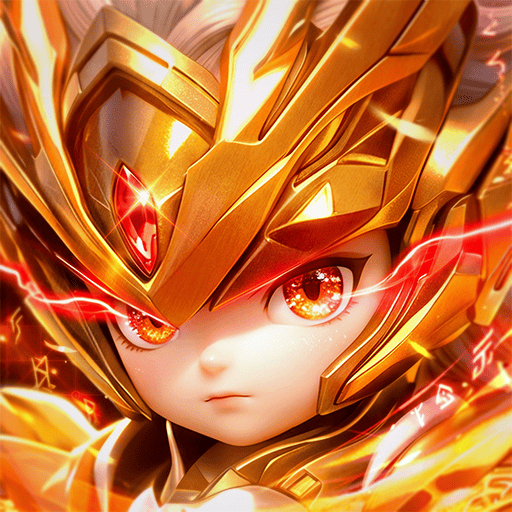
Play Cabal Revolution on PC Play Cabal Revolution on PC and Mac
Cabal Revolution is a role playing game developed by CBSOFT COMPANY LIMITED, built around the classic CABAL universe with rebalanced classes, streamlined progression, revamped dungeons, and daily Nation Wars. The core loop asks you to build a character through gameplay, manage your resources, and choose your own path to power across nine distinct classes. On PC, MuMuPlayer gives you a stable window into that world, letting you play Cabal Revolution with keyboard and mouse while keeping your other desktop tasks within reach.
The game leans on several real systems that shape how you grow. You pick from nine classes, including Dark Mage, and each one carries rebalanced skills plus enhanced Mastery Passives that define its battle role. Combo combat rewards chaining skills and activating Combo Mode to keep pressure on enemies, while equipment growth runs through Extreme Upgrade up to +15, Chaos Upgrade up to +25, an adjusted Divine Upgrade, and a returning Effector System that pushes skill effects to +12 through Chaos Upgrade. The Dungeon System supports up to 30 runs per day with a clear Daily Return and an optional Dungeon Boost, and Mission War runs six rounds daily for Capella or Procyon with 10x WEXP and AXP, a War Room for Level 200 or higher, and Weekly Flag War every Saturday. Weekly rankings use your seven best Mission War matches, with the top player in each Nation earning the Bringer title and 100,000 Force Gems per week, and the top player in each class earning the Guardian title and 30,000 Force Gems per week.
Because Cabal Revolution mixes combo-heavy combat, repeatable dungeon runs, and timed Nation War rounds, playing on PC with MuMuPlayer keeps those sessions comfortable. You can map skills to keyboard keys for faster Combo Mode chains, run up to 30 dungeon entries per day without tying up your phone, and keep an eye on Mission War schedules while other windows stay open. MuMuPlayer also lets you play on Mac with a similar setup, including play on Mac mini through MuMuPlayer, so macOS users on Apple Silicon such as M1, M2, M3, M4, or newer chips can keep the game in a desktop window. Whether you are on a Windows PC or a MacBook, the point is the same: a larger screen and steadier controls for the game's daily grind and weekly rankings.
Download Cabal Revolution on PC or Mac with MuMuPlayer, get a PC like gameplay along with smart control and high graphics performance.
MuMuPlayer, the top Android emulator for PC and Apple silicon Mac, delivers an optimal gaming experience with minimal RAM usage and high FPS. It also allows you to create multiple instances of the emulator and run several games simultaneously, thanks to its Multi-instance feature. Its advanced emulator features ensure smooth gameplay, even on low-end PCs.
Download and play Cabal Revolution on PC or Mac with MuMuPlayer and start enjoying your gaming experience now.
About the Game
Cabal Revolution, from developer CBSOFT COMPANY LIMITED, is a role playing game that revisits the CABAL setting with a rebalanced approach to classes, progression, dungeons, and nation-based PvP. The tagline says the battle has evolved, and the systems back that up: you build a character through gameplay, manage your resources, and decide how to pursue power. On PC, MuMuPlayer turns that daily routine into a desktop-friendly experience, and Mac users can also play on Mac with MuMuPlayer when they want the same game in a larger window.
Nine classes set the foundation, and Dark Mage is one example of the roster. Rebalanced skills and enhanced Mastery Passives give each class a clearer identity and a defined purpose in battle, so choosing a class is really choosing a battle role. Combat itself is built around chaining skills and triggering Combo Mode to keep attacking. You customize skills and equipment to match your playstyle, which means two players on the same class can still approach fights differently.
Equipment growth is layered rather than single-track. Extreme Upgrade now reaches +15, Chaos Upgrade reaches +25, and Divine Upgrade has been adjusted to make enhancement easier. The returning Effector System adds another layer by letting you enhance its skill effects up to +12 through Chaos Upgrade. In practice, this gives long-term goals for gear without forcing every player down one exact path.
Dungeons have been revamped into a system that allows up to 30 runs per day and provides a clear Daily Return. As your character grows, you can clear higher-level dungeons, and Dungeon Boost lets you earn more items from each run. That structure supports both steady daily progress and bursts of farming when you need specific materials.
Nation conflict sits at the center of the endgame loop. Mission War runs six rounds per day, with players fighting for Capella or Procyon and earning 10x WEXP and AXP. The War Room opens to warriors at Level 200 or higher, and every Saturday the Weekly Flag War gives your Nation another chance to fight for rewards. Weekly rankings are calculated from your seven best Mission War matches. The top-ranked player in each Nation can earn the Bringer title and 100,000 Force Gems per week, while the top-ranked player in each class can earn the Guardian title and 30,000 Force Gems per week.
Key systems at a glance: - Classes: nine options, including Dark Mage, with rebalanced skills and enhanced Mastery Passives. - Combat: skill chaining and Combo Mode, plus skill and equipment customization. - Upgrades: Extreme Upgrade to +15, Chaos Upgrade to +25, adjusted Divine Upgrade, and the Effector System to +12 through Chaos Upgrade. - Dungeons: up to 30 runs per day, Daily Return, higher-level dungeons, and Dungeon Boost for extra items. - Mission War: six rounds per day for Capella or Procyon, 10x WEXP and AXP, War Room at Level 200 or higher, and Weekly Flag War on Saturdays. - Rankings: seven best Mission War matches count, with Bringer and Guardian titles plus Force Gem rewards for top players.
Running this kind of game on PC through MuMuPlayer fits the rhythm of its systems. Combo Mode benefits from keyboard controls, so chaining skills feels more direct than tapping a touchscreen. Daily dungeon runs, up to 30 per day, are easier to repeat when the game sits in a desktop window alongside your other tasks. Mission War rounds and Saturday Flag War happen on a schedule, so keeping the game open on your PC makes it simpler to check in without switching devices. MuMuPlayer also supports play on Mac with MuMuPlayer, including play on Mac mini through MuMuPlayer, which helps macOS users on Apple Silicon such as M1, M2, M3, M4, or newer chips keep the game in a comfortable desktop setup. A MacBook works as well when you want the same larger-screen approach. PC remains the lead platform here, and Windows users get the same benefits: steadier controls, a bigger view, and fewer interruptions during daily progression.
For game news, events, and updates, visit the official site at https://combocabalrevo.com/.
Emulator Features
Highest Android 15 Support Best Compatibility on Mac

With a smart button scheme and image recognition function, provide a more concise UI, and support custom button mapping to meet different needs. With a smart button scheme and image recognition, enjoy a cleaner UI and custom button mapping to fit different gaming needs on Mac.

Run multiple games independently at the same time, easily manage multiple accounts, play games while hanging. Take your Mac gaming further with multiple independent instances, easy account management, and seamless AFK gaming on Apple Silicon Mac.

Break through FPS limit, and enjoy a seamless gaming experience without lag and delay! Break through FPS limits for a seamless, lag-free gaming experience on MacBook, Mac mini, iMac, and Mac Studio.

Get a 3-second startup with 52% less memory usage and 65% more stability. Enjoy 3-second startup, 52% less memory usage, and 65% greater stability on Apple Silicon Mac.
How to Download and Play Cabal Revolution on PC and Mac
Installation Guide
Download MuMuPlayer
Download MuMuPlayer and install it on your PC or Mac
Sign-in Google Store
Complete Google sign-in to access the Play Store
Search and Install
Search Cabal Revolution in the Play Store
Enjoy Gaming
Enjoy 120 FPS high-def gameplay with big screen
System Requirements
Windows PC
Vulkan / DirectX supported. 4 cores + 4GB RAM recommended. Up to 240 FPS. VT required.
macOS
Recommended: Apple Silicon Mac with 8GB RAM or above. Up to 240 FPS.