Play Dark War Survival on PC Play Dark War Survival on PC and Mac
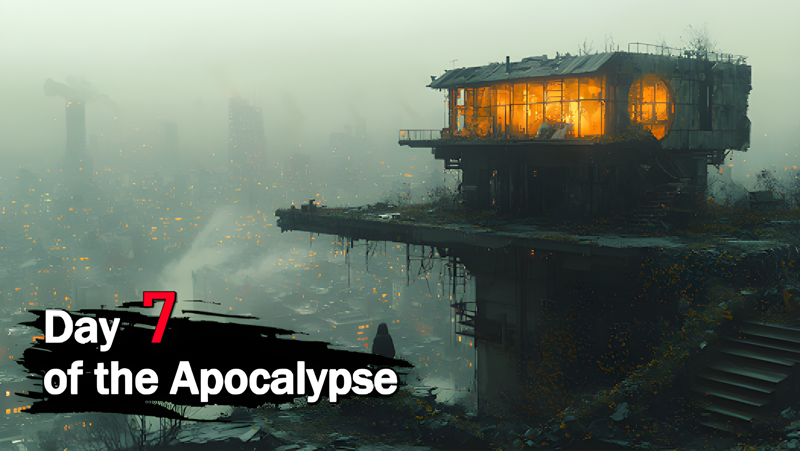
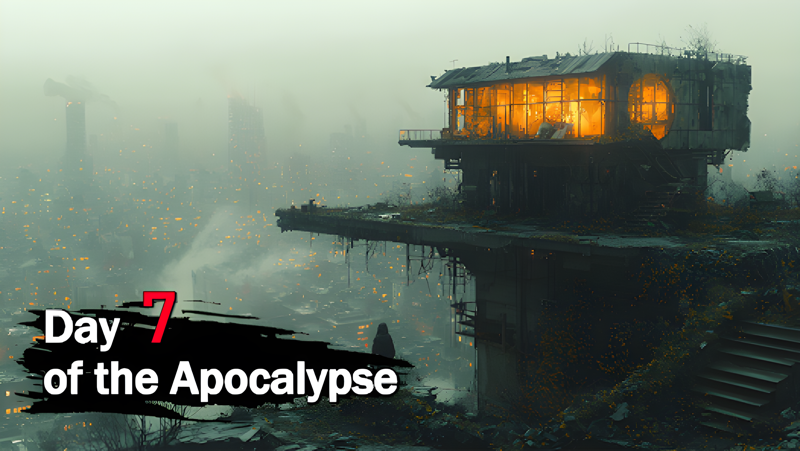
Dark War Survival is an action-packed zombie apocalypse strategy game that throws you into a world where civilization has collapsed and the undead roam freely. Your mission is to carve out a safe haven from the ruins, lead a band of survivors, and piece together what remains of human society. Whether you are managing your shelter's daily operations or pushing into dangerous territories to gather supplies, the game keeps you constantly engaged with decisions that matter. Play Dark War Survival on PC through MuMuPlayer and experience the full scope of this post-apocalyptic world on a larger screen.
Dark War Survival packs a wide range of strategic and action-oriented mechanics into a single experience. You can assign survivors to specialized roles, monitor their health and happiness, and ensure maximum productivity within your shelter. Resource gathering takes you out into desolate wastelands filled with hidden treasures and lurking threats, while base-building lets you fortify defenses and unlock powerful weapons over time. The game also features a recruiting and research system where you assemble a team with unique abilities, train them, and equip them with advanced tools for fighting the undead. On top of all that, forming alliances with other players allows you to tackle epic challenges together and compete to reclaim territories from zombie hordes.
Playing Dark War Survival on PC with MuMuPlayer brings real advantages to a game built around constant management and strategic planning. The larger display gives you a clearer view of your shelter layout, resource maps, and battle formations, making it much easier to coordinate multiple tasks at once. Keyboard and mouse controls improve precision when navigating menus, assigning jobs, or responding to zombie threats quickly. MuMuPlayer also provides a stable and smooth performance environment, so you can stay logged in for extended sessions without the interruptions that come with mobile play. If you want to manage your survivors and build your defenses with greater control and comfort, MuMuPlayer is the best way to do it.
Download Dark War Survival on PC or Mac with MuMuPlayer, get a PC like gameplay along with smart control and high graphics performance.
MuMuPlayer, the top Android emulator for PC and Apple silicon Mac, delivers an optimal gaming experience with minimal RAM usage and high FPS. It also allows you to create multiple instances of the emulator and run several games simultaneously, thanks to its Multi-instance feature. Its advanced emulator features ensure smooth gameplay, even on low-end PCs.
Download and play Dark War Survival on PC or Mac with MuMuPlayer and start enjoying your gaming experience now.
About the Game
The world you once knew is gone. A devastating zombie virus swept through human civilization without warning, turning neighbors, friends, and family into mindless predators almost overnight. You managed to escape the chaos, but survival is far from guaranteed. With no home to return to and danger at every turn, you are forced to start over, building a refuge from scratch in a world that now belongs to the undead.
Dark War Survival centers on your role as the leader of a growing community of survivors. Your first priority is establishing a shelter capable of withstanding constant zombie pressure. From the ground up, you design and expand your base, reinforcing walls, constructing essential facilities, and developing defensive systems that evolve alongside the threats you face. The game rewards careful planning, because every upgrade you make and every resource you invest shapes how well your community can weather the next attack.
Managing the people inside your shelter is just as important as building the structure itself. Each survivor you take in comes with individual traits and capabilities, and it is your job to place them where they contribute most effectively. Assigning roles thoughtfully keeps your shelter running efficiently, but you also need to pay attention to each person's wellbeing. A survivor who is exhausted or unhappy will not perform at their best, and in an environment this unforgiving, that can make a critical difference.
Venturing outside the safety of your base opens up another layer of gameplay entirely. The wastelands beyond your walls are filled with valuable materials, rare items, and secrets waiting to be uncovered. Exploration is rewarding but never risk-free, as new territories bring new dangers alongside new opportunities. Balancing the need for resources with the risks of sending survivors into unknown zones becomes one of the game's ongoing strategic tensions.
Building your team's combat capabilities is a continuous process throughout the game. You recruit survivors with different skill sets, conduct research to unlock new technologies, and equip your fighters with increasingly powerful weapons. This progression system ensures that your group becomes more capable over time, even as the zombie threats grow more severe and complex.
The social dimension of Dark War Survival adds another compelling layer to the experience. Joining or forming an alliance with other players lets you pool resources, coordinate strategies, and take on challenges that would be impossible to overcome alone. Alliance play introduces a competitive and cooperative dynamic that keeps the game engaging well beyond the early stages of base-building.
Key features at a glance: - Shelter construction and expansion with upgradeable defenses and weapons - Survivor management system with job assignments and wellbeing tracking - Wasteland exploration for resources, rare items, and new territories - Recruit and research system to build a skilled and well-equipped team - Alliance mechanics for cooperative battles and large-scale territorial competition
Dark War Survival combines base management, survival strategy, and multiplayer cooperation into a layered experience that keeps evolving as you progress. Every choice you make, from how you build your base to which survivors you send into the field, shapes the fate of your community in a world overrun by the undead.
Emulator Features
Highest Android 15 Support Best Compatibility on Mac

With a smart button scheme and image recognition function, provide a more concise UI, and support custom button mapping to meet different needs. With a smart button scheme and image recognition, enjoy a cleaner UI and custom button mapping to fit different gaming needs on Mac.

Run multiple games independently at the same time, easily manage multiple accounts, play games while hanging. Take your Mac gaming further with multiple independent instances, easy account management, and seamless AFK gaming on Apple Silicon Mac.

Break through FPS limit, and enjoy a seamless gaming experience without lag and delay! Break through FPS limits for a seamless, lag-free gaming experience on MacBook, Mac mini, iMac, and Mac Studio.

Get a 3-second startup with 52% less memory usage and 65% more stability. Enjoy 3-second startup, 52% less memory usage, and 65% greater stability on Apple Silicon Mac.
How to Download and Play Dark War Survival on PC and Mac
Installation Guide
Download MuMuPlayer
Download MuMuPlayer and install it on your PC or Mac
Sign-in Google Store
Complete Google sign-in to access the Play Store
Search and Install
Search Dark War Survival in the Play Store
Enjoy Gaming
Enjoy 120 FPS high-def gameplay with big screen
System Requirements
Windows PC
Vulkan / DirectX supported. 4 cores + 4GB RAM recommended. Up to 240 FPS. VT required.
macOS
Recommended: Apple Silicon Mac with 8GB RAM or above. Up to 240 FPS.