Play Doomsday City on PC and Mac
Download Doomsday City on PC or Mac with MuMuPlayer, get a PC like gameplay along with smart control and high graphics performance.
MuMuPlayer, the top Android emulator for PC and Apple silicon Mac, delivers an optimal gaming experience with minimal RAM usage and high FPS. It also allows you to create multiple instances of the emulator and run several games simultaneously, thanks to its Multi-instance feature. Its advanced emulator features ensure smooth gameplay, even on low-end PCs.
Download and play Doomsday City on PC or Mac with MuMuPlayer and start enjoying your gaming experience now.
About the Game
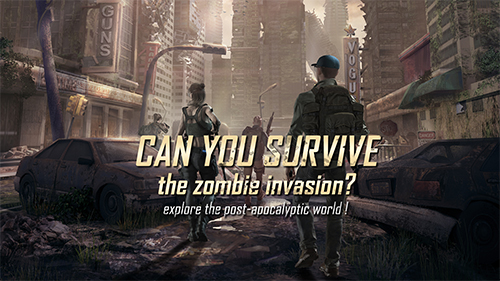
After a massive magnetic storm accompanied by an unknown virus outbreak, humanity is now facing its biggest challenge yet.

Years later, adventurers have become the ray of light in these dark times, helping others search for ways to survive. You play as a member of the S.F.T., a pioneering team of adventurers. However, you are forced to resign from your post as commander due to a fatal expedition incident. You run to this forgotten wasteland while being chased by zombies.

This place is now your only option for survival. Grab your weapons, explore, and stay alive!

[Personalize Your Base]
The road to restoration is always arduous. Customize your base as you see fit. It's all within your control!

[Drag, Merge, Upgrade]
Drag and merge to upgrade in a snap! Managing your buildings and troops has never been easier!

[Battle With Just One Tap!]
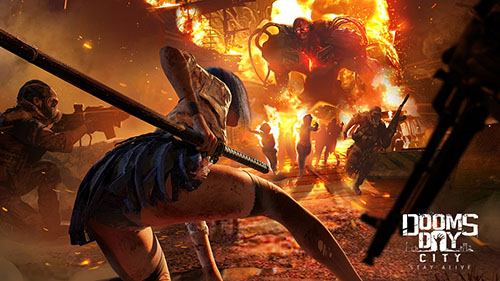
Experience full 3D graphics for a gripping battle experience in an apocalyptic world. Switch battle modes and deploy troops to fight zombies with the touch of a button!

[Compelling Lore and Mysteries]
Play mini-games to clear the fog and learn more about the mysteries behind your base and the wasteland.
Emulator Features
Highest Android 15 Support Best Compatibility on Mac

With a smart button scheme and image recognition function, provide a more concise UI, and support custom button mapping to meet different needs. With a smart button scheme and image recognition, enjoy a cleaner UI and custom button mapping to fit different gaming needs on Mac.

Run multiple games independently at the same time, easily manage multiple accounts, play games while hanging. Take your Mac gaming further with multiple independent instances, easy account management, and seamless AFK gaming on Apple Silicon Mac.

Break through FPS limit, and enjoy a seamless gaming experience without lag and delay! Break through FPS limits for a seamless, lag-free gaming experience on MacBook, Mac mini, iMac, and Mac Studio.

Get a 3-second startup with 52% less memory usage and 65% more stability. Enjoy 3-second startup, 52% less memory usage, and 65% greater stability on Apple Silicon Mac.
How to Download and Play Doomsday City on PC and Mac
Installation Guide
Download MuMuPlayer
Download MuMuPlayer and install it on your PC or Mac
Sign-in Google Store
Complete Google sign-in to access the Play Store
Search and Install
Search Doomsday City in the Play Store
Enjoy Gaming
Enjoy 120 FPS high-def gameplay with big screen
System Requirements
Windows PC
Vulkan / DirectX supported. 4 cores + 4GB RAM recommended. Up to 240 FPS. VT required.
macOS
Recommended: Apple Silicon Mac with 8GB RAM or above. Up to 240 FPS.