Play Figure Fantasy on PC Play Figure Fantasy on PC and Mac
Download Figure Fantasy on PC with MuMuPlayer, get a PC like gameplay along with smart control and high graphics performance.
MuMuPlayer, the top Android emulator for PC and Apple silicon Mac, delivers an optimal gaming experience with minimal RAM usage and high FPS. It also allows you to create multiple instances of the emulator and run several games simultaneously, thanks to its Multi-instance feature. Its advanced emulator features ensure smooth gameplay, even on low-end PCs.
Download and play Figure Fantasy on PC with MuMuPlayer and start enjoying your gaming experience now.
Download Figure Fantasy on PC or Mac with MuMuPlayer, get a PC like gameplay along with smart control and high graphics performance.
MuMuPlayer, the top Android emulator for PC and Apple silicon Mac, delivers an optimal gaming experience with minimal RAM usage and high FPS. It also allows you to create multiple instances of the emulator and run several games simultaneously, thanks to its Multi-instance feature. Its advanced emulator features ensure smooth gameplay, even on low-end PCs.
Download and play Figure Fantasy on PC or Mac with MuMuPlayer and start enjoying your gaming experience now.
About the Game
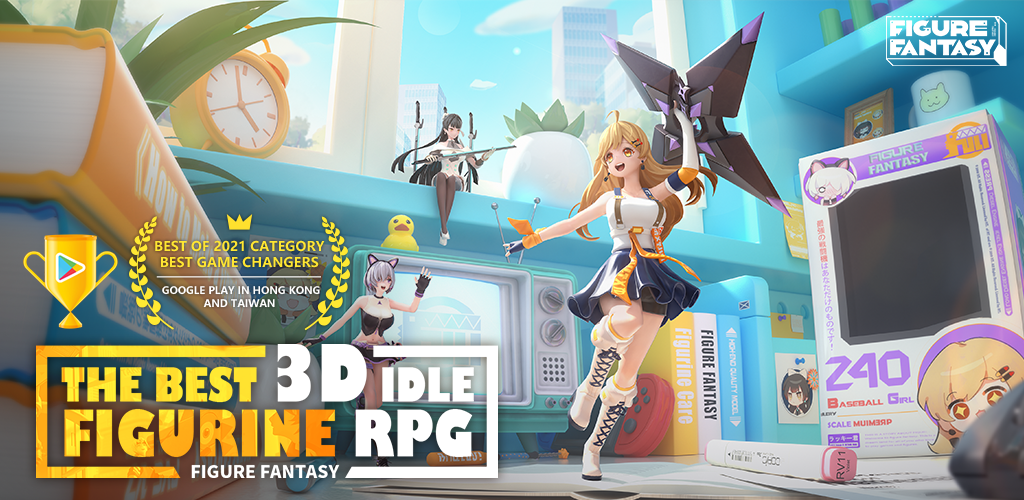
3D idle figurine mobile game, Figure Fantasy has arrived in style! Here, you'll become the figurines' master, and experience a wonderful adventure in their miniature world.

GAME FEATURES

3D MINIATURIZED STORY
The Physically Based Rendering (PBR) technology restores every inch of the figurines with high precision, perfectly presenting their real-world material textures and light refraction.

COLLECT HUNDREDS OF FIGURINES
Place an order to purchase a "Blind Box" with a single tap, tear up the paper box, and receive a surprise, "Wishlist +200x Draw Option" directional mode, you will no longer miss out on your favorite figurines!
Original custom display cabinet system, customized to create a unique private Otaku Zone: Space, sci-fi, middle ages castle...hundreds of themes for you to choose from!

ENGAGE IN STRATEGIC BATTLES
Deploy your lineups on a 3x3 Grid, where you can set positional covers, view exclusive ultimate animations, and engage in combat strategy presented in a 3D format. Try combinations of the five brands freely. Mix and match Defenders, Vanguards, Militarists, Helpers and Specialists in your lineups.

SIMPLE IDLE GAMEPLAY
"Effortlessly earn resources from the figurines' work, where your resources will be full when you wake up from your sleep". Say goodbye to tedious daily tasks, ordinary levels can be cleared with a single tap, your idle resources will not be interrupted when you go offline.


Visit the following official social media for the latest information.

Facebook: https://www.facebook.com/figurefantasy.official/
Twitter:https://twitter.com/FigureFantasy
Discord:https://discord.gg/g7UvD2sqcS
Reddit:https://www.reddit.com/r/FigureFantasyOfficial/
Emulator Features
Highest Android 15 Support Best Compatibility on Mac

With a smart button scheme and image recognition function, provide a more concise UI, and support custom button mapping to meet different needs. With a smart button scheme and image recognition, enjoy a cleaner UI and custom button mapping to fit different gaming needs on Mac.

Run multiple games independently at the same time, easily manage multiple accounts, play games while hanging. Take your Mac gaming further with multiple independent instances, easy account management, and seamless AFK gaming on Apple Silicon Mac.

Break through FPS limit, and enjoy a seamless gaming experience without lag and delay! Break through FPS limits for a seamless, lag-free gaming experience on MacBook, Mac mini, iMac, and Mac Studio.

Get a 3-second startup with 52% less memory usage and 65% more stability. Enjoy 3-second startup, 52% less memory usage, and 65% greater stability on Apple Silicon Mac.
How to Download and Play Figure Fantasy on PC and Mac
Installation Guide
Download MuMuPlayer
Download MuMuPlayer and install it on your PC or Mac
Sign-in Google Store
Complete Google sign-in to access the Play Store
Search and Install
Search Figure Fantasy in the Play Store
Enjoy Gaming
Enjoy 120 FPS high-def gameplay with big screen
System Requirements
Windows PC
Vulkan / DirectX supported. 4 cores + 4GB RAM recommended. Up to 240 FPS. VT required.
macOS
Recommended: Apple Silicon Mac with 8GB RAM or above. Up to 240 FPS.