Play Homerun Clash 2: Legends Derby on PC and Mac
Download Homerun Clash 2: Legends Derby on PC or Mac with MuMuPlayer, get a PC like gameplay along with smart control and high graphics performance.
MuMuPlayer, the top Android emulator for PC and Apple silicon Mac, delivers an optimal gaming experience with minimal RAM usage and high FPS. It also allows you to create multiple instances of the emulator and run several games simultaneously, thanks to its Multi-instance feature. Its advanced emulator features ensure smooth gameplay, even on low-end PCs.
Download and play Homerun Clash 2: Legends Derby on PC or Mac with MuMuPlayer and start enjoying your gaming experience now.
About the Game
[The Legend Continues]
The sequel to the legendary home run slugfest enjoyed by 12 million players is here.
The next chapter of Homerun Clash begins now!

[Experience All the Thrills With the Edge of Your Finger!]
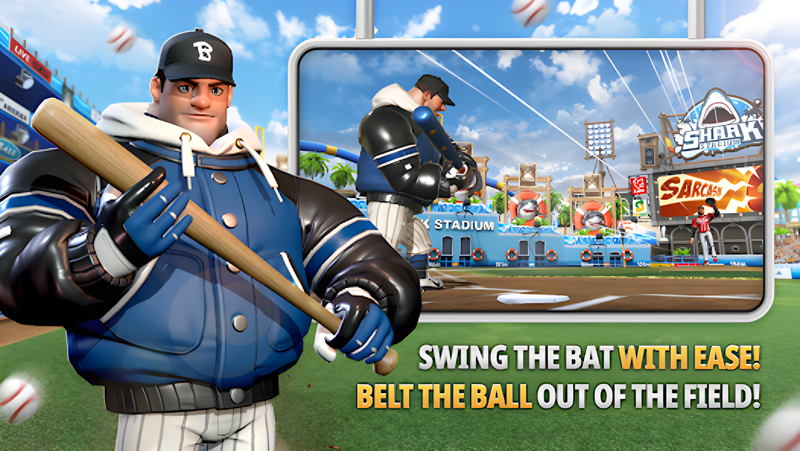
Time your control perfectly and swing with ease!
Experience all the thrills of hitting an electrifying home run with simple controls!

[Match With Others Globally in Real Time]
Match up and compete with sluggers from around the world in real time!
Get a perfect win for the crowd that is cheering you on!

[Never a Dull Moment With Various Modes]
Choose from a variety of game modes such as 1vs1, 2vs2, Challenge, World Star, Club Battle, and more to enjoy the game your way!

* Although it is free to play, this game contains optional in-app purchases that may incur additional charges. Please note that refund of in-app purchases may be limited depending on circumstance.
* For our usage policy (including refunds & termination of service), please read the Terms of Service available in the game.
* Use of illegal programs, modified apps, and other unauthorized methods to access the game may result in service restrictions, removal of game accounts and data, claims for compensation of damages, and other remedies deemed necessary under the Terms of Service.

▶About App Access Permissions◀
In order to provide you with game services listed below, the app will ask you for permission to grant access as follows.

[Required Permissions]
Access to Files/Media/Photos: This allows the game to save data on your device, and to store any gameplay footage or screenshots you take within the game.

[How to Revoke Permissions]
▶ Android 6.0 and above: Device Settings > Apps > select app > App Permissions > grant or revoke permission
▶ Below Android 6.0: Upgrade your OS version to revoke the access permissions as above, or delete the app

※ You can revoke your permission for the app to access game files from your device by following the instructions above.
※ If you are using a device which runs below Android 6.0, you will not be able to set permissions manually, so we recommend that you upgrade your OS to Android 6.0 or higher.

[Caution]
Revoking the required access permissions may prevent you from accessing the game and/or cause termination of game resources that are running on your device.
Emulator Features
Highest Android 15 Support Best Compatibility on Mac

With a smart button scheme and image recognition function, provide a more concise UI, and support custom button mapping to meet different needs. With a smart button scheme and image recognition, enjoy a cleaner UI and custom button mapping to fit different gaming needs on Mac.

Run multiple games independently at the same time, easily manage multiple accounts, play games while hanging. Take your Mac gaming further with multiple independent instances, easy account management, and seamless AFK gaming on Apple Silicon Mac.

Break through FPS limit, and enjoy a seamless gaming experience without lag and delay! Break through FPS limits for a seamless, lag-free gaming experience on MacBook, Mac mini, iMac, and Mac Studio.

Get a 3-second startup with 52% less memory usage and 65% more stability. Enjoy 3-second startup, 52% less memory usage, and 65% greater stability on Apple Silicon Mac.
How to Download and Play Homerun Clash 2: Legends Derby on PC and Mac
Installation Guide
Download MuMuPlayer
Download MuMuPlayer and install it on your PC or Mac
Sign-in Google Store
Complete Google sign-in to access the Play Store
Search and Install
Search Homerun Clash 2: Legends Derby in the Play Store
Enjoy Gaming
Enjoy 120 FPS high-def gameplay with big screen
System Requirements
Windows PC
Vulkan / DirectX supported. 4 cores + 4GB RAM recommended. Up to 240 FPS. VT required.
macOS
Recommended: Apple Silicon Mac with 8GB RAM or above. Up to 240 FPS.