Play Prime Rush on PC Play Prime Rush on PC and Mac
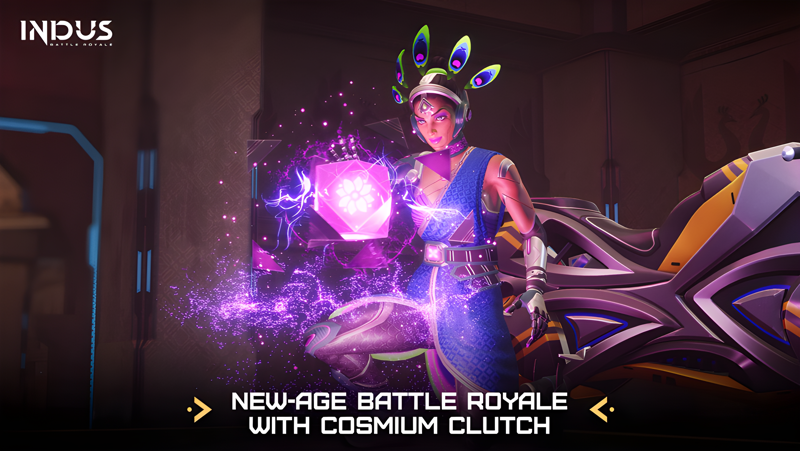
Indus Battle Royale Mobile brings a fresh take on the battle royale genre with its standout game mode, Prime Rush. Set across the dynamic map of Light House, players drop in to fight, loot, and make critical decisions about how they want to claim victory. Whether pushing for the last-survivor win or racing to extract rare Cosmium before anyone else, every match demands fast thinking and sharp aim. Play Prime Rush on PC through MuMuPlayer and bring this intense mobile experience to a bigger, sharper screen.
Prime Rush stands out from other battle royale titles by giving players two distinct paths to victory. Extracting Cosmium offers an alternative win condition alongside traditional survival, making every match feel layered with tactical choices. Matches run around 10 to 15 minutes, keeping the action tight and meaningful. Players can also jump into Saaplok, a fast-paced 4v4 mini TDM mode built for quick sessions. Heroes like Rafael, Juliana, and Taj each bring their own personality to squad play, while abilities such as Dead Eye, Shield Dome, Super Speed, and Hunter Instinct add a deeper strategic dimension. Built-in voice chat, customizable controls, and smooth matchmaking round out the multiplayer experience.
Playing Prime Rush on PC through MuMuPlayer gives you a real competitive edge. The emulator's keyboard and mouse support makes aiming and ability activation far more precise than touchscreen controls, which matters in a game where a single headshot can turn the fight. MuMuPlayer's stable performance ensures smooth frame delivery during hectic firefights and Cosmium extraction runs, and the larger display makes tracking enemies across Light House significantly easier. For a game built around fast matches, squad coordination, and split-second decisions, MuMuPlayer gives every session the responsiveness and clarity it deserves.
Download Prime Rush on PC or Mac with MuMuPlayer, get a PC like gameplay along with smart control and high graphics performance.
MuMuPlayer, the top Android emulator for PC and Apple silicon Mac, delivers an optimal gaming experience with minimal RAM usage and high FPS. It also allows you to create multiple instances of the emulator and run several games simultaneously, thanks to its Multi-instance feature. Its advanced emulator features ensure smooth gameplay, even on low-end PCs.
Download and play Prime Rush on PC or Mac with MuMuPlayer and start enjoying your gaming experience now.
About the Game
Prime Rush redefines what a mobile battle royale can feel like by centering everything around player choice and momentum. Rather than forcing a single route to victory, the mode hands you two options from the very start: outlast every opponent on the field or collect and extract Cosmium before the competition can stop you. That dual-path structure changes how squads approach each match, blending traditional survival instincts with extraction strategy in a way that keeps things unpredictable from drop to finish.
The action unfolds across Light House, a map designed for engagements that escalate quickly. Matches clock in at roughly 10 to 15 minutes, which means there is no room for passive play. Every rotation, every looting decision, and every team fight carries real weight because the window to act is tight. For players who want an even faster format, Saaplok delivers 4v4 mini TDM rounds that strip things down to pure combat, making it an ideal mode when time is short but the urge to compete is still high.
Weapons and abilities sit at the heart of what makes Prime Rush distinct:
- Dead Eye: Summon a high-powered weapon where every headshot results in an instant elimination while automatically refilling your ammo.
- Shield Dome: Deploy a protective barrier that stops incoming bullets, giving teammates the freedom to fire outward from inside the dome.
- Super Speed: Trigger a temporary movement boost that opens up flanking routes or quick escapes when the pressure builds.
- Hunter Instinct: Expose enemy positions on the map and switch to infrared vision for a short window of enhanced awareness.
These abilities are not just individual tools. They are designed to stack with teamwork. A Shield Dome covering a squad pushing through an open area, combined with a Hunter Instinct callout on enemy locations, creates the kind of coordinated play that wins matches. Prime Rush encourages this with built-in voice chat so squads can communicate without switching apps, and customizable controls so every player can configure inputs to match their personal style.
The three playable heroes, Rafael, Juliana, and Taj, each bring a distinct visual identity and energy to the roster. Forming a squad around these characters adds personality to team compositions while the underlying mechanics stay competitive and skill-focused.
Progression in Prime Rush ties directly into the action. Weapon skins, upgrades, and crates all surface through regular gameplay, giving players tangible rewards for time spent in matches. The combination of FPS and TPS perspectives, along with mobile-optimized shooting mechanics, ensures that the gunplay feels responsive and accurate rather than floaty.
For anyone looking to experience Prime Rush with an added layer of precision and comfort, running it on PC through MuMuPlayer is a strong option. The larger screen makes reading the battlefield easier, mouse aiming sharpens gunfight accuracy, and the stable emulator performance keeps the action smooth even during the most chaotic extraction attempts. Whether you are coordinating a Cosmium pull with your squad or grinding mini TDM rounds on Saaplok, every element of Prime Rush plays better when the controls and display are working in your favor.
Emulator Features
Highest Android 15 Support Best Compatibility on Mac

With a smart button scheme and image recognition function, provide a more concise UI, and support custom button mapping to meet different needs. With a smart button scheme and image recognition, enjoy a cleaner UI and custom button mapping to fit different gaming needs on Mac.

Run multiple games independently at the same time, easily manage multiple accounts, play games while hanging. Take your Mac gaming further with multiple independent instances, easy account management, and seamless AFK gaming on Apple Silicon Mac.

Break through FPS limit, and enjoy a seamless gaming experience without lag and delay! Break through FPS limits for a seamless, lag-free gaming experience on MacBook, Mac mini, iMac, and Mac Studio.

Get a 3-second startup with 52% less memory usage and 65% more stability. Enjoy 3-second startup, 52% less memory usage, and 65% greater stability on Apple Silicon Mac.
How to Download and Play Prime Rush on PC and Mac
Installation Guide
Download MuMuPlayer
Download MuMuPlayer and install it on your PC or Mac
Sign-in Google Store
Complete Google sign-in to access the Play Store
Search and Install
Search Prime Rush in the Play Store
Enjoy Gaming
Enjoy 120 FPS high-def gameplay with big screen
System Requirements
Windows PC
Vulkan / DirectX supported. 4 cores + 4GB RAM recommended. Up to 240 FPS. VT required.
macOS
Recommended: Apple Silicon Mac with 8GB RAM or above. Up to 240 FPS.