Play Kingdom Guard: Tower Defense on PC Play Kingdom Guard: Tower Defense on PC and Mac
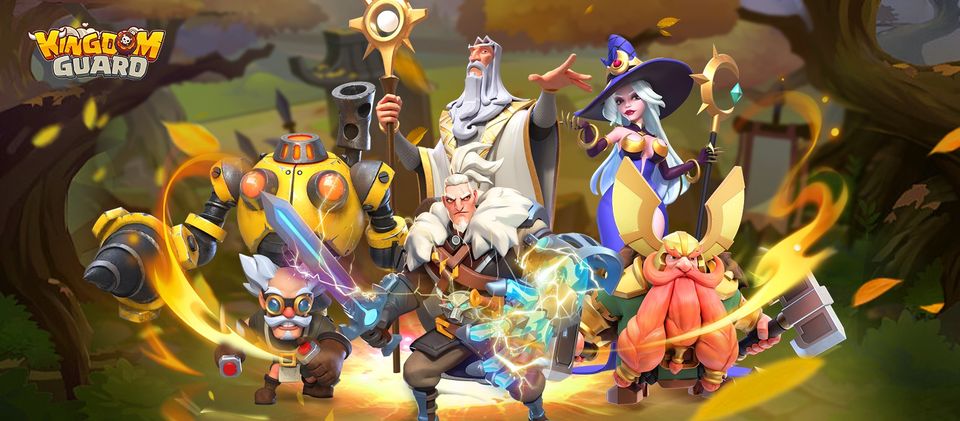
Kingdom Guard is a strategy game that puts you in the middle of an epic conflict between humanity and the dark forces of Titan. With your kingdom under siege and the guardian dragons nearly extinct, your only hope lies in a single dragon egg waiting to be protected. This blend of tower defense, army merging, and large-scale strategy makes Kingdom Guard a compelling experience, and playing it on PC through MuMuPlayer lets you enjoy every battle on a bigger, sharper screen.
What sets Kingdom Guard apart from typical mobile strategy titles is its merging system. Rather than grinding through lengthy city-building sequences or waiting on troop production timers, you take direct control of your units by combining two soldiers of the same level and type to produce a more powerful one. This hands-on upgrade loop feeds directly into the tower defense side of the game, where you arrange your merged armies into defensive formations and test different strategies against waves of enemies. Beyond the battlefield, the game opens up into a broader sandbox world where joining an alliance, competing for the dark throne, and reviving the guardian dragon all become meaningful long-term goals.
Playing Kingdom Guard on PC with MuMuPlayer brings real advantages to a game built around fast decisions and constant unit management. The larger display gives you a much clearer view of your defensive lines and the approaching enemy waves, making it easier to spot where your formation needs adjusting. Keyboard and mouse controls let you merge units and reposition forces more precisely than tapping on a small screen. MuMuPlayer also delivers stable, smooth performance so that intense siege moments never suffer from lag or interruptions, keeping your strategy sharp from the first wave to the final confrontation with Titan.
Download Kingdom Guard: Tower Defense on PC or Mac with MuMuPlayer, get a PC like gameplay along with smart control and high graphics performance.
MuMuPlayer, the top Android emulator for PC and Apple silicon Mac, delivers an optimal gaming experience with minimal RAM usage and high FPS. It also allows you to create multiple instances of the emulator and run several games simultaneously, thanks to its Multi-instance feature. Its advanced emulator features ensure smooth gameplay, even on low-end PCs.
Download and play Kingdom Guard: Tower Defense on PC or Mac with MuMuPlayer and start enjoying your gaming experience now.
About the Game
The kingdom is in peril. Titan, a powerful conqueror commanding vast dark legions, has launched a relentless assault on everything you hold dear. The guardian dragons that once protected your realm have vanished, leaving the people defenseless. In this desperate moment, one last hope surfaces: a hidden dragon egg, ancient and full of potential, discovered just as the enemy closes in. Your mission is to protect it, build your forces, and push back against the darkness threatening to swallow the world.
Kingdom Guard approaches the strategy genre from a distinctly hands-on angle. Rather than spending hours managing resource queues or constructing buildings in the background, the game puts direct control of your army right in your hands. The core mechanic revolves around merging units. When you place two soldiers of the same level and the same type side by side, they combine into a single, stronger fighter. This creates a satisfying loop where smart positioning and timely merges matter far more than passive waiting. Every decision you make on the field has an immediate and visible impact.
Here is a closer look at what makes the gameplay experience stand out:
- Unit Merging System: Combine matching soldiers to unlock higher-level versions, giving you full control over how your army evolves during each battle.
- Tower Defense Battles: Position your merged forces strategically along defensive lines and experiment with different formations to find combinations that hold the line against increasingly fierce enemy pushes.
- Alliance and World Conquest: The game extends far beyond single battles. Team up with other players inside an alliance, compete for control of the dark throne, and work toward reviving the guardian dragon to restore hope to the kingdom.
- Dragon Revival Goal: Protecting and eventually awakening the last dragon egg serves as the central story objective, giving your efforts a meaningful narrative purpose throughout the game.
The strategic depth of Kingdom Guard grows the longer you play. Early stages introduce you to the merging system at a manageable pace, but as Titan's forces escalate in strength and variety, you are pushed to think more creatively about your formations. Different unit types interact with enemy waves in distinct ways, and discovering which combinations produce the best results is a major part of the game's appeal. Experimenting with layouts and adjusting your defensive line between waves gives the experience a sandbox quality that keeps it fresh.
Playing Kingdom Guard on PC through MuMuPlayer enhances all of these elements. The wider screen real estate makes it far easier to read the battlefield, track incoming enemy positions, and manage your unit grid without things feeling cramped. Mouse precision speeds up the merging process and lets you reorganize your formation quickly when a wave breaks through unexpectedly. MuMuPlayer's reliable performance ensures that the action stays smooth even during the most chaotic multi-wave sequences, so you can stay focused on strategy rather than fighting against device limitations. For players who want to spend extended sessions building their alliance and pushing toward world domination, the PC environment also offers a much more comfortable setup overall.
Emulator Features
Highest Android 15 Support Best Compatibility on Mac

With a smart button scheme and image recognition function, provide a more concise UI, and support custom button mapping to meet different needs. With a smart button scheme and image recognition, enjoy a cleaner UI and custom button mapping to fit different gaming needs on Mac.

Run multiple games independently at the same time, easily manage multiple accounts, play games while hanging. Take your Mac gaming further with multiple independent instances, easy account management, and seamless AFK gaming on Apple Silicon Mac.

Break through FPS limit, and enjoy a seamless gaming experience without lag and delay! Break through FPS limits for a seamless, lag-free gaming experience on MacBook, Mac mini, iMac, and Mac Studio.

Get a 3-second startup with 52% less memory usage and 65% more stability. Enjoy 3-second startup, 52% less memory usage, and 65% greater stability on Apple Silicon Mac.
How to Download and Play Kingdom Guard: Tower Defense on PC and Mac
Installation Guide
Download MuMuPlayer
Download MuMuPlayer and install it on your PC or Mac
Sign-in Google Store
Complete Google sign-in to access the Play Store
Search and Install
Search Kingdom Guard: Tower Defense in the Play Store
Enjoy Gaming
Enjoy 120 FPS high-def gameplay with big screen
System Requirements
Windows PC
Vulkan / DirectX supported. 4 cores + 4GB RAM recommended. Up to 240 FPS. VT required.
macOS
Recommended: Apple Silicon Mac with 8GB RAM or above. Up to 240 FPS.