Play LifeAfter: Night falls on PC Play LifeAfter: Night falls on PC and Mac
LifeAfter: Night Falls is an adventure game set in a zombie-infested doomsday world where survival demands resource scavenging, base building, and constant defense against the infected. The game plunges you into a collapsing society where windmills have stopped and dark tides bring relentless threats. For players who want a bigger screen and smoother controls, playing LifeAfter: Night Falls on PC with MuMuPlayer delivers a more comfortable way to manage the chaos, whether you are on a Windows laptop or a MacBook.
The game expands its open world with five mutated seas, each defined by a distinct hazard: crystal, fog, filth, fire, and vortex. You will explore environments ranging from snow mountains and beaches to forests, deserts, swamps, and cities, all while scavenging resources, building infrastructure, and fending off zombie invasions. Survival is not just about fighting; it is also about keeping hope alive and connecting with other survivors. You can team up with friends, share supplies, and build a peaceful shelter together. For those who crave risk, the game offers a half-zombie survival path through the Dawn Break organization, allowing you to become a Revenant and abandon your human identity for a chance to live.
Playing LifeAfter: Night Falls on PC with MuMuPlayer enhances every aspect of this demanding survival experience. The larger screen makes it easier to spot resources, track zombie movements, and manage your base layout. Precise keyboard and mouse controls give you an edge in combat and building, especially when placing traps or navigating dangerous seas. MuMuPlayer also supports Mac, including Mac mini and Apple Silicon chips like M1, M2, M3, M4, M5, M5 Pro, and M6, so you can play on Mac with MuMuPlayer without worrying about native support. Whether you are on a Windows PC or a Macintosh, MuMuPlayer keeps the game running smoothly so you can focus on staying alive.
Download LifeAfter: Night falls on PC or Mac with MuMuPlayer, get a PC like gameplay along with smart control and high graphics performance.
MuMuPlayer, the top Android emulator for PC and Apple silicon Mac, delivers an optimal gaming experience with minimal RAM usage and high FPS. It also allows you to create multiple instances of the emulator and run several games simultaneously, thanks to its Multi-instance feature. Its advanced emulator features ensure smooth gameplay, even on low-end PCs.
Download and play LifeAfter: Night falls on PC or Mac with MuMuPlayer and start enjoying your gaming experience now.
About the Game
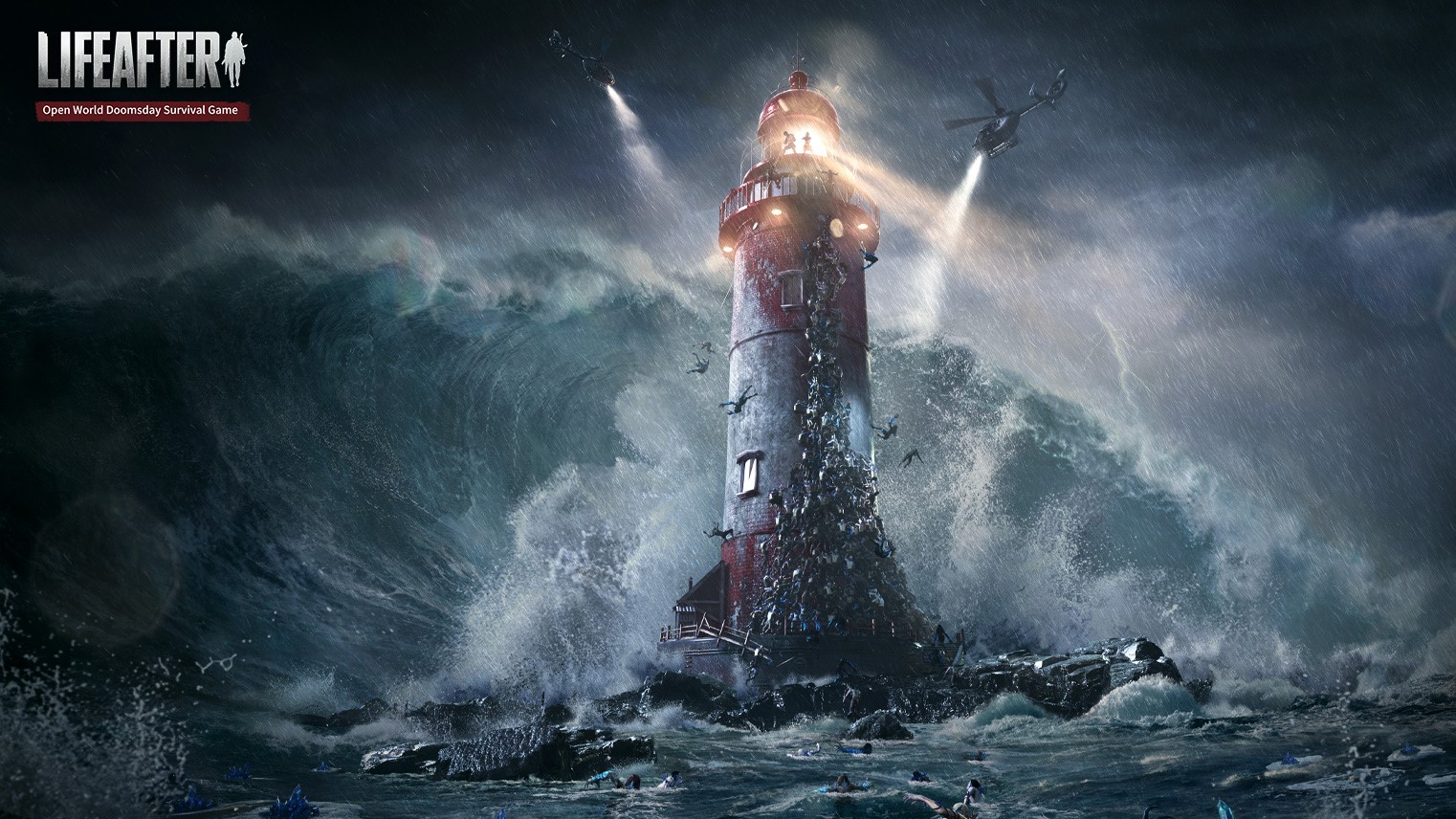
LifeAfter: Night Falls drops you into a world where the infected have taken over, social order has crumbled, and every day is a fight for survival. This adventure game challenges you to scavenge resources, build shelters, and defend against zombie hordes in a vast open world that keeps expanding. The windmills have stopped, dark tides loom, and screams echo as the infected surge. Your only choice is to use traps, strategy, and teamwork to hold them back.
The doomsday world is larger than ever. Survivors can set sail to explore five mutated seas, each with its own deadly characteristic: crystal, fog, filth, fire, and vortex. These mysterious waters are waiting to be conquered, but they are filled with danger. From snow-capped mountains to sandy beaches, from dense forests to arid deserts, from murky swamps to ruined cities, the world is full of crises and endless possibilities. You will need to gather resources, construct infrastructure, and fend off constant zombie invasions while building your own shelter.
Survival is not just about combat. The harsh climate and scant resources make every day a struggle. In the doomsday seas, you will encounter new and more dangerous infected creatures, including colossal mutants that can sink boats effortlessly. Danger is everywhere, so you must keep calm and live on by any means necessary. But you do not have to face it alone. During your exploration, you will meet other survivors. If the zombie cries and night winds make you weary, try opening up, sharing a meal with friends, talking all night, and piecing together a peaceful shelter together.
The game also introduces a unique half-zombie survival path. The organization Dawn Break claims that humans still have a chance after being bitten: you can live as a Revenant, abandoning your human identity, appearance, and abilities to change forever. It sounds risky, but when faced with life or death, what would you choose?
LifeAfter: Night Falls is designed for players who enjoy deep survival mechanics, exploration, and social interaction. The expanded open world offers diverse environments and challenges, while the five mutated seas add new layers of danger and discovery. Base building and resource management are central to your daily routine, and the constant threat of zombie invasions keeps you on edge. The option to become a Revenant adds a moral and strategic dilemma that can alter your gameplay experience.
For the best experience, play LifeAfter: Night Falls on PC with MuMuPlayer. The larger screen and precise controls make it easier to manage your shelter, spot resources, and react to zombie attacks. MuMuPlayer also supports Mac, including Mac mini and Apple Silicon chips like M1, M2, M3, M4, M5, M5 Pro, and M6, so you can play on Mac with MuMuPlayer. Whether you are using a Windows PC or a MacBook, MuMuPlayer provides a smooth and reliable way to survive the doomsday world. The platform enhances your ability to build, fight, and explore without the limitations of a smaller screen, making every decision count when the infected are closing in.
Emulator Features
Highest Android 15 Support Best Compatibility on Mac

With a smart button scheme and image recognition function, provide a more concise UI, and support custom button mapping to meet different needs. With a smart button scheme and image recognition, enjoy a cleaner UI and custom button mapping to fit different gaming needs on Mac.

Run multiple games independently at the same time, easily manage multiple accounts, play games while hanging. Take your Mac gaming further with multiple independent instances, easy account management, and seamless AFK gaming on Apple Silicon Mac.

Break through FPS limit, and enjoy a seamless gaming experience without lag and delay! Break through FPS limits for a seamless, lag-free gaming experience on MacBook, Mac mini, iMac, and Mac Studio.

Get a 3-second startup with 52% less memory usage and 65% more stability. Enjoy 3-second startup, 52% less memory usage, and 65% greater stability on Apple Silicon Mac.
How to Download and Play LifeAfter: Night falls on PC and Mac
Installation Guide
Download MuMuPlayer
Download MuMuPlayer and install it on your PC or Mac
Sign-in Google Store
Complete Google sign-in to access the Play Store
Search and Install
Search LifeAfter: Night falls in the Play Store
Enjoy Gaming
Enjoy 120 FPS high-def gameplay with big screen
System Requirements
Windows PC
Vulkan / DirectX supported. 4 cores + 4GB RAM recommended. Up to 240 FPS. VT required.
macOS
Recommended: Apple Silicon Mac with 8GB RAM or above. Up to 240 FPS.