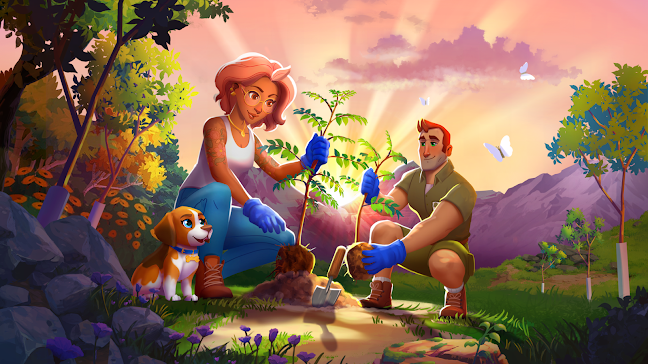
Play Longleaf Valley: Merge Game on PC and Mac
Longleaf Valley: Merge Game is a puzzle title that blends relaxing merge mechanics with a genuine environmental mission. Players combine objects across a beautifully crafted nature-themed world, working to restore a ruined national park while uncovering an eco-mystery storyline filled with memorable characters. Every session carries real-world weight, as the game is tied to an active tree-planting initiative that has already resulted in over two million trees planted worldwide. Playing Longleaf Valley on PC through MuMuPlayer lets you enjoy all of this on a larger screen with smooth, comfortable controls.
The game offers a surprisingly deep experience built around a few compelling pillars. At its core, merging items progresses both the story and the restoration of the valley, turning barren landscapes into thriving natural habitats. A cast of engaging characters guides players through a mystery centered on environmental destruction and corporate greed, giving the relaxed merge gameplay a meaningful narrative backbone. Wildlife rescue adds a collectible dimension, letting players save adorable animals and earn rewards through global events. The partnership with Eden: People and Planet means every action in the game contributes to real reforestation efforts, making Longleaf Valley one of the few mobile puzzle games where your playtime translates into tangible environmental impact.
MuMuPlayer enhances the Longleaf Valley experience in several practical ways. The larger display of a PC monitor makes it far easier to manage the merge board, spot available combinations, and plan your moves without the visual clutter of a small phone screen. Keyboard and mouse input gives you precise control over dragging and placing objects, which matters during busy event periods or when the board fills up quickly. MuMuPlayer also keeps the game running smoothly in the background, so you never miss timed rewards or wildlife rescues even while multitasking. For a game that rewards steady, thoughtful progress, having it open on your desktop through MuMuPlayer is simply the most comfortable way to play.
About the Game
What if a casual puzzle game could do something genuinely meaningful beyond entertainment? Longleaf Valley: Merge Game answers that question by combining a cozy merge experience with a real-world conservation mission. Through a verified partnership with Eden: People and Planet, the game has contributed to the planting of over two million trees, and that number continues to grow with every player who joins.
The setting is a neglected national park in desperate need of restoration. Greedy outside forces have caused widespread damage to the valley, and it falls to the player to reverse that destruction piece by piece. The core mechanic is merging: players combine matching objects on a grid to create higher-tier items, each combination pushing the restoration forward. The board evolves visually as progress is made, transforming barren or damaged areas into lush, thriving natural spaces filled with detail and life.
What sets Longleaf Valley apart from other merge games is its narrative layer. The valley holds secrets, and uncovering them means engaging with a cast of well-developed characters who each play a role in the larger eco-mystery. Players gradually learn what happened to the park, who is responsible, and what it will take to set things right. This storyline gives long-term direction to gameplay that might otherwise feel purely mechanical.
Key features players will encounter include:
- A real conservation tie-in: every session contributes to actual tree planting through the Eden: People and Planet partnership
- A story-driven mystery centered on environmental conflict and restoration
- Wildlife rescue mechanics that let players save and collect animals native to the valley
- Seasonal and limited-time events with global leaderboards for competitive players
- A nature-themed visual style designed to feel calm and rewarding
The wildlife system deserves special mention. Rescuing animals is not just a side activity; it ties into the broader theme of ecological recovery and provides its own rewards track. Collecting rare or event-exclusive animals adds a long-term goal for dedicated players, and competing on global event leaderboards gives the game a social and competitive edge that pure relaxation titles often lack.
The game is designed to be accessible and low-pressure. There is no frantic timing, no punishing difficulty spikes, and no requirement to engage with every system at once. Players can drop in for a few minutes or settle in for longer sessions, and the game accommodates both rhythms equally well. The nature-themed aesthetic, soft color palette, and ambient presentation all contribute to a tone that feels genuinely restorative.
For those who want to get the most out of every session, playing Longleaf Valley through MuMuPlayer on PC brings clear advantages. The expanded screen real estate makes the merge board easier to read and manage, reducing the friction that comes with working on a small phone display. Mouse precision makes dragging and placing objects feel more controlled, particularly when the board becomes dense during event periods. Running the game through MuMuPlayer also means it stays active in the background, ensuring timed bonuses and wildlife events are never missed while you attend to other tasks.
Longleaf Valley: Merge Game is a puzzle experience that manages to be both genuinely relaxing and meaningfully purposeful, a combination that few games in the genre achieve.
Emulator Features
Highest Android 15 Support Best Compatibility on Mac

With a smart button scheme and image recognition function, provide a more concise UI, and support custom button mapping to meet different needs. With a smart button scheme and image recognition, enjoy a cleaner UI and custom button mapping to fit different gaming needs on Mac.

Run multiple games independently at the same time, easily manage multiple accounts, play games while hanging. Take your Mac gaming further with multiple independent instances, easy account management, and seamless AFK gaming on Apple Silicon Mac.

Break through FPS limit, and enjoy a seamless gaming experience without lag and delay! Break through FPS limits for a seamless, lag-free gaming experience on MacBook, Mac mini, iMac, and Mac Studio.

Get a 3-second startup with 52% less memory usage and 65% more stability. Enjoy 3-second startup, 52% less memory usage, and 65% greater stability on Apple Silicon Mac.
How to Download and Play Longleaf Valley: Merge Game on PC and Mac
Installation Guide
Download MuMuPlayer
Download MuMuPlayer and install it on your PC or Mac
Sign-in Google Store
Complete Google sign-in to access the Play Store
Search and Install
Search Longleaf Valley: Merge Game in the Play Store
Enjoy Gaming
Enjoy 120 FPS high-def gameplay with big screen
System Requirements
Windows PC
Vulkan / DirectX supported. 4 cores + 4GB RAM recommended. Up to 240 FPS. VT required.
macOS
Recommended: Apple Silicon Mac with 8GB RAM or above. Up to 240 FPS.