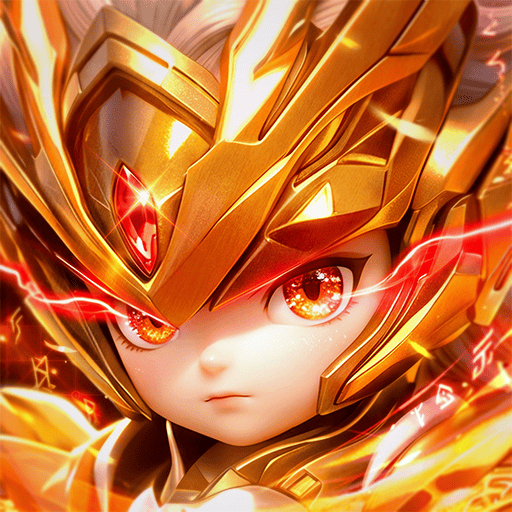
Play Moonlight Sculptor: DarkGamer on PC Play Moonlight Sculptor: DarkGamer on PC and Mac
Moonlight Sculptor: DarkGamer is a role playing game that continues the story of the shattered moonlight sculptor world after the great adventurer Weed vanished. Players step into a chaotic era and compete to reclaim supremacy in Versailles, following a narrative rooted in the original novel. The game combines story-driven progression with competitive PVP and world-spanning battles. For a smoother experience, you can play Moonlight Sculptor: DarkGamer on PC through MuMuPlayer, which brings the adventure to a larger screen with stable performance.
The game centers on legendary competition and glory. Fierce PVP battles between users let you chase your dream victory, while cross-world sword fights pit you against players from around the globe for the legendary hero position. Collection and combination add depth: you can craft homemade statues and collect rare monster cards to shape your own attack style. Cute Buddy companions follow your adventurer and grow alongside you, and differentiated shape weapons offer unique progression. Living content includes gathering, fishing, cooking for income, and free trading on the exchange.
Playing Moonlight Sculptor: DarkGamer on PC with MuMuPlayer makes sense for a game built around competition and collection. The larger screen helps you track PVP battles and world conflicts, while keyboard and mouse controls can make menu navigation and combat inputs more precise. MuMuPlayer also supports playing on Mac, including MacBook and macOS devices, so you can enjoy the game on Mac mini through MuMuPlayer or on Apple Silicon Macs with M1, M2, M3, M4, M5, M5 Pro, or M6 chips. Whether you lead with PC or prefer Mac, MuMuPlayer keeps the focus on the game's PVP, statue crafting, and living content without claiming native Mac support.
Download Moonlight Sculptor: DarkGamer on PC or Mac with MuMuPlayer, get a PC like gameplay along with smart control and high graphics performance.
MuMuPlayer, the top Android emulator for PC and Apple silicon Mac, delivers an optimal gaming experience with minimal RAM usage and high FPS. It also allows you to create multiple instances of the emulator and run several games simultaneously, thanks to its Multi-instance feature. Its advanced emulator features ensure smooth gameplay, even on low-end PCs.
Download and play Moonlight Sculptor: DarkGamer on PC or Mac with MuMuPlayer and start enjoying your gaming experience now.
About the Game
Moonlight Sculptor: DarkGamer invites you into a fractured world where the legendary adventurer Weed has disappeared, leaving chaos in his wake. As a role playing game, it builds on the original novel's setting and asks you to rise in a time of uncertainty, competing once more for supremacy in Versailles. The story is not a side note; it frames your journey and gives context to the rivalries and alliances that shape the server.
Competition sits at the heart of the experience. The game emphasizes legendary competition through fierce PVP battles between users, where every match is a chance to move closer to your dream victory. Beyond one-on-one clashes, there are borderless battlefields that set the stage for real sword fights with players from all over the world, all vying for the legendary hero position. These conflicts are designed to feel tense and thrilling, and they reward preparation as much as reflexes.
Preparation comes in many forms, and collection is one of the most rewarding. You can make your own attack style by combining statues and monster cards. Homemade statues and rare monster cards form the core of this system, and the fun lies in endless collection and combination as you chase the best character build. Cute Buddy companions add another layer: they follow your adventurer, explore alongside you, and grow with you. Differentiated shape weapons further separate your character from others, giving you room to experiment with unique loadouts.
Life in the game is not only about fighting. Living content lets you make money from cooking, and you can gather items through collecting and fishing. These activities feed into a free exchange where you can trade items as you see fit. The exchange is not a locked system; it is part of the everyday loop that supports your combat ambitions. Whether you spend a session fishing, cooking, or hunting rare cards, the game offers a mix of action and quiet progression.
Key features at a glance: - A story that inherits the original novel's setting and follows the chaos after Weed's disappearance. - Fierce PVP battles between users, with legendary competition as a central goal. - Borderless battlefields where players from around the world fight for the legendary hero position. - Statue crafting and rare monster card collection for endless combination and character building. - Cute Buddy companions that explore and grow with you. - Unique shape weapons that differentiate your adventurer. - Living content including gathering, fishing, cooking for income, and free exchange trading.
For players who want a bigger view of the action, MuMuPlayer offers a way to play Moonlight Sculptor: DarkGamer on PC. The larger screen helps when you are managing PVP battles, scanning the exchange, or organizing statue and card combinations. Keyboard and mouse controls can make menu navigation and combat inputs more comfortable during longer sessions. MuMuPlayer also works for those who prefer Mac: you can play on Mac with MuMuPlayer, including MacBook and macOS setups, and play on Mac mini through MuMuPlayer. On Apple Silicon Macs, the emulator runs on M1, M2, M3, M4, M5, M5 Pro, and M6 chips, so you can keep the game on a Macintosh device if that fits your setup better than a Windows PC.
The important point is choice. PC and Windows remain the lead way to play through MuMuPlayer, and Mac support is there as a secondary option for players who use macOS. Neither path changes the game's core: the PVP competition, the world battles, the statue and monster card collection, the Buddy companions, the unique weapons, and the cooking and exchange economy all remain the same. MuMuPlayer simply gives you a stable place to enjoy them on a larger display, with the flexibility to move between PC and Mac as your setup allows.
Emulator Features
Highest Android 15 Support Best Compatibility on Mac

With a smart button scheme and image recognition function, provide a more concise UI, and support custom button mapping to meet different needs. With a smart button scheme and image recognition, enjoy a cleaner UI and custom button mapping to fit different gaming needs on Mac.

Run multiple games independently at the same time, easily manage multiple accounts, play games while hanging. Take your Mac gaming further with multiple independent instances, easy account management, and seamless AFK gaming on Apple Silicon Mac.

Break through FPS limit, and enjoy a seamless gaming experience without lag and delay! Break through FPS limits for a seamless, lag-free gaming experience on MacBook, Mac mini, iMac, and Mac Studio.

Get a 3-second startup with 52% less memory usage and 65% more stability. Enjoy 3-second startup, 52% less memory usage, and 65% greater stability on Apple Silicon Mac.
How to Download and Play Moonlight Sculptor: DarkGamer on PC and Mac
Installation Guide
Download MuMuPlayer
Download MuMuPlayer and install it on your PC or Mac
Sign-in Google Store
Complete Google sign-in to access the Play Store
Search and Install
Search Moonlight Sculptor: DarkGamer in the Play Store
Enjoy Gaming
Enjoy 120 FPS high-def gameplay with big screen
System Requirements
Windows PC
Vulkan / DirectX supported. 4 cores + 4GB RAM recommended. Up to 240 FPS. VT required.
macOS
Recommended: Apple Silicon Mac with 8GB RAM or above. Up to 240 FPS.