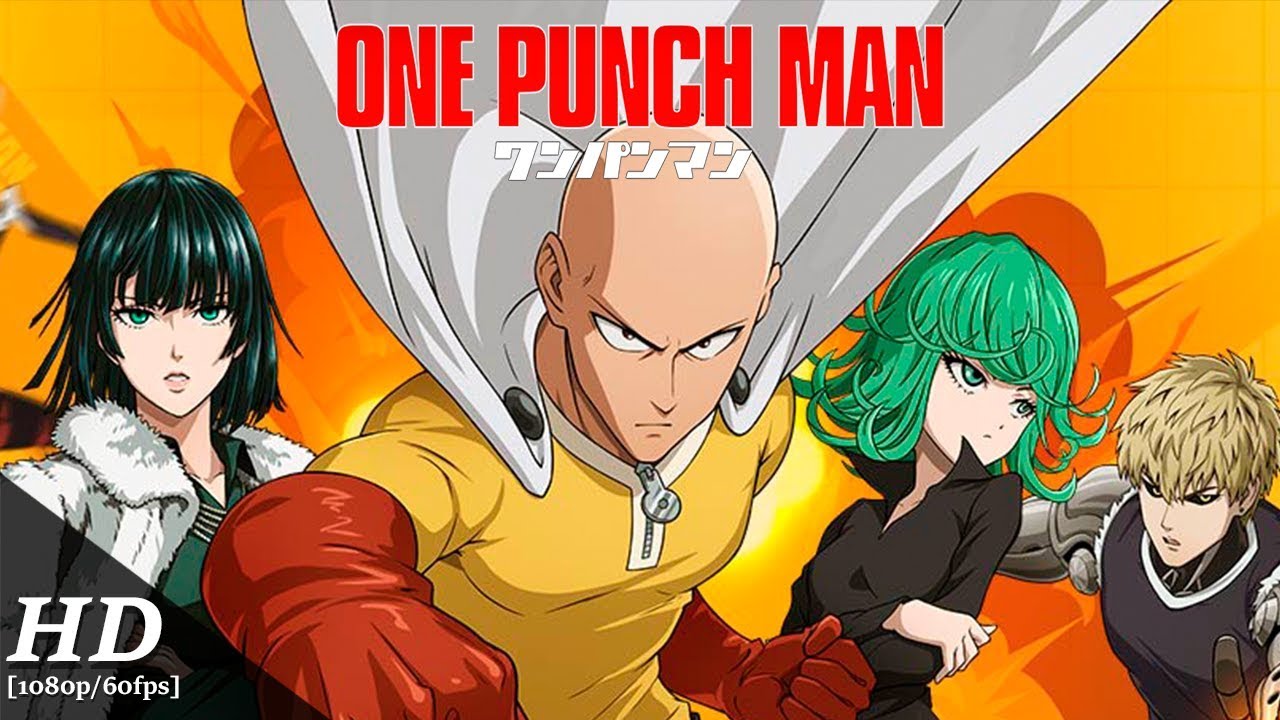
Play One Punch Man: The Strongest on PC Play One Punch Man: The Strongest on PC and Mac
One Punch Man: The Strongest is a turn-based mobile RPG built around the beloved Japanese anime franchise of the same name. Officially authorized and supervised by Shueisha's production committee, the game faithfully recreates the world, characters, and story arcs that fans know and love. Whether you are a longtime follower of Saitama's overpowered adventures or a newcomer drawn in by the anime's reputation, this role-playing experience brings the chaos of monster attacks and heroic battles directly to your screen, and playing it on PC through MuMuPlayer makes every session even more engaging.
The game assembles an impressive roster of characters pulled straight from the source material, including Saitama, Genos, Boros, and Speed-o'-Sound Sonic, each carrying their distinct abilities and personalities into strategic combat. Original voice actors from the anime reprise their roles, delivering full story dubbing that keeps the tone and humor of the series intact. Players can build and manage their own Hero Association by combining Heroes and Monsters into powerful lineups, unlocking Core bonuses for competitive modes. The breadth of content extends across PVE stages with the Saitama Battle Mode for one-punch clears, Martial Dojos, Endless Battle Zones, Peak Arena, Unnatural Disaster, Conqueror's Challenge, and real-time multiplayer battles that keep progression varied and rewarding.
Running One Punch Man: The Strongest on PC through MuMuPlayer gives players a meaningful advantage across several of these modes. The larger display makes managing your Hero Association lineup and reading battle details far more comfortable, while smoother performance ensures real-time multiplayer encounters run without interruption. Keyboard and mouse controls simplify menu navigation during extended grinding sessions, and MuMuPlayer's stable resource handling means you can push through Endless Battle Zones or climb the Peak Arena rankings without the battery drain or heat concerns that come with mobile play. For a game this content-rich, a dedicated PC setup through MuMuPlayer simply feels like the right way to experience it.
Download One Punch Man: The Strongest on PC or Mac with MuMuPlayer, get a PC like gameplay along with smart control and high graphics performance.
MuMuPlayer, the top Android emulator for PC and Apple silicon Mac, delivers an optimal gaming experience with minimal RAM usage and high FPS. It also allows you to create multiple instances of the emulator and run several games simultaneously, thanks to its Multi-instance feature. Its advanced emulator features ensure smooth gameplay, even on low-end PCs.
Download and play One Punch Man: The Strongest on PC or Mac with MuMuPlayer and start enjoying your gaming experience now.
About the Game
Cities are crumbling under monster assaults, civilians are desperate for protection, and the Hero Association is the last line of defense standing between chaos and order. One Punch Man: The Strongest drops players into this high-stakes world, drawing directly from the acclaimed Japanese anime to deliver a turn-based RPG that balances strategic depth with the over-the-top spectacle the franchise is famous for. Officially authorized and developed under the supervision of Shueisha's production committee, the game is built to honor the source material rather than simply borrow its name.
At the heart of the experience is roster building. The game gathers a wide selection of characters from across the anime, spanning celebrated heroes and notorious monsters alike. Saitama himself appears in his serious form, capable of ending any confrontation with a single punch, while Genos continues his path of constant mechanical evolution. Villains like the alien warlord Boros and the self-proclaimed rival Speed-o'-Sound Sonic round out a cast that fans will immediately recognize. Every character carries unique abilities and personality traits that feed directly into how you construct your lineup.
Building your own Hero Association is more than a cosmetic exercise. Players must think carefully about team composition, combining Heroes and Monsters with complementary skill sets to activate Core bonuses that can shift the balance in competitive play. The lineup you field in Arena battles will look very different from the one you optimize for PVE progression, and that flexibility is part of what keeps the strategic layer interesting over time.
Key gameplay modes include:
- Saitama Battle Mode: Available in PVE stages, this mode lets you experience the fantasy of one-punch kills for rapid stage clearing.
- Martial Dojos and Endless Battle Zones: Test the limits of your builds against escalating challenges.
- Peak Arena and Tournaments: Climb competitive rankings using your strongest Core activations.
- Unnatural Disaster and Conqueror's Challenge: Face unique scenario-based challenges with distinct reward structures.
- Real-time Multiplayer Battles: Engage other players directly across several modes, including club-based cooperative content.
- Exploration and Perfection Systems: Long-term progression paths that reward consistent play.
The audio presentation adds another layer of authenticity. Original voice cast members from the anime return to deliver full dubbing across story sequences, preserving the comedic timing, dramatic weight, and memorable exchanges that define the series. This is not background flavor; the story mode genuinely recreates scenes and narrative beats from the anime, giving players who love the source material something to look forward to beyond the combat loop.
For anyone who wants to get the most out of a game this content-heavy, playing on PC through MuMuPlayer is a practical choice. The expanded screen real estate alone transforms how you manage your Association, review character details, and track battle positioning. Stable emulator performance keeps real-time multiplayer sessions consistent, and the option to use keyboard and mouse controls reduces fatigue during longer grinding runs. MuMuPlayer handles the resource demands smoothly, so you can focus on climbing the rankings rather than managing your device's limitations.
Emulator Features
Highest Android 15 Support Best Compatibility on Mac

With a smart button scheme and image recognition function, provide a more concise UI, and support custom button mapping to meet different needs. With a smart button scheme and image recognition, enjoy a cleaner UI and custom button mapping to fit different gaming needs on Mac.

Run multiple games independently at the same time, easily manage multiple accounts, play games while hanging. Take your Mac gaming further with multiple independent instances, easy account management, and seamless AFK gaming on Apple Silicon Mac.

Break through FPS limit, and enjoy a seamless gaming experience without lag and delay! Break through FPS limits for a seamless, lag-free gaming experience on MacBook, Mac mini, iMac, and Mac Studio.

Get a 3-second startup with 52% less memory usage and 65% more stability. Enjoy 3-second startup, 52% less memory usage, and 65% greater stability on Apple Silicon Mac.
How to Download and Play One Punch Man: The Strongest on PC and Mac
Installation Guide
Download MuMuPlayer
Download MuMuPlayer and install it on your PC or Mac
Sign-in Google Store
Complete Google sign-in to access the Play Store
Search and Install
Search One Punch Man: The Strongest in the Play Store
Enjoy Gaming
Enjoy 120 FPS high-def gameplay with big screen
System Requirements
Windows PC
Vulkan / DirectX supported. 4 cores + 4GB RAM recommended. Up to 240 FPS. VT required.
macOS
Recommended: Apple Silicon Mac with 8GB RAM or above. Up to 240 FPS.