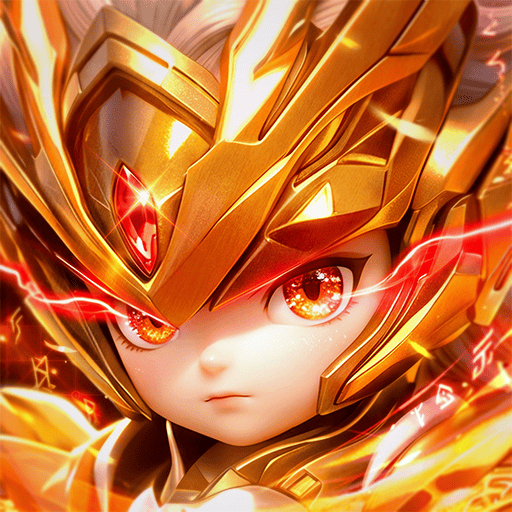
Play 전생했더니 검 한 자루 on PC Play 전생했더니 검 한 자루 on PC and Mac
Reincarnated with a Sword is a role playing game from EmeForge that centers on a single divine blade and the endless growth that comes from wielding it. The premise is simple: you start with one sword, then push it toward the absolute power that can divide the world itself. The game strips away complicated systems and focuses on the essence of growth and combat, which makes it easy to pick up and satisfying to master. Playing on PC through MuMuPlayer gives you a larger screen and smoother controls while you chase that progression.
The game leans into idle and instant gratification mechanics that are described in its official feature set. Idle farming pours loot and rare equipment your way even when you are not actively grinding, and sweep-style attacks let you wipe out waves of enemies in a single blow with a strong sense of impact. Awakening trials test your limits and unlock the true instincts of the divine sword, while one-handed enhancement systems deliver explosive combat power in an instant. Free VIP benefits and convenient 24-hour idle rewards round out the experience, and the official launch offer includes free VIP 12, 11,220 Gold, and the Taewang Costume Weapon Set with a 100% guarantee.
MuMuPlayer is the reason to move this experience to a bigger screen. On PC, the interface, menus, and enhancement screens have room to breathe, and the idle reward flow is easier to monitor without straining your eyes on a phone. The sweep and smash style combat benefits from responsive keyboard and mouse input, and you can keep the game running in the background while you handle other tasks on your desktop. If you also use a Mac, MacBook, or Mac mini, you can play through MuMuPlayer on macOS as well, including on Apple Silicon machines such as M1, M2, M3, M4, M5, M5 Pro, and M6. Whether you are on Windows or a Mac, MuMuPlayer keeps the focus on the game rather than the hardware.
Download 전생했더니 검 한 자루 on PC or Mac with MuMuPlayer, get a PC like gameplay along with smart control and high graphics performance.
MuMuPlayer, the top Android emulator for PC and Apple silicon Mac, delivers an optimal gaming experience with minimal RAM usage and high FPS. It also allows you to create multiple instances of the emulator and run several games simultaneously, thanks to its Multi-instance feature. Its advanced emulator features ensure smooth gameplay, even on low-end PCs.
Download and play 전생했더니 검 한 자루 on PC or Mac with MuMuPlayer and start enjoying your gaming experience now.
About the Game
Reincarnated with a Sword is a role playing game developed by EmeForge, and its official launch brings an MMO built around a single divine sword. The core idea is that one blade can grow with you from a basic weapon into the absolute divine sword that divides the world. Instead of burying players in complex and cumbersome systems, the game focuses on the essence of growth and combat, which makes the whole experience feel direct and rewarding. You can play it on PC through MuMuPlayer, and if you prefer Apple hardware, you can also play on Mac with MuMuPlayer, including on a MacBook, Mac mini, or an Apple Silicon machine such as M1, M2, M3, M4, M5, M5 Pro, or M6.
The official launch comes with a set of guaranteed rewards. Players receive free VIP 12, 11,220 Gold, and the Taewang Costume Weapon Set with a 100% guarantee. There is also a mention of exclusive benefits that include Apple's first foldable iPhone Duo. These are launch offers described by the game, and they set the tone for a title that wants to remove spending worries and let players focus on growth.
The gameplay loop is organized around four actions that the game presents as its main pillars. First, you pick up loot. Idle farming means you can leave the game running and still collect an endless flow of rewards and rare equipment. Second, you sweep through enemies. The game emphasizes an overwhelming sense of impact when a single blow wipes out endless waves of foes. Third, you awaken the sword. Trials test your limits, and breaking through them unlocks the true instincts of the divine sword. Fourth, you smash through enhancement. The system is designed for one-handed play, and it delivers insane combat power that explodes in an instant. A fifth idea, sucking up rewards, is really about convenience: free VIP benefits and 24-hour idle rewards mean you do not have to worry about spending.
This structure makes the game friendly to players who want progress without constant micromanagement. The idle systems keep loot flowing, the sweep mechanics deliver quick bursts of combat satisfaction, and the awakening trials provide goals that test your limits. Enhancement is built to be accessible with one hand, so you can tap into big power spikes without a complicated routine. The overall feel is an idle thrill of conquering the world with a single fingertip, which matches the game's promise of focusing only on the essence of growth and combat.
For players who want a larger view and more comfortable controls, MuMuPlayer is a natural fit. On PC, you can run the game on Windows and keep the idle reward screens visible while you use other applications. The enhancement and awakening interfaces are easier to read on a monitor, and the sweep-style combat feels more responsive with a keyboard and mouse. If you use a Mac, MacBook, or Mac mini, you can play on Mac through MuMuPlayer, and Apple Silicon chips such as M1, M2, M3, M4, M5, M5 Pro, and M6 are supported through the emulator. This means you can enjoy the same growth loop whether you are on a Windows PC or a macOS setup, and even legacy Macintosh users who have moved to Apple Silicon can join in through MuMuPlayer.
The game also includes optional access permissions for microphone and for photos, media, and files, which are used for voice chat between users and the in-game camera function. These permissions are optional, and the game can still be used without agreeing to them. The minimum requirements listed are Android OS 4.4 or higher, 2 GB of RAM, and 2 GB of storage. For players on PC or Mac, MuMuPlayer handles the environment so you can focus on the divine sword and its progression.
If you are looking for an MMO that keeps things simple and rewards you even while idle, Reincarnated with a Sword is built around that idea. The launch rewards are guaranteed, the four core actions give the loop a clear rhythm, and the option to play on PC or Mac through MuMuPlayer makes it easy to keep the game within reach. Whether you are on Windows or macOS, on a desktop or a MacBook, the goal remains the same: take a single sword and grow it into the absolute divine sword.
Emulator Features
Highest Android 15 Support Best Compatibility on Mac

With a smart button scheme and image recognition function, provide a more concise UI, and support custom button mapping to meet different needs. With a smart button scheme and image recognition, enjoy a cleaner UI and custom button mapping to fit different gaming needs on Mac.

Run multiple games independently at the same time, easily manage multiple accounts, play games while hanging. Take your Mac gaming further with multiple independent instances, easy account management, and seamless AFK gaming on Apple Silicon Mac.

Break through FPS limit, and enjoy a seamless gaming experience without lag and delay! Break through FPS limits for a seamless, lag-free gaming experience on MacBook, Mac mini, iMac, and Mac Studio.

Get a 3-second startup with 52% less memory usage and 65% more stability. Enjoy 3-second startup, 52% less memory usage, and 65% greater stability on Apple Silicon Mac.
How to Download and Play 전생했더니 검 한 자루 on PC and Mac
Installation Guide
Download MuMuPlayer
Download MuMuPlayer and install it on your PC or Mac
Sign-in Google Store
Complete Google sign-in to access the Play Store
Search and Install
Search 전생했더니 검 한 자루 in the Play Store
Enjoy Gaming
Enjoy 120 FPS high-def gameplay with big screen
System Requirements
Windows PC
Vulkan / DirectX supported. 4 cores + 4GB RAM recommended. Up to 240 FPS. VT required.
macOS
Recommended: Apple Silicon Mac with 8GB RAM or above. Up to 240 FPS.