Play ReLOST on PC Play ReLOST on PC and Mac
Download ReLOST on PC with MuMuPlayer, get a PC like gameplay along with smart control and high graphics performance.
MuMuPlayer, the top Android emulator for PC and Apple silicon Mac, delivers an optimal gaming experience with minimal RAM usage and high FPS. It also allows you to create multiple instances of the emulator and run several games simultaneously, thanks to its Multi-instance feature. Its advanced emulator features ensure smooth gameplay, even on low-end PCs.
Download and play ReLOST on PC with MuMuPlayer and start enjoying your gaming experience now.
Download ReLOST on PC or Mac with MuMuPlayer, get a PC like gameplay along with smart control and high graphics performance.
MuMuPlayer, the top Android emulator for PC and Apple silicon Mac, delivers an optimal gaming experience with minimal RAM usage and high FPS. It also allows you to create multiple instances of the emulator and run several games simultaneously, thanks to its Multi-instance feature. Its advanced emulator features ensure smooth gameplay, even on low-end PCs.
Download and play ReLOST on PC or Mac with MuMuPlayer and start enjoying your gaming experience now.
About the Game
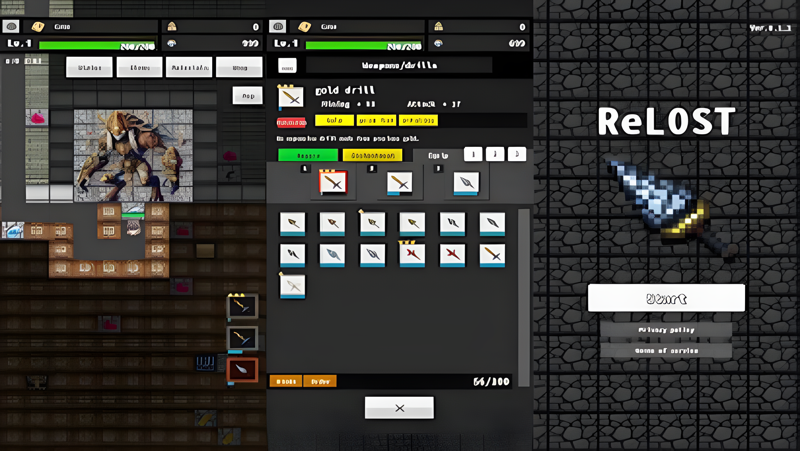
ReLOST is a simple yet deep drilling game where you explore an expansive underground world. Use your drill to dig through the depths, uncover valuable ores and monster stone tablets, and embark on your own adventure!

Game Features
Endless Digging Experience
A highly addictive, straightforward gameplay where you keep drilling deeper and deeper in search of hidden treasures. Rare ores and giant monster stone tablets occasionally appear, adding excitement and mystery to your journey!

Not Just Ores?! Monster Stone Tablets Await!
Uncover rare stone tablets! Some are massive, spanning 2×2 in size, while others possess unique abilities. The more you dig, the more surprises and discoveries await!

Evolve Your Drill, Deepen Your Adventure
Upgrade your drill using the ores and materials you collect. From wooden to stone to metal drills, enhancing your equipment allows you to dig even deeper and expand your exploration!

Robust Growth System
Drill: Enhance speed and durability for better digging!
Character HP: Strengthen yourself to survive battles in the depths!
Hack & Slash Elements: Gather loot to craft stronger gear and tools!
A Base to Support Your Adventure
Your base helps you prepare for efficient exploration!

Drill Crafting: Create new drills with the materials you find!
Drill Upgrades: Enchant your equipment to gain powerful abilities!
Once you're ready, dive back into the underground unknown!
Collection & Achievements
Track your progress as you dig!
As you collect more ores, you’ll unlock achievements that showcase your accomplishments. Enjoy looking back at how deep you've gone!

Easy Controls for Everyone
Designed for smooth mobile gameplay, featuring intuitive controls that make digging effortless. Whether you're a beginner or an experienced player, the game offers a deep yet accessible experience for all!

Recommended for:
✔ Fans of simple, satisfying digging games
✔ Players who enjoy leveling up and hack & slash elements
✔ Those who love discovering and collecting new items
✔ Anyone who wants to play a game with a clear mind

Grab your drill and start digging into the unknown underground world! 🚀🔨
Emulator Features
Highest Android 15 Support Best Compatibility on Mac

With a smart button scheme and image recognition function, provide a more concise UI, and support custom button mapping to meet different needs. With a smart button scheme and image recognition, enjoy a cleaner UI and custom button mapping to fit different gaming needs on Mac.

Run multiple games independently at the same time, easily manage multiple accounts, play games while hanging. Take your Mac gaming further with multiple independent instances, easy account management, and seamless AFK gaming on Apple Silicon Mac.

Break through FPS limit, and enjoy a seamless gaming experience without lag and delay! Break through FPS limits for a seamless, lag-free gaming experience on MacBook, Mac mini, iMac, and Mac Studio.

Get a 3-second startup with 52% less memory usage and 65% more stability. Enjoy 3-second startup, 52% less memory usage, and 65% greater stability on Apple Silicon Mac.
How to Download and Play ReLOST on PC and Mac
Installation Guide
Download MuMuPlayer
Download MuMuPlayer and install it on your PC or Mac
Sign-in Google Store
Complete Google sign-in to access the Play Store
Search and Install
Search ReLOST in the Play Store
Enjoy Gaming
Enjoy 120 FPS high-def gameplay with big screen
System Requirements
Windows PC
Vulkan / DirectX supported. 4 cores + 4GB RAM recommended. Up to 240 FPS. VT required.
macOS
Recommended: Apple Silicon Mac with 8GB RAM or above. Up to 240 FPS.