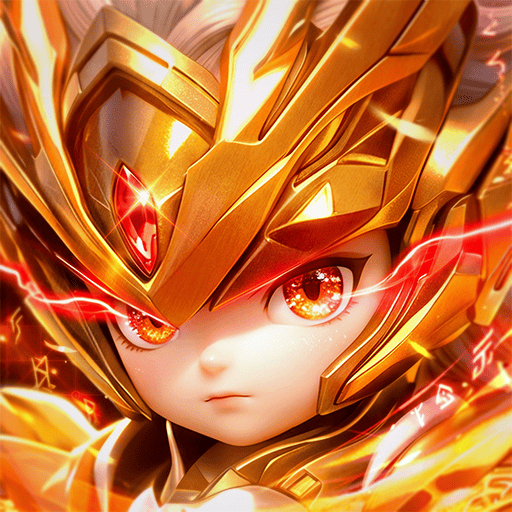
Play ResQRush on PC Play ResQRush on PC and Mac
ResQRush is a role playing game that puts you in command of a full scale bullet assault. Instead of dodging the chaos, you lead it, picking up skills as you fight, blasting through waves of enemies, and dominating a world that is far more dangerous than it first appears. You can play ResQRush on PC with MuMuPlayer, giving you a smooth and reliable way to enjoy the action on a larger screen.
The game centers on assembling a squad of snipers, gunners, tanks, and mechas, then unleashing bullet fury to tear through enemy waves. Roguelike skill drafts let you pick skills as you go, stack bonuses, and build wild combos so no two runs feel the same. Legendary commanders bring unique passives and ultimates, while base customization with tactical skins lets you decorate and dominate. You can also join a clan, raid bosses, and reclaim territory with other players.
Playing ResQRush on PC with MuMuPlayer makes it easier to manage the fast paced combat and skill drafting. A keyboard and mouse setup can help you react quickly during bullet heavy fights, and the larger screen keeps squad details and skill choices clear. MuMuPlayer is designed for PC and Windows, and it also lets you play on Mac, MacBook, and macOS devices, including Mac mini and Apple Silicon models like M1, M2, M3, M4, M5, M5 Pro, and M6. Whether you are on a Windows PC or a Macintosh, you can enjoy ResQRush through MuMuPlayer without needing native Mac support.
Download ResQRush on PC or Mac with MuMuPlayer, get a PC like gameplay along with smart control and high graphics performance.
MuMuPlayer, the top Android emulator for PC and Apple silicon Mac, delivers an optimal gaming experience with minimal RAM usage and high FPS. It also allows you to create multiple instances of the emulator and run several games simultaneously, thanks to its Multi-instance feature. Its advanced emulator features ensure smooth gameplay, even on low-end PCs.
Download and play ResQRush on PC or Mac with MuMuPlayer and start enjoying your gaming experience now.
About the Game
ResQRush is a role playing game where you take command of a full scale bullet assault. The core twist is that you do not evade the onslaught; you lead it. You pick up skills as you fight, blast through enemy waves, and dominate a world that is far more dangerous than it seems. You can play ResQRush on PC with MuMuPlayer for a smooth and comfortable experience on a bigger screen.
Squad building is at the heart of the game. You draft snipers, gunners, tanks, and mechas, then tear through enemy waves with your chosen mix. Each unit type brings a different role to the fight, and the way you combine them shapes how you handle the pressure. Once your troopers are fired up, you unleash bullet fury and watch the enemies crumble.
Roguelike skill drafts keep every run fresh. As you go, you pick skills, stack bonuses, and build crazy combos. No run is ever the same, so you are constantly adapting your plan and testing new combinations. This system rewards experimentation and makes each battle feel like a new puzzle to solve.
Legendary commanders add another layer. They come with unique passives and ultimates, so choosing the right commander can change how you outsmart and outgun every enemy. You need to think about synergy between your squad, your drafted skills, and your commander's abilities to get the most out of each run.
Base customization gives you a place to express your style. You can decorate and dominate with tactical skins. Your base, your rules, and the way you set it up reflects your approach to the game.
Stronger together is more than a slogan. You can join a clan, raid bosses, and reclaim your territory with other players. Clan play adds a social layer and gives you reasons to coordinate with others as you take on bigger challenges.
When you play ResQRush on PC with MuMuPlayer, you get several practical benefits. The keyboard and mouse setup can make it easier to react during bullet heavy combat and to navigate skill drafts quickly. The larger screen helps you keep track of squad details, commander abilities, and enemy waves without straining. MuMuPlayer is built for PC and Windows, and it also lets you play on Mac, MacBook, and macOS devices, including Mac mini and Apple Silicon chips like M1, M2, M3, M4, M5, M5 Pro, and M6. You can enjoy ResQRush on a Windows PC or on a Mac through MuMuPlayer, with no need for native Mac support. The emulator provides a stable environment for the fast paced action, so you can focus on building your squad, drafting skills, and leading the bullet assault.
Emulator Features
Highest Android 15 Support Best Compatibility on Mac

With a smart button scheme and image recognition function, provide a more concise UI, and support custom button mapping to meet different needs. With a smart button scheme and image recognition, enjoy a cleaner UI and custom button mapping to fit different gaming needs on Mac.

Run multiple games independently at the same time, easily manage multiple accounts, play games while hanging. Take your Mac gaming further with multiple independent instances, easy account management, and seamless AFK gaming on Apple Silicon Mac.

Break through FPS limit, and enjoy a seamless gaming experience without lag and delay! Break through FPS limits for a seamless, lag-free gaming experience on MacBook, Mac mini, iMac, and Mac Studio.

Get a 3-second startup with 52% less memory usage and 65% more stability. Enjoy 3-second startup, 52% less memory usage, and 65% greater stability on Apple Silicon Mac.
How to Download and Play ResQRush on PC and Mac
Installation Guide
Download MuMuPlayer
Download MuMuPlayer and install it on your PC or Mac
Sign-in Google Store
Complete Google sign-in to access the Play Store
Search and Install
Search ResQRush in the Play Store
Enjoy Gaming
Enjoy 120 FPS high-def gameplay with big screen
System Requirements
Windows PC
Vulkan / DirectX supported. 4 cores + 4GB RAM recommended. Up to 240 FPS. VT required.
macOS
Recommended: Apple Silicon Mac with 8GB RAM or above. Up to 240 FPS.