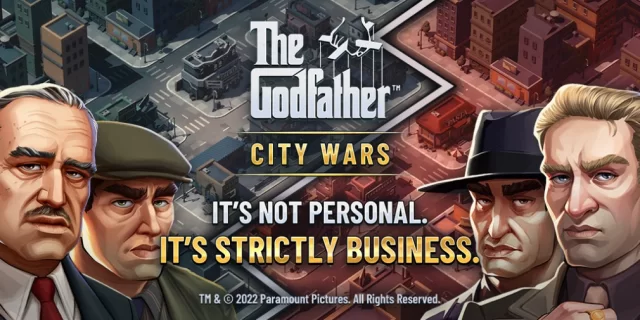
Play The Godfather: City Wars on PC and Mac
Download The Godfather: City Wars on PC or Mac with MuMuPlayer, get a PC like gameplay along with smart control and high graphics performance.
MuMuPlayer, the top Android emulator for PC and Apple silicon Mac, delivers an optimal gaming experience with minimal RAM usage and high FPS. It also allows you to create multiple instances of the emulator and run several games simultaneously, thanks to its Multi-instance feature. Its advanced emulator features ensure smooth gameplay, even on low-end PCs.
Download and play The Godfather: City Wars on PC or Mac with MuMuPlayer and start enjoying your gaming experience now.
About the Game
The official Godfather mobile game. You have been called upon by Don Corleone as a trusted acquaintance to help him manage the family empire. Will you be worthy of being called family?

An idle city builder and shooter where you join the Corleone family in expanding the empire across New York and Las Vegas. Hire new members, upgrade their skills, and training them to fight in turf wars against rival families. Finding new weapons and perks to assist you in awesome shootouts in the streets.

Build upon the family mansion and utilize your skills to upgrade buildings in your empire to earn more cash and respect for the family name. Take down rival families through force and wit.

Be a part of the Godfather story, woven in between the original movie script. Playing alongside and interacting with all your favorite characters of the original movie.

Experience the story
Don Vito Corleone, head of a mafia family, has summoned you as a trusted old friend to spearhead the operations of the Corleone empire. Expand the business and take over neighborhoods as the story unfolds with tragic circumstances threatening to tear the family empire apart.

Build your empire
Gain favor with local businesses and extend them your protection services by assigning Capos to generate vital idle income to fund your growing empire. Start from a small time operation to controlling entire cities! Make sure to check back often to claim all your cash!

Grow your Family
As you expand your operations you will need more trusted family members to help manage your growing family business. Recruit a range of unique Capos to assist you in the fight for territory and opportunity.

Make them an offer they can't refuse
Rival families want what you have, use all your resources and strength to overcome and ensure the family’s empire is safe for generations to come.
Emulator Features

With a smart button scheme and image recognition function, provide a more concise UI, and support custom button mapping to meet different needs.

Run multiple games independently at the same time, easily manage multiple accounts, play games while hanging.

Break through FPS limit, and enjoy a seamless gaming experience without lag and delay!

Get a 3-second startup with 52% less memory usage and 65% more stability.
How to Download and Play The Godfather: City Wars on PC and Mac
Installation Guide
Download MuMuPlayer
Download and install MuMuPlayer on your PC or Mac
Sign-in Google Store
Complete Google sign-in to access the Play Store
Search and Install
Search The Godfather: City Wars in the Play Store
Enjoy Gaming
Enjoy 120 FPS high-def gameplay with big screen
System Requirements
Windows PC
Vulkan / DirectX supported. 4 cores + 4GB RAM recommended. Up to 240 FPS. VT required.
macOS
Recommended: Apple Silicon Mac with 8GB RAM or above. Up to 240 FPS.