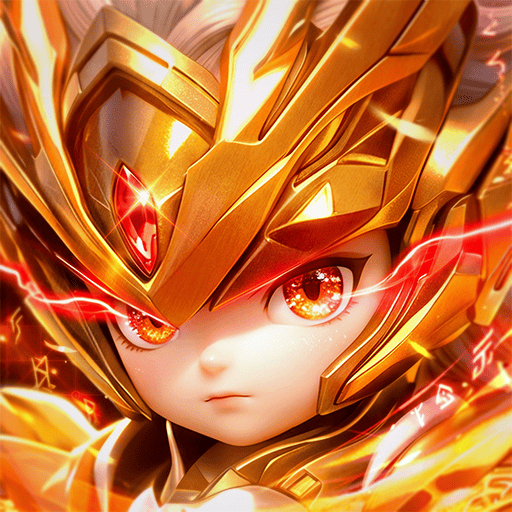
Hắc Tây Du: Chương Cấm (macOS)
Play Hắc Tây Du: Chương Cấm on PC Play Hắc Tây Du: Chương Cấm on PC and Mac
Step into a darker chapter of the Journey to the West with this tactical card RPG from Funtap Games Joint Stock Company. The familiar legends are twisted into a shadowy Three Realms where gods, demons, and monsters collide in battles you have never seen before. You will meet Sun Wukong, Yang Jian, Nezha, the Bull Demon King, and the White Bone Demon in striking new forms. As you summon divine generals and plan your formations, you can enjoy the game on PC through MuMuPlayer for a smooth, large-screen experience that makes every card and skill easier to follow.
The game builds its strategy around recruiting iconic characters and combining their skills into a team that fits your own approach. Each general has a distinct role, strength, and synergy, so there are many ways to shape your lineup. A free-face formation system lets all six generals appear in the same location, removing positional limits and opening the door to creative strategies and surprising comebacks. Daily logins reward legendary generals along a 45-day roadmap, and on the first day you can pick one of three great villains for free: Sun Wukong, Yang Jian, or Nezha. Multi-field PK and cross-server combat give you room to test your team, while AFK play keeps resources and upgrade items accumulating even when you are offline. A diverse outfit system also lets multiple characters wear the same outfit, so you can freely change your team's appearance.
Playing this game on PC with MuMuPlayer brings practical benefits to its tactical card battles and formation planning. The larger screen helps you read skill descriptions, compare generals, and rearrange your six-character formation with less clutter, which is useful when every position matters. Keyboard and mouse controls can make menu navigation and daily reward collection more comfortable during longer sessions. MuMuPlayer also supports multi-instance play, so you can manage alternate accounts or explore different team ideas side by side. If you prefer Apple hardware, you can play on Mac with MuMuPlayer, including on a MacBook or Mac mini through MuMuPlayer, and the emulator is designed to run well on Apple Silicon chips such as M1, M2, M3, M4, M5, M5 Pro, and M6. Whether you are on a Windows PC or a macOS setup, MuMuPlayer keeps the focus on strategy and team building rather than on screen limitations.
Download Hắc Tây Du: Chương Cấm on PC or Mac with MuMuPlayer, get a PC like gameplay along with smart control and high graphics performance.
MuMuPlayer, the top Android emulator for PC and Apple silicon Mac, delivers an optimal gaming experience with minimal RAM usage and high FPS. It also allows you to create multiple instances of the emulator and run several games simultaneously, thanks to its Multi-instance feature. Its advanced emulator features ensure smooth gameplay, even on low-end PCs.
Download and play Hắc Tây Du: Chương Cấm on PC or Mac with MuMuPlayer and start enjoying your gaming experience now.
About the Game
Journey to the West has never looked this dark. This tactical card RPG from Funtap Games Joint Stock Company takes the classic tale and pushes it into a forbidden chapter where the Three Realms are wrapped in shadow. Gods, demons, and monsters all take on new, powerful forms, and familiar figures like Sun Wukong, Yang Jian, Nezha, the Bull Demon King, and the White Bone Demon appear in striking dark designs. You are not simply reading the old scriptures again. You are entering a version of the legend where every choice in battle matters, and where your team of divine generals is the key to pushing forward.
The core of the experience is summoning and assembling a team. You recruit Journey to the West generals, study their individual roles, and combine their skills into a lineup that matches your own strategy. Every character brings different strengths and synergy abilities, so there is no single correct path. Some players prefer a balanced mix, while others look for specific combinations that unlock surprising advantages. This flexibility is what makes team development feel rewarding over time, because each new general can change how your formation performs.
Formation is where the game separates itself from many other card battlers. A free-face formation mechanism allows all six generals to appear in the same location, which removes the usual positional limits. You can freely change the arrangement, experiment with unusual setups, and create strategies that catch opponents off guard. Because the formation is not locked into fixed slots, comebacks become possible in ways that reward careful planning and quick adjustments. The system encourages you to think about how your team fits together rather than simply placing characters into predetermined roles.
Logging in is part of the journey as well. Daily logins reward legendary generals according to a 45-day roadmap, giving you a steady reason to return and build your roster. On the very first day, you can choose one of the Three Great Villains for free: Sun Wukong, Yang Jian, or Nezha. That choice lets you start with a familiar powerhouse and begin your campaign across the Three Realms right away. The roadmap structure means your team can keep growing even if you play in shorter sessions.
Combat extends beyond a single mode. Multi-field PK activities let you test your skills in different combat situations, and cross-server combat gives you the chance to measure your strongest team against players from other servers. Building a team around Sun Wukong or another favored general becomes more meaningful when you can take that team into varied battles and see how it holds up. The goal is not only to collect characters but to prove your formation and strategy in competition.
AFK play keeps the game friendly to busy schedules. You do not need to grind constantly, because while you are offline your team still accumulates resources, upgrade items, and rewards. When you return, you can claim what has built up and continue your journey without feeling like you have fallen behind. This offline progression supports the tactical side of the game, since you can spend your active time on formation choices and battles rather than on repetitive resource collection.
Customization adds another layer of personal expression. A diverse outfit system allows multiple characters to use the same outfit, and you can freely change your team's appearance. This means your lineup can look the way you want while still keeping the roles and synergies that make it effective. It is a small but meaningful way to make your team feel like your own.
Key features at a glance: - Dark mythology take on Journey to the West for mobile - Summon divine generals and build a team around their roles and synergies - Free-face formation with all six generals in the same location - Daily login rewards and a 45-day legendary general roadmap - Choose Sun Wukong, Yang Jian, or Nezha for free on day one - Multi-field PK and cross-server combat - AFK offline play with regular resources and upgrade items - Shared outfit system for multiple characters
MuMuPlayer gives you another way to experience this tactical card RPG. On PC, the larger screen makes it easier to read general skills, compare team options, and manage your six-character formation without feeling cramped. Keyboard and mouse input can make daily login routines and menu navigation more comfortable during longer sessions, and multi-instance support lets you run more than one account or test different team ideas at the same time. If you use Apple hardware, you can play on Mac with MuMuPlayer, including on a MacBook or Mac mini through MuMuPlayer. The emulator is built to take advantage of Apple Silicon chips such as M1, M2, M3, M4, M5, M5 Pro, and M6, so a modern macOS setup can handle the game alongside your other tasks. Whether you are on a Windows PC or a Mac, MuMuPlayer keeps the emphasis on strategy, formation, and team building rather than on screen size or control limits.
Invite gods into battle, unlock the forbidden scriptures, and continue your Journey to the West in your own way. With a dark roster of divine generals, a flexible formation system, and offline progression that respects your time, this tactical card RPG offers a fresh angle on a classic legend. Play on PC through MuMuPlayer and see how your team takes shape across the Three Realms.
Emulator Features
Highest Android 15 Support Best Compatibility on Mac

With a smart button scheme and image recognition function, provide a more concise UI, and support custom button mapping to meet different needs. With a smart button scheme and image recognition, enjoy a cleaner UI and custom button mapping to fit different gaming needs on Mac.

Run multiple games independently at the same time, easily manage multiple accounts, play games while hanging. Take your Mac gaming further with multiple independent instances, easy account management, and seamless AFK gaming on Apple Silicon Mac.

Break through FPS limit, and enjoy a seamless gaming experience without lag and delay! Break through FPS limits for a seamless, lag-free gaming experience on MacBook, Mac mini, iMac, and Mac Studio.

Get a 3-second startup with 52% less memory usage and 65% more stability. Enjoy 3-second startup, 52% less memory usage, and 65% greater stability on Apple Silicon Mac.
How to Download and Play Hắc Tây Du: Chương Cấm on PC and Mac
Installation Guide
Download MuMuPlayer
Download MuMuPlayer and install it on your PC or Mac
Sign-in Google Store
Complete Google sign-in to access the Play Store
Search and Install
Search Hắc Tây Du: Chương Cấm in the Play Store
Enjoy Gaming
Enjoy 120 FPS high-def gameplay with big screen
System Requirements
Windows PC
Vulkan / DirectX supported. 4 cores + 4GB RAM recommended. Up to 240 FPS. VT required.
macOS
Recommended: Apple Silicon Mac with 8GB RAM or above. Up to 240 FPS.