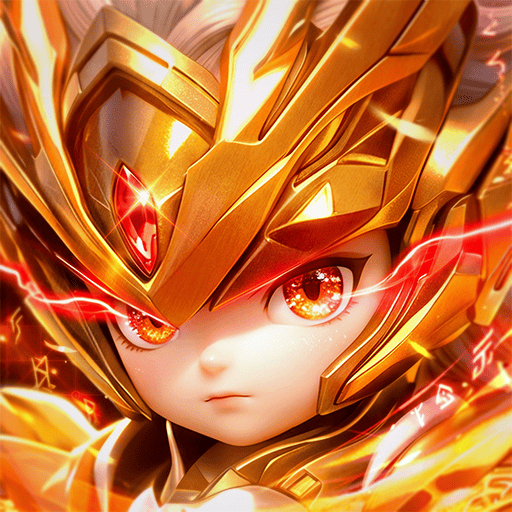
Play Tây Du VNG: Đại Náo Tam Giới on PC Play Tây Du VNG: Đại Náo Tam Giới on PC and Mac
Tây Du VNG: Đại Náo Tam Giới is a role playing strategy card game developed by VNG GROUP JSC, set in the vibrant world of Journey to the West. You collect and command iconic characters like Sun Wukong, Tang Sanzang, Guanyin, and Nezha, battling through 81 tribulations across the Three Realms. The game combines chibi anime graphics with tactical depth, and you can enjoy it on PC through MuMuPlayer for a smoother, more controlled experience.
The game's standout features include the introduction of Kim Huyễn Tướng (Gold Phantom Generals), which are top-tier cards with overwhelming stats and skills that shift the meta. Nezha, as a Phantom General, brings a transformative playstyle with his Ma Đồng form, unleashing powerful attacks and altering the battlefield. The core combat is 6vs6 card strategy, where you build teams using four factions (Holy, Immortal, Demonic, Yao) and utilize Thiên Kỹ, Thần Kích, Thần Thông, and Kỷ Vật to outsmart opponents. There's also a unique Thần Thông card system that lets you transform into any general, adding unpredictability. Guilds (Tông Môn) offer cooperative play and competition, including a bidding system for rare items where Kim Nguyên Bảo is shared among members.
Playing Tây Du VNG on PC with MuMuPlayer enhances the tactical card battles with keyboard and mouse controls, larger visuals, and stable performance. The game's detailed animations and effects shine on a bigger screen, and you can manage multiple accounts or grind more efficiently with MuMuPlayer's multi-instance feature. Whether you're on a Windows PC or a Mac (including MacBook, Mac mini, and Apple Silicon models like M1, M2, M3, M4, M5, M5 Pro, or M6), MuMuPlayer provides a seamless way to dive into the Three Realms. The emulator's optimization ensures smooth gameplay even during intense 6vs6 fights, and you can play comfortably for hours without battery concerns. For players using Macintosh systems, MuMuPlayer offers a reliable solution to experience the game on macOS. Embrace the journey and dominate the chaos of the Three Realms with MuMuPlayer on your PC or Mac.
Download Tây Du VNG: Đại Náo Tam Giới on PC or Mac with MuMuPlayer, get a PC like gameplay along with smart control and high graphics performance.
MuMuPlayer, the top Android emulator for PC and Apple silicon Mac, delivers an optimal gaming experience with minimal RAM usage and high FPS. It also allows you to create multiple instances of the emulator and run several games simultaneously, thanks to its Multi-instance feature. Its advanced emulator features ensure smooth gameplay, even on low-end PCs.
Download and play Tây Du VNG: Đại Náo Tam Giới on PC or Mac with MuMuPlayer and start enjoying your gaming experience now.
About the Game
Tây Du VNG: Đại Náo Tam Giới is a strategy card game that draws from the classic Journey to the West, developed by VNG GROUP JSC. It invites you to assemble a team of legendary figures and navigate through 81 tribulations in a colorful Three Realms setting. The game stands out with its chibi anime art style and flashy skill animations, offering a fresh take on the card battler genre. While it's a mobile game at its core, you can play it on PC via MuMuPlayer, which brings enhanced controls and visual clarity.
The highlight of the game is the introduction of Kim Huyễn Tướng, or Gold Phantom Generals. These are the highest-tier cards with superior stats and devastating skills, capable of turning the tide of any battle. Their dazzling effects and overwhelming power make them a force to be reckoned with. Among them, Nezha in his Ma Đồng form is a standout, embodying a transformation that breaks free from fate. With abilities like Phá Luân Xuất Thế and Tam Đầu Lục Tý, Nezha becomes a versatile warrior, dealing massive damage and controlling the field. The game frequently releases new Gold Generals, each with unique strengths, encouraging players to adapt their strategies.
Combat in Tây Du VNG is a tactical 6vs6 affair where team composition and synergy are key. You can build your squad from four factions: Thánh, Tiên, Minh, and Yêu, each with distinct advantages. The system includes Thiên Kỹ, Thần Kích, Thần Thông, and Kỷ Vật, which are essential tools for crafting a winning formation. The Thần Thông card allows you to transform into any general, even duplicates like two Guanyins, adding a layer of unpredictability. PvE and PvP modes are plentiful, from campaign stages and tower climbing to boss hunts and cross-server arenas. The game emphasizes that skill and strategy matter more than spending, as free players can obtain powerful UR generals like Nezha through gameplay and events.
Beyond solo battles, Tây Du VNG offers a robust guild system called Tông Môn. Joining a guild lets you cooperate with others to clear challenges and compete for resources. Guilds vie for power in the chaotic Three Realms, and this competition is dubbed the 82nd tribulation. A unique feature is the auction system: after defeating a guild boss, members can bid on rare items using Kim Nguyên Bảo, and the proceeds are distributed equally among the guild. This encourages teamwork and ensures everyone benefits. The game also boasts a large community, with frequent interactions and events.
Visually, Tây Du VNG impresses with its detailed chibi characters and spectacular skill effects. The animations are smooth and vibrant, bringing the world to life. For those who prefer a bigger screen and more precise controls, playing on PC with MuMuPlayer is an excellent choice. MuMuPlayer allows you to run the game on Windows or Mac, including MacBook, Mac mini, and Apple Silicon models (M1, M2, M3, M4, M5, M5 Pro, M6). The emulator provides keyboard and mouse support, multi-instance management, and stable performance, making it ideal for long sessions of strategic gameplay. Whether you're on a traditional PC or a Macintosh, MuMuPlayer ensures a seamless experience, letting you focus on building the ultimate team and conquering the Three Realms.
Emulator Features
Highest Android 15 Support Best Compatibility on Mac

With a smart button scheme and image recognition function, provide a more concise UI, and support custom button mapping to meet different needs. With a smart button scheme and image recognition, enjoy a cleaner UI and custom button mapping to fit different gaming needs on Mac.

Run multiple games independently at the same time, easily manage multiple accounts, play games while hanging. Take your Mac gaming further with multiple independent instances, easy account management, and seamless AFK gaming on Apple Silicon Mac.

Break through FPS limit, and enjoy a seamless gaming experience without lag and delay! Break through FPS limits for a seamless, lag-free gaming experience on MacBook, Mac mini, iMac, and Mac Studio.

Get a 3-second startup with 52% less memory usage and 65% more stability. Enjoy 3-second startup, 52% less memory usage, and 65% greater stability on Apple Silicon Mac.
How to Download and Play Tây Du VNG: Đại Náo Tam Giới on PC and Mac
Installation Guide
Download MuMuPlayer
Download MuMuPlayer and install it on your PC or Mac
Sign-in Google Store
Complete Google sign-in to access the Play Store
Search and Install
Search Tây Du VNG: Đại Náo Tam Giới in the Play Store
Enjoy Gaming
Enjoy 120 FPS high-def gameplay with big screen
System Requirements
Windows PC
Vulkan / DirectX supported. 4 cores + 4GB RAM recommended. Up to 240 FPS. VT required.
macOS
Recommended: Apple Silicon Mac with 8GB RAM or above. Up to 240 FPS.