
Play HEIR OF LIGHT: Eclipse on PC and Mac
Download HEIR OF LIGHT: Eclipse on PC or Mac with MuMuPlayer, get a PC like gameplay along with smart control and high graphics performance.
MuMuPlayer, the top Android emulator for PC and Apple silicon Mac, delivers an optimal gaming experience with minimal RAM usage and high FPS. It also allows you to create multiple instances of the emulator and run several games simultaneously, thanks to its Multi-instance feature. Its advanced emulator features ensure smooth gameplay, even on low-end PCs.
Download and play HEIR OF LIGHT: Eclipse on PC or Mac with MuMuPlayer and start enjoying your gaming experience now.
About the Game
Start strong with EPIC tanker TERESIA! Pre-register now for an unbeatable advantage!

Discover more on our official brand website!
https://bit.ly/HOL_Eclipse_Pre-registration

Com2uS presents the most acclaimed RPG game of 2023, an enthralling fusion of gacha, role-playing, action and strategy - a triumph in the world of fantasy games!

Immerse yourself in an awe-inspiring realm where light and darkness wage a never-ending war...
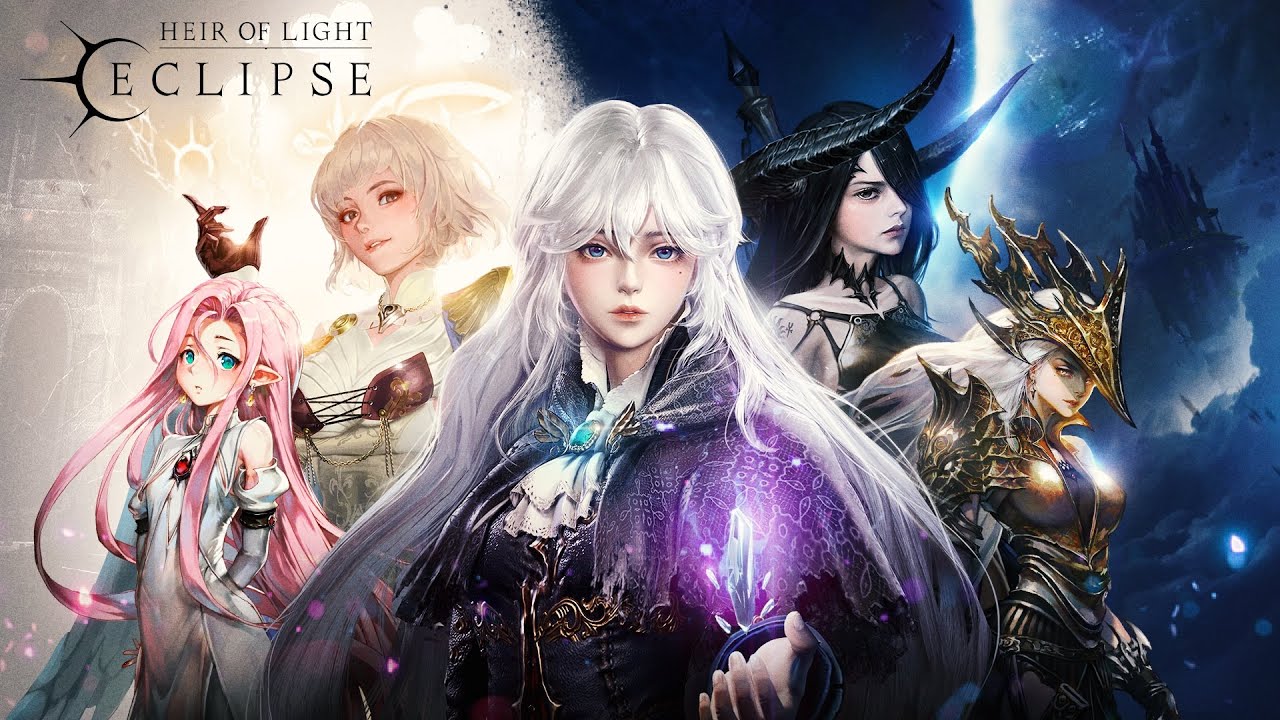
Accompany the enchanting girl, Nua, guarded by Goddess Ludmilla, in this breathtaking anime-style fantasy adventure!

Welcome to the 2023's most thrilling RPG sensation, filled with vast worlds to explore, daunting quests, the joy of gacha-style summoning, exhilarating action, strategic warfare, and a handy idle system for continuous growth.

[Game Highlights]
▶ The captivating 'Heir of Light' universe, blockbuster fantasy epic
The 'Little Crimson Tree' is our last line of defense against doom!
Venture into a rich fantasy narrative with Nua and Goddess Ludmilla, surrounded by humans, elves, fairies, and giants as you strive to vanquish the Dragon of Darkness and ensure the world's survival!

▶ Stunning visuals, animations, and illustrations.
A combat zone where anime-style characters and goddesses truly shine!
Gather faithful servants that serve only the heir!
Witness top-notch battle graphics with 3D in-game modelling!

▶ Engage in strategic, mind-bending battles.
Build your unique deck with over 1,000 possible combinations!
Engage in intricate attribute battles with more than 6 factions!
Get into 5v5 team clashes where small shifts and unexpected twists decide who wins or loses!

▶ Comprehensive PvE, PvP content - the epitome of RPGs.
Compete in real-time PvP arena battles on the global stage for supremacy!
Battle relentless bosses in guild dungeons!
Benefit from an idle system that farms rewards day and night for effortless growth!

Heirs! Stay connected with us and other Heirs all over the world!
Visit our official community for the exclusive events & latest news!

* Heir of Light: Eclipse Official Brand Website
https://bit.ly/HOL_Eclipse_Pre-registration

* Heir of Light: Eclipse Official Discord
https://discord.gg/hleclipse

* Heir of Light: Eclipse Official Twitter
https://twitter.com/HOL_Eclipse

* Heir of Light: Eclipse Official Facebook
https://www.facebook.com/HOL.Eclipse/

* Heir of Light: Eclipse Official YouTube
https://www.youtube.com/@HOLeclipse

* Heir of Light: Eclipse Official Reddit
https://www.reddit.com/r/HOLeclipse/

* Heir of Light: Eclipse is available in 한국어, English, 日本語, 中文简体, 中文繁體, Deutsch, Français, Español, ไทย, tiếng Việt.
Emulator Features

With a smart button scheme and image recognition function, provide a more concise UI, and support custom button mapping to meet different needs.

Run multiple games independently at the same time, easily manage multiple accounts, play games while hanging.

Break through FPS limit, and enjoy a seamless gaming experience without lag and delay!

Get a 3-second startup with 52% less memory usage and 65% more stability.
How to Download and Play HEIR OF LIGHT: Eclipse on PC and Mac
Installation Guide
① Download and install MuMuPlayer on your PC or Mac. It will identify automatically your current system and download the latest version.
② Start MuMuPlayer and complete Google sign-in to access the Play Store, or do it later.
③ Search HEIR OF LIGHT: Eclipse in the Play Store.
④ Complete Google sign-in (if you skipped step 2) to install HEIR OF LIGHT: Eclipse.
⑤ Once installation completes, click the HEIR OF LIGHT: Eclipse icon on the home page to start the game.
⑥ Enjoy playing HEIR OF LIGHT: Eclipse on your PC or Mac with MuMuPlayer.
Installation Guide
Recommended computer configuration
For Windows:4-core CPU, 4GB RAM, i5 OS, GTX950+ graphics card
For macOS: 4-core CPU, 4GB RAM
Recommended Android Device performance settings
Graphics renderer mode
Vulkan and DirectX both supported
Performance Settings
Recommended performance settings: 2 cores, 2GB. >>How to adjust performance settings
Recommended Android Device Display Settings
Resolution Settings
Go to Device Settings > Display > Resolution Settings to adjust your device's resolution as needed.
FPS Settings
MuMuPlayer supports up to 240 FPS. >>How to enable high FPS mode
Recommended to enable VT
Enabling VT will significantly improve emulator performance, reduce screen freezing, and make games run more smoothly. >>How to enable VT
(1).png?fop=imageView/0/w/150/h/150)