How to Install and Run an APK on Mac
Want to install an APK file on your Mac? Since APK is the installation package format for Android apps, macOS cannot run APK files natively.
With an Android emulator such as MuMuPlayer for Mac, you can install compatible APK files and run Android apps and games directly on your Mac.
This guide explains how to install and run an APK on Mac with MuMuPlayer.
What Is an APK File?
APK stands for Android Package Kit. It is the standard package format used to install apps on Android devices.
When you download an Android app outside of Google Play, you may receive an .apk file. The APK contains the files needed to install the Android app.
Can You Open an APK Directly on Mac?
No. macOS does not natively support running Android APK files.
You may be able to extract an APK and view its contents, but this does not allow you to use the Android app. To install and run an APK on Mac, you need an Android environment such as an Android emulator.
How to Install an APK on Mac with MuMuPlayer
MuMuPlayer for Mac provides an Android environment where you can install compatible APK files and run Android apps and games.
Follow these steps to install an APK on your Mac.
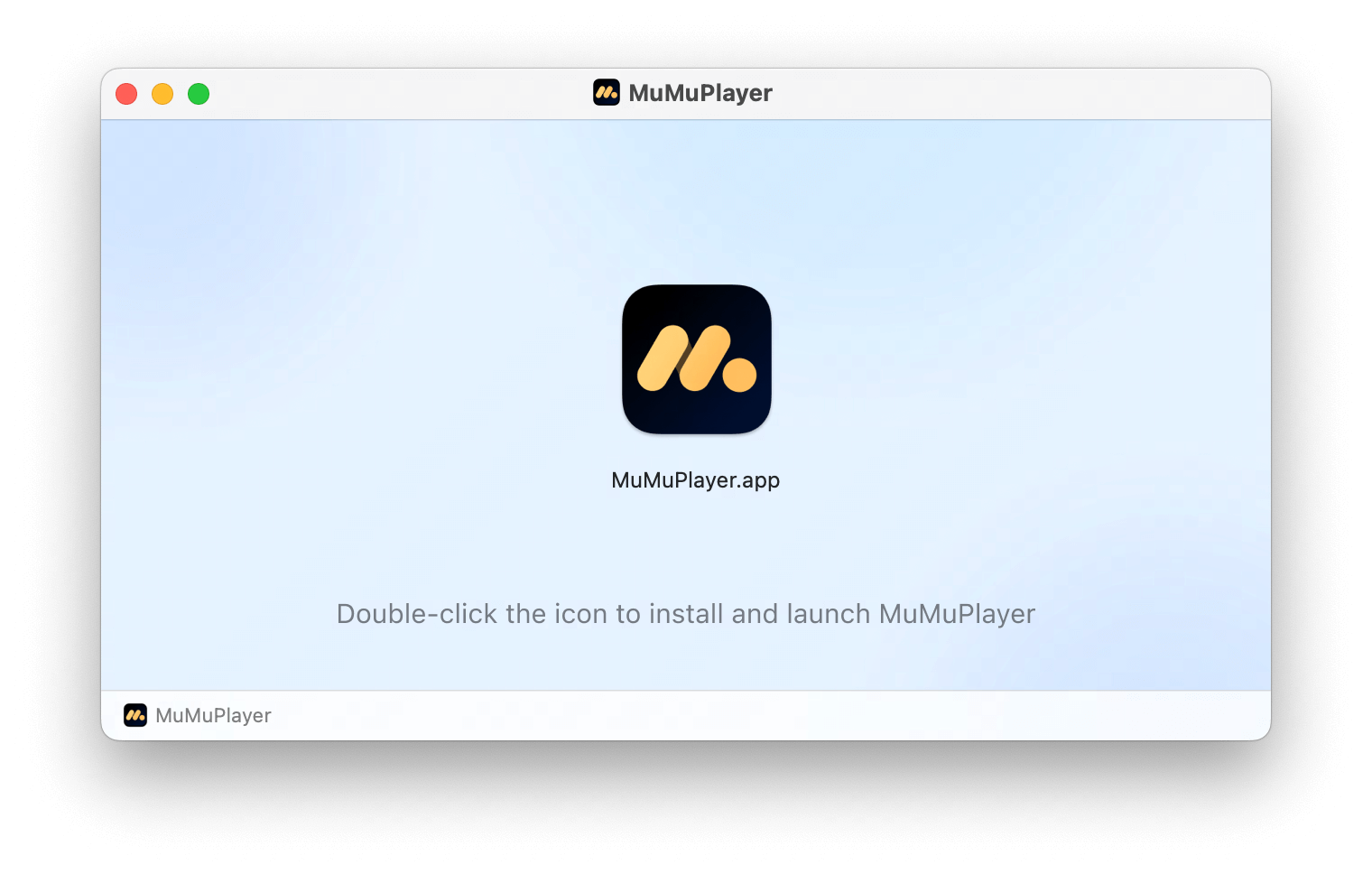
1. Download and Install MuMuPlayer for Mac
Download MuMuPlayer and install it on your Mac. MuMuPlayer for Mac is designed specifically for Apple Silicon Macs. Make sure your Mac meets the system requirements before installing.
2. Launch MuMuPlayer
Open MuMuPlayer after installation and complete the initial setup.
Once the Android environment is ready, you can install Android apps and games just like you would on an Android device.
3. Install the APK File
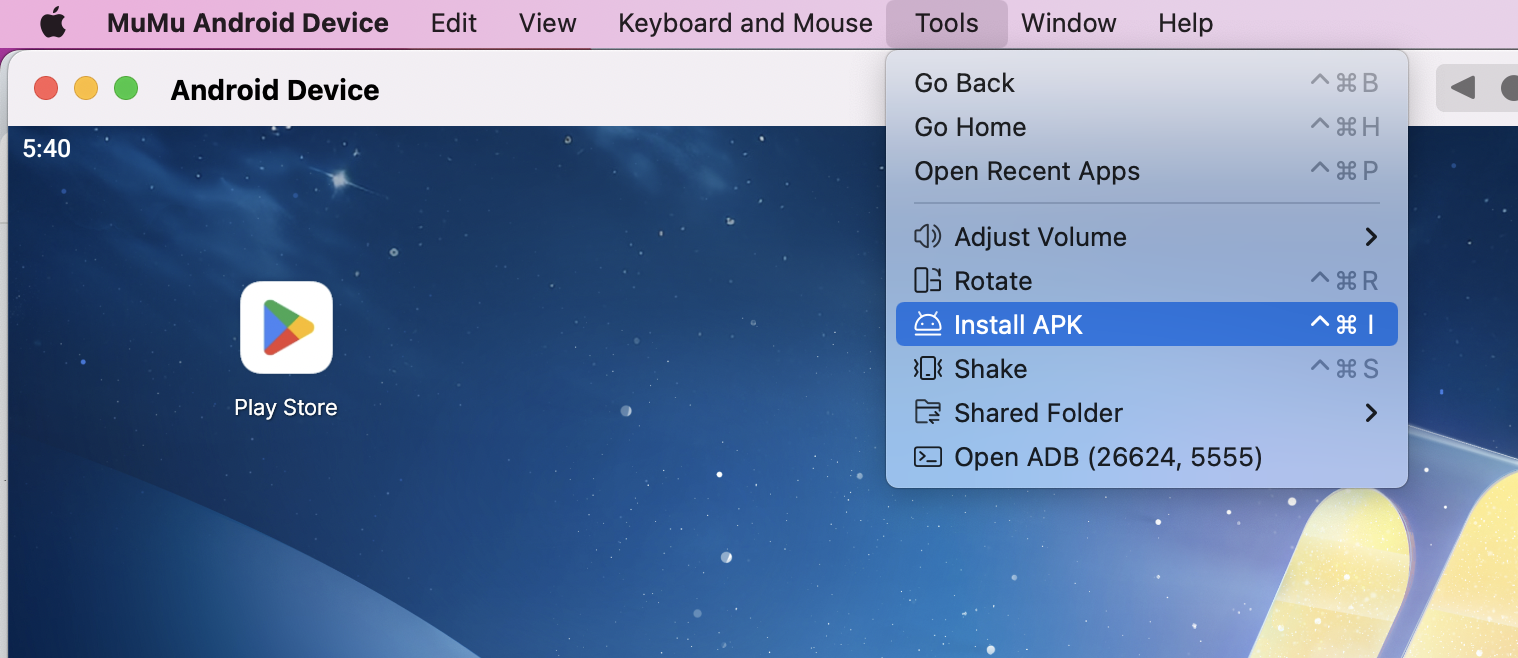
Locate the APK file you want to install on your Mac. Drag and drop the APK file into the MuMuPlayer window to start the installation. Once the installation is complete, the app icon will appear in the emulator.
Alternatively, go to Tools > Install APK from the top menu of the emulator, then select the APK file from your Mac to install it.
Make sure you download APK files from a trusted source and that the APK is compatible with the Android environment.
4. Run the Android App
Click the installed app icon in MuMuPlayer to launch the app. Depending on the app, you may need to sign in to your account, grant permissions, or download additional resources before you can use it.
For Android games, you can also customize supported keyboard, mouse, or other controls for a more convenient gaming experience on Mac.
Can You Run APKs on Apple Silicon Mac?
Yes. You can run compatible APK files on Apple Silicon Macs with a compatible Android emulator.
MuMuPlayer for Mac is designed specifically for Apple Silicon Macs, including Macs powered by Apple's M-series chips from M1 through the latest generations.
However, compatibility can vary depending on the APK. Factors such as the required Android version, CPU architecture, Google Play Services, and other app-specific requirements may affect whether an APK can be installed or run correctly.
APK Won't Install or Run on Mac? Try These Fixes
If an APK cannot be installed or does not work properly, check the following common issues.
Check APK Compatibility
Some APK files require a specific Android version or CPU architecture. If the APK's requirements are not compatible with the Android environment, installation or app startup may fail.
Check Android Version Requirements
Some apps require a specific minimum Android version. If the Android environment does not meet the app's requirements, the APK may not work correctly.
Check Google Play Services Requirements
Some Android apps depend on Google Play Services or other Google components. If these services are required but unavailable or improperly configured, the app may not work as expected.
Make Sure the APK File Is Not Corrupted
If the installation fails, the APK file may be incomplete or corrupted. Try downloading the APK again from a trusted source.
Check the APK File Format
Not every Android installation package is a standard APK. You may also encounter formats such as .xapk or .apks, which can contain additional files or multiple APKs.
If you are using one of these formats, check whether it is supported before trying to install it.
FAQs About APK on Mac
Can I install APK files on Mac?
Yes. You can install compatible APK files on Mac using an Android emulator such as MuMuPlayer.
Can I run Android apps on Mac?
Yes. An Android emulator provides an Android environment on Mac, allowing you to run compatible Android apps and games.
Can I run APKs on Apple Silicon Macs?
Yes. Compatible APK files can be installed and run on Apple Silicon Macs through a compatible Android emulator. MuMuPlayer for Mac is designed specifically for Apple Silicon Macs.
Can I run APKs on M1, M2, M3, M4, M5, or M6 Macs?
Yes. Compatible APKs can be run on Macs powered by Apple's M-series chips through a compatible Android emulator. Actual compatibility depends on the APK's requirements.
Can I install APK files on Mac without Android Studio?
Yes. You do not need Android Studio just to install and run an APK. An Android emulator such as MuMuPlayer provides a straightforward way to install compatible APK files on Mac.
Why can't I install a 32-bit APK on Mac?
MuMuPlayer for Mac does not support 32-bit apps. Learn more about installing 32-bit apps on Mac.
Run Android Apps and Games on Mac with MuMuPlayer
MuMuPlayer for Mac provides an Android environment for Apple Silicon Macs, allowing you to install compatible APK files, run Android apps, and play mobile games on a larger screen.
Download MuMuPlayer for Mac to get started.
End of Article