How to customize the toolbar?
Mar 26, 2024
MuMuPlayer for Mac displays the volume and keyboard/mouse/gamepad function entries by default on the Android device frame. Other function entries (such as APK installation, screen rotation, opening shared folders) are located in the "Tools" section of the Mac menu bar.
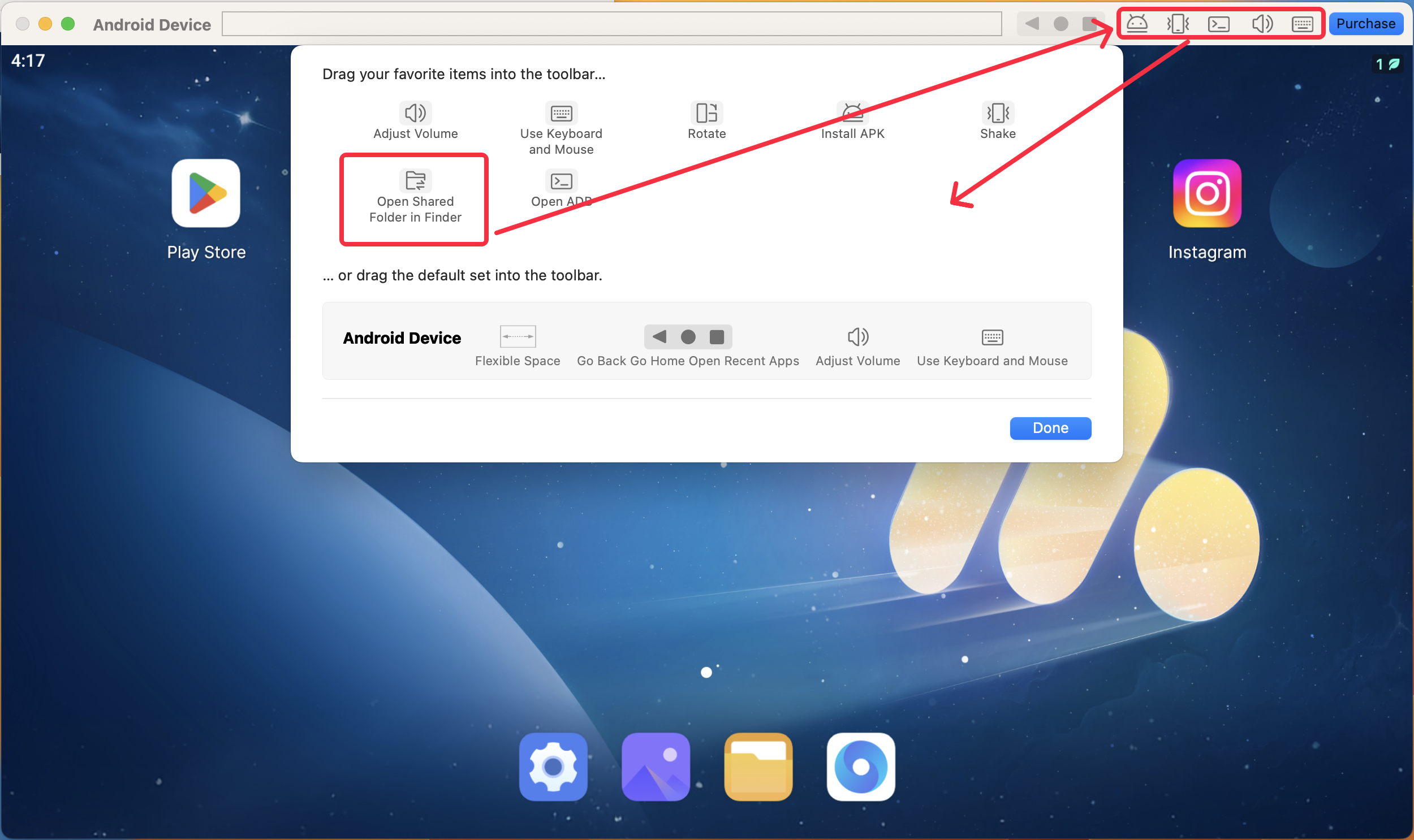
If you want to display more function entries, you can right-click on the Android device frame and click on "Customize Toolbar".

Open the "Customize Toolbar" window, drag your favorite items into the toolbar, drag the items you want to collapse back into the window, and click "Done" when finished.
If you have any other questions, please feel free to join our Discord community and consult with our official support team for assistance.
End of Article
Keyword: