How to debug apps with Android Studio and MuMuPlayer for Mac?
Developers can now use Android Studio and MuMuPlayer for Mac to debug applications. Follow the steps below:
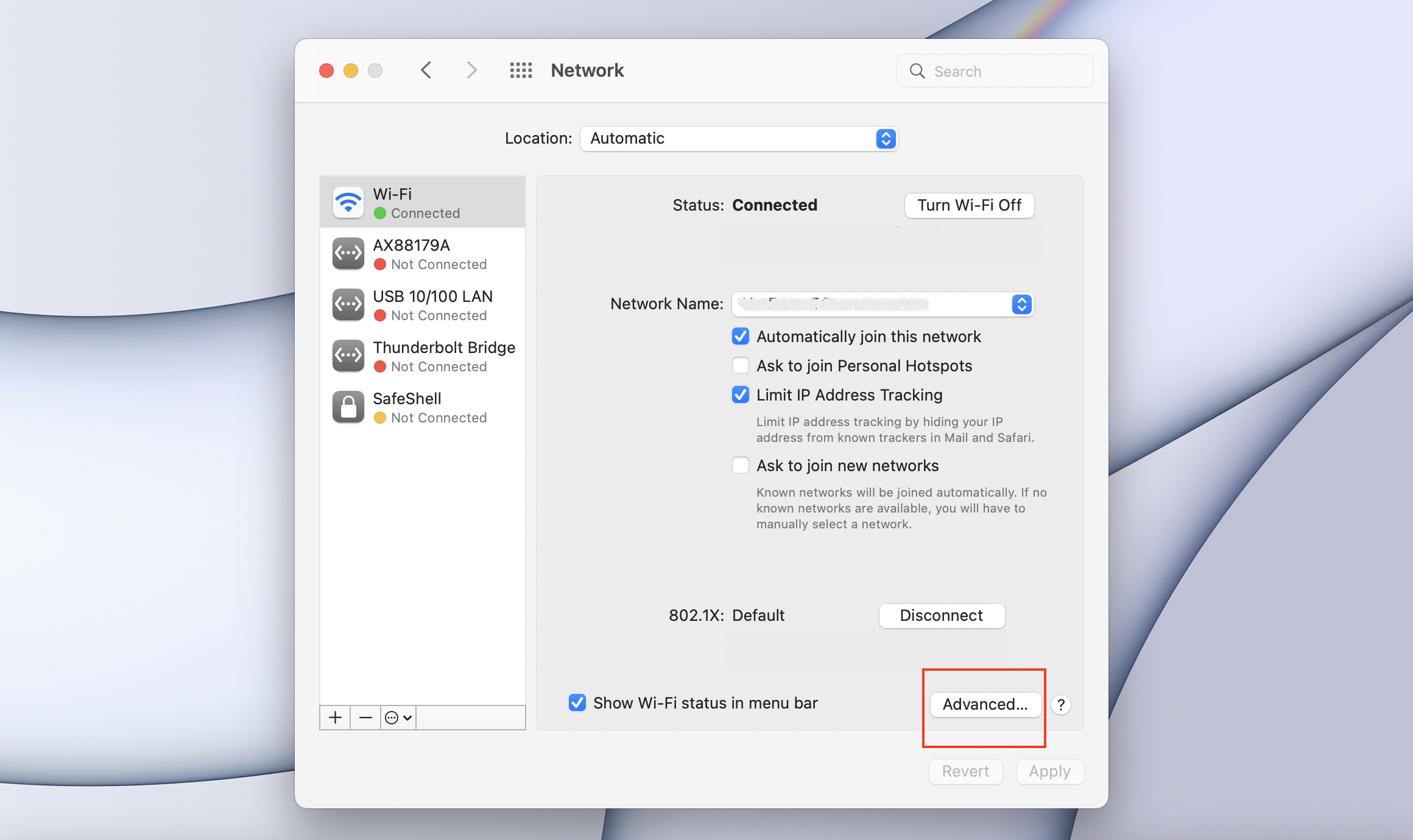
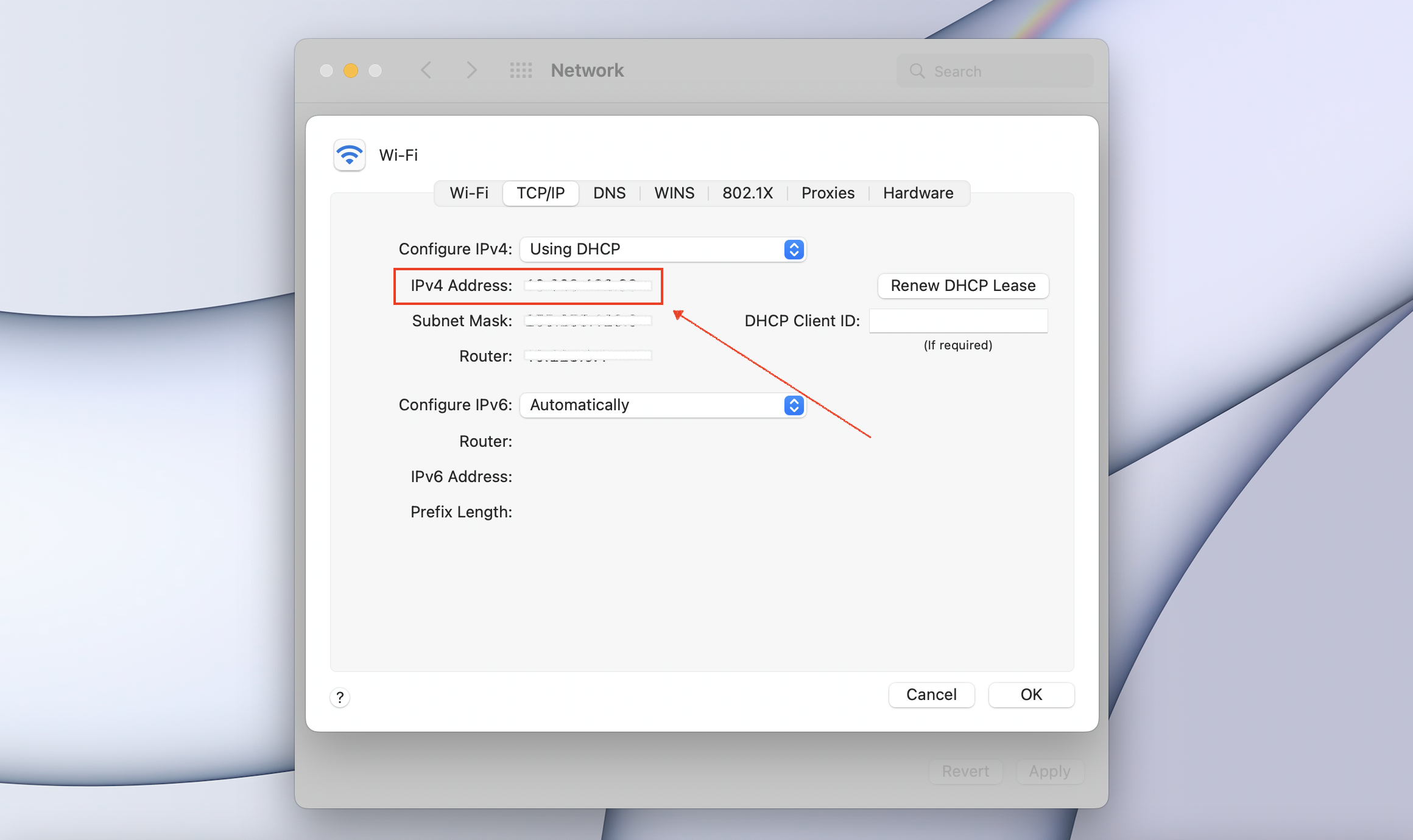
1. Find the IP address of the device where you installed MuMuPlayer for Mac. To do this, you can open "Settings-Network" on your Mac, and then click "Advanced...". Then you can see the IP address under IPv4 Address, for example, 10.228.127.155.
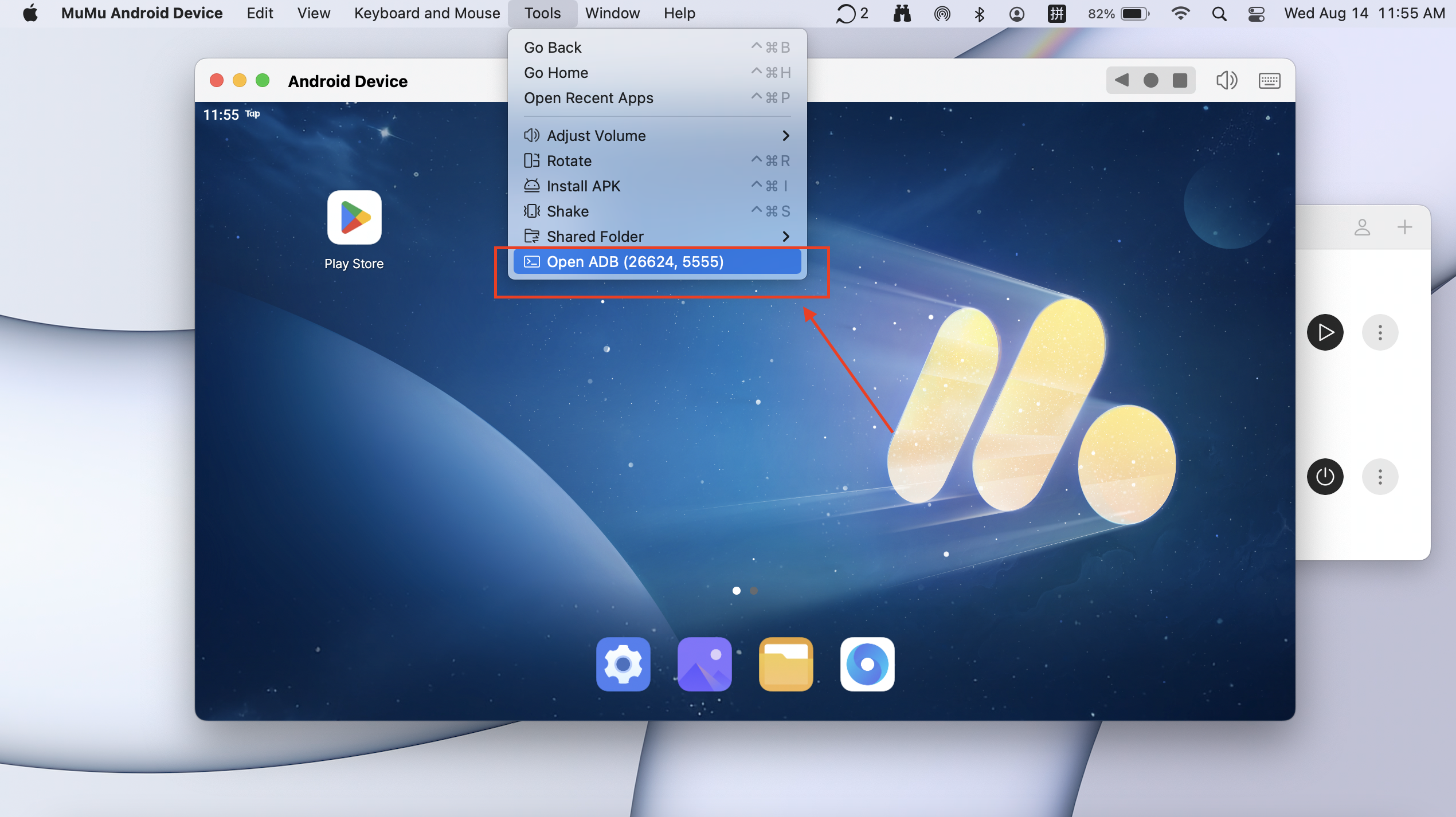
2. Launch your Android Device, and click "Tools" on the top menu bar. Then you can see the Terminal IP number of this Android Device in "Open ADB". For example, in this image, the Terminal IP number is 26624.
3. Execute the commands as below in the Terminal of Android Studio:
adb kill-server
adb connect 10.228.127.155:26624
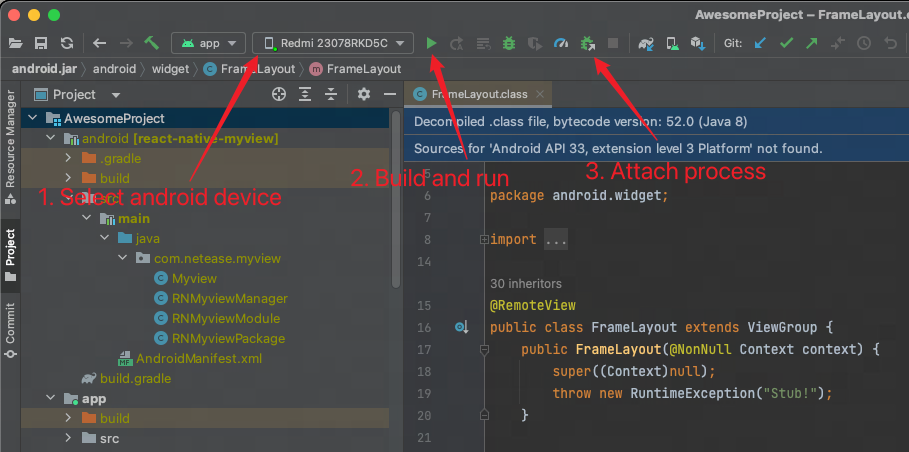
4. Then you can select this Android Device in the Android Studio Debug interface. Then, you need to click "build and run" to install the debugging APK to the Android Device. After that, you can hit the "Attach" button to debug your app.
Should you have any further questions or concerns, please contact us for help.
End of Article