Why doesn't my Gamepad work after connecting?
MuMuPlayer for Mac allows you to play games with a gamepad. If you find that you cannot make the gamepad work even after connection, please follow the steps below:
1. Check the connecting method of your gamepad. If you are using PS5 gamepad (The DualSense wireless controller for PS5), you can choose to connect with a cable or via Bluetooth. If you are using any other gamepads, you can only use Bluetooth to make the connection.
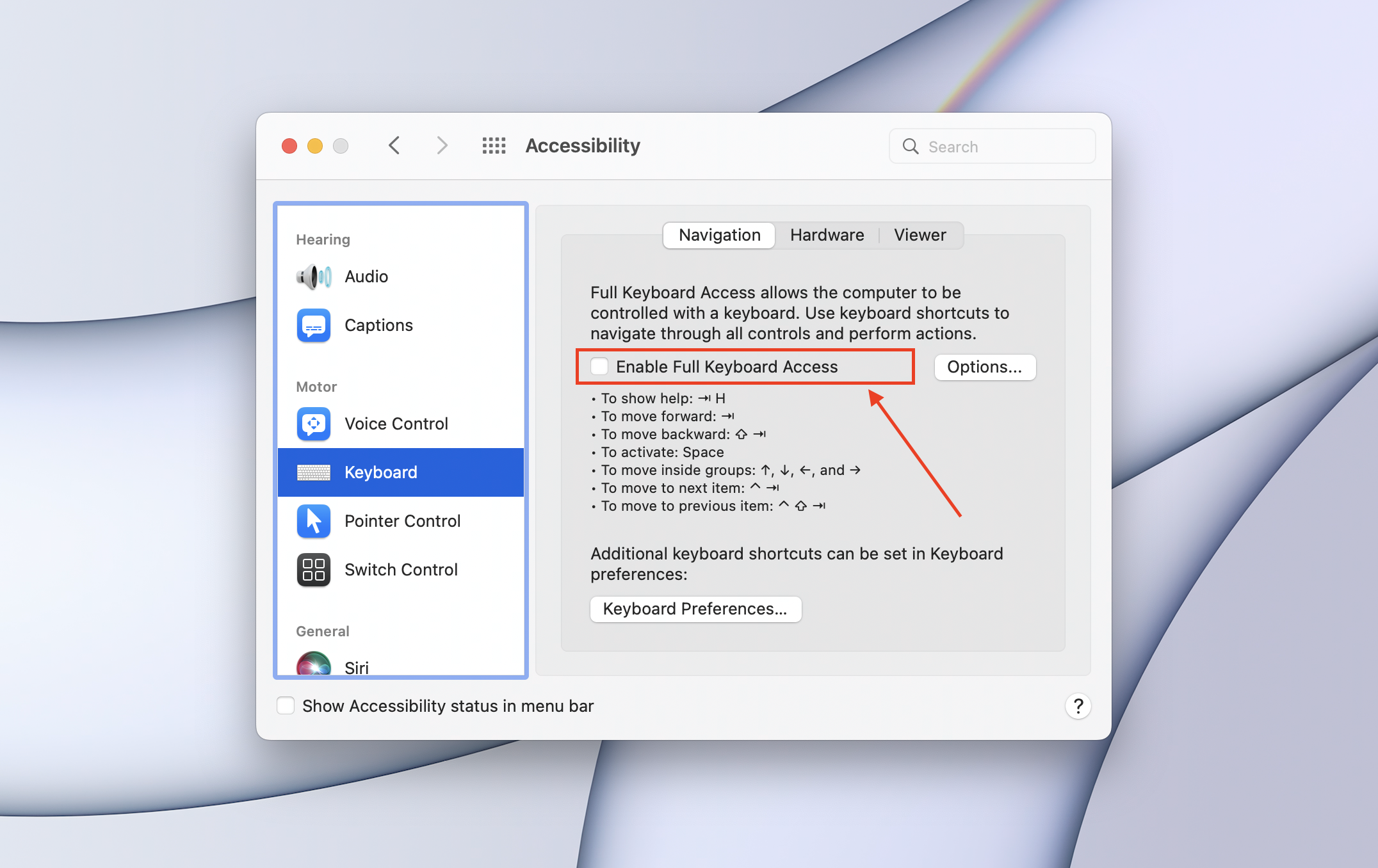
2. Check if you have enabled "Full Keyboard Access" in Settings (Settings-Accessibility-Keyboard-Full Keyboard Access). If this is on, please disable it and restart your Mac. Then you can use the gamepad to play games.
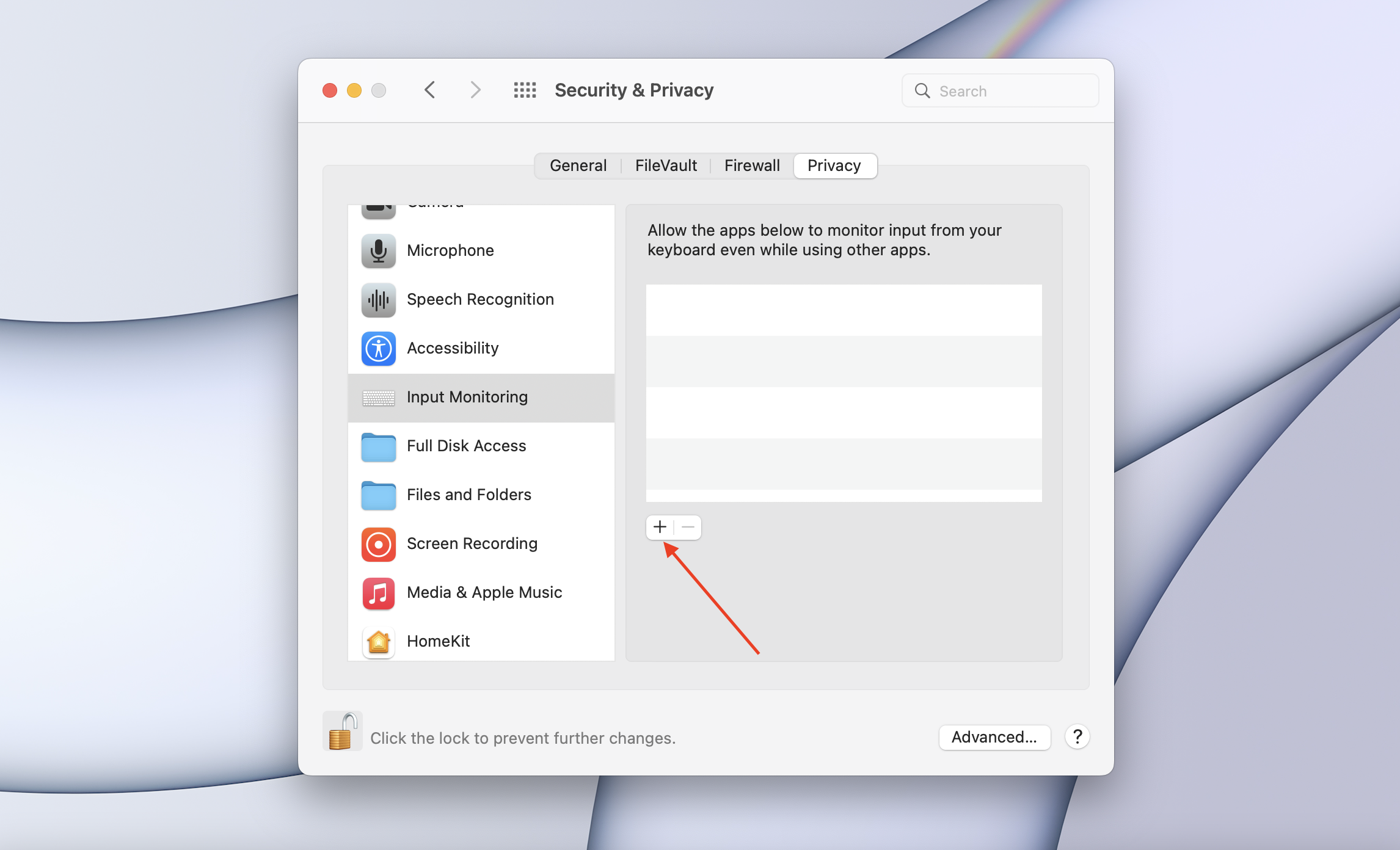
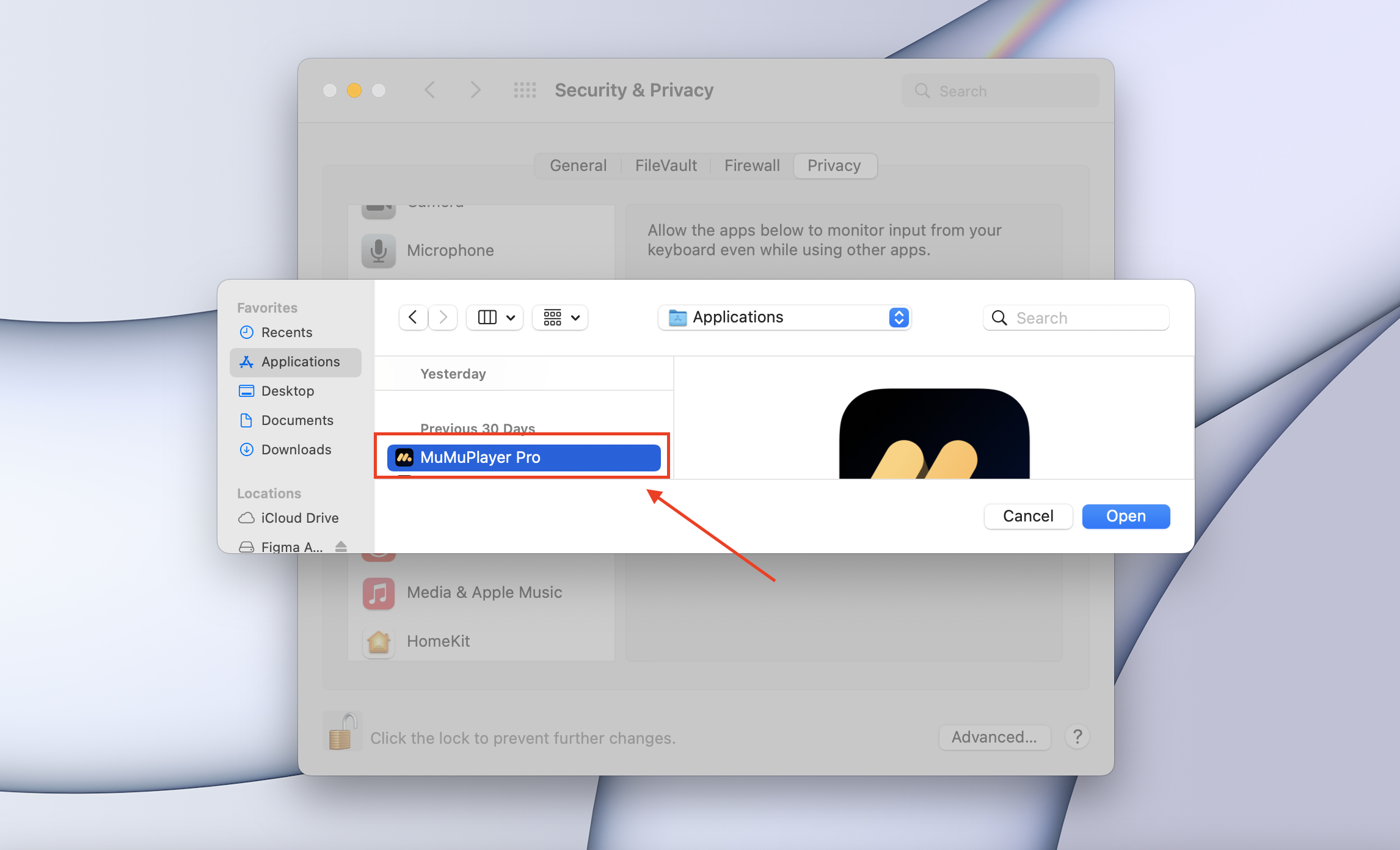
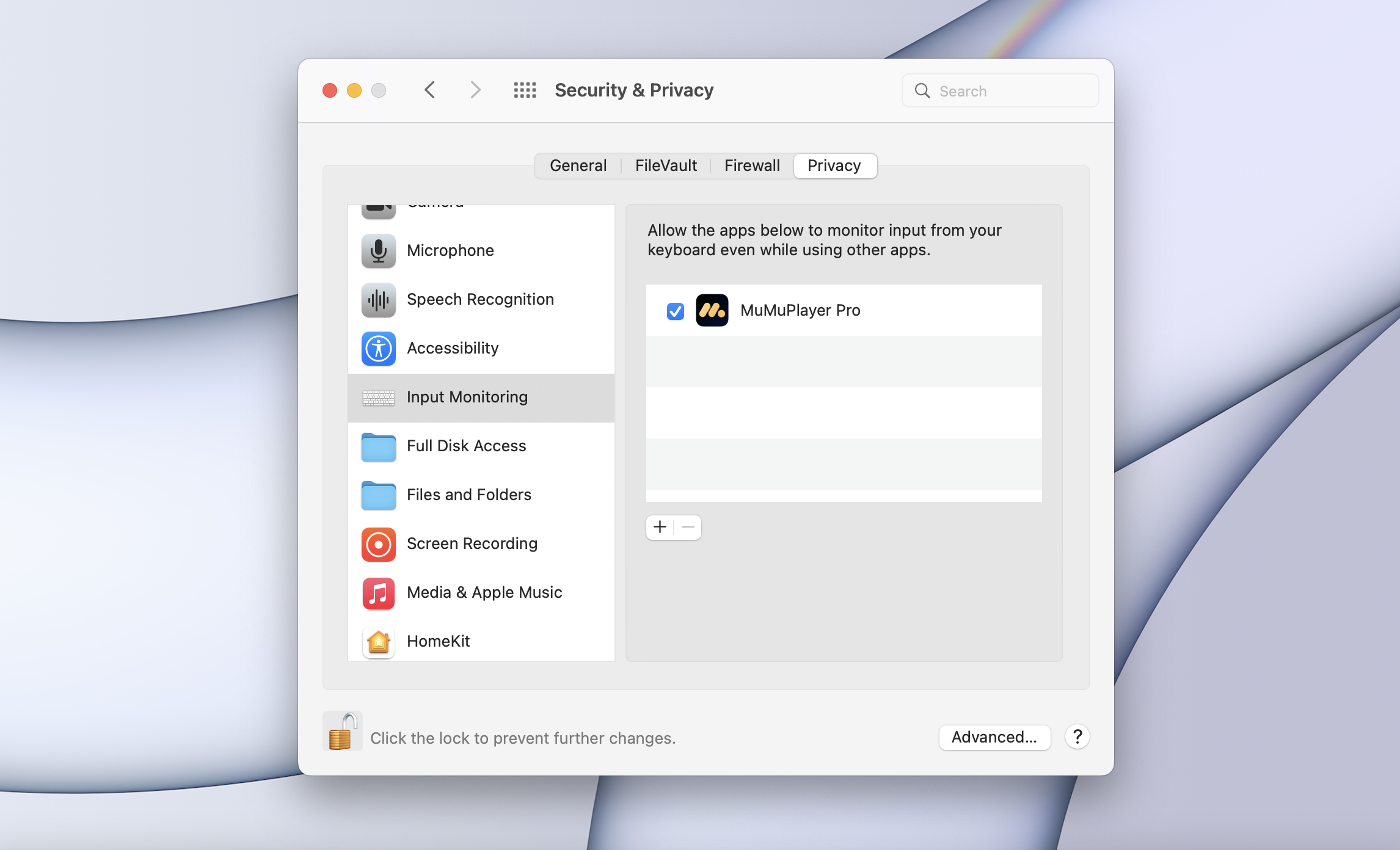
3. Or you can add "MuMuPlayer for Mac" in "Settings-Security & Privacy-Input Monitoring"
If the issue with your gamepad still remains, please contact us for help.
End of Article