When the Mac device has insufficient disk space, it may cause problems such as Android device startup failure, abnormal operation, application download failure, etc.
When there is insufficient disk space, you can refer to the following solutions:
1. Optimize storage
·macOS Ventura or later version: Open "System Settings", click on "General", then select "Storage" to view Apple's recommended strategies for optimizing your storage.
·Other versions: Open "About", click "Storage"and then click "Manage"to view Apple's recommended strategies for optimizing your storage.
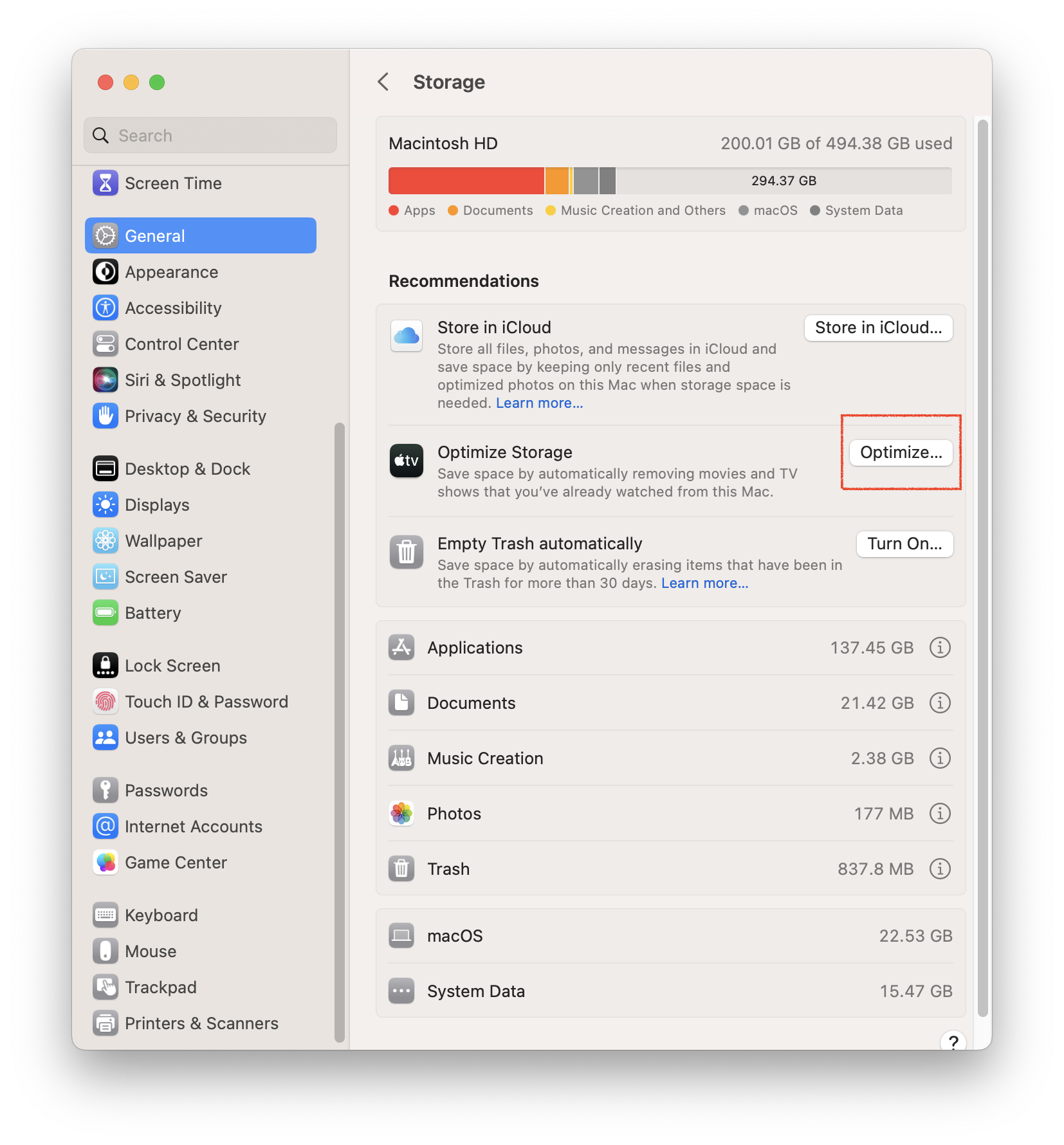
2. Empty trash
Trash files still take up space on your device, so empty the Trash to free up space.
3. Remove undesired applications that have been installed
For any issues encountered during installation, feel free to join our Discord community and consult with our official support team for assistance.