Enabling VT in ASRock PCs
Jul 4, 2025
1. Reboot your PC and access BIOS: On the first screen after booting, repeatedly press "F2" to enter the BIOS.

Remark: (What should I do if I keep failing to access BIOS because the startup is too fast?)
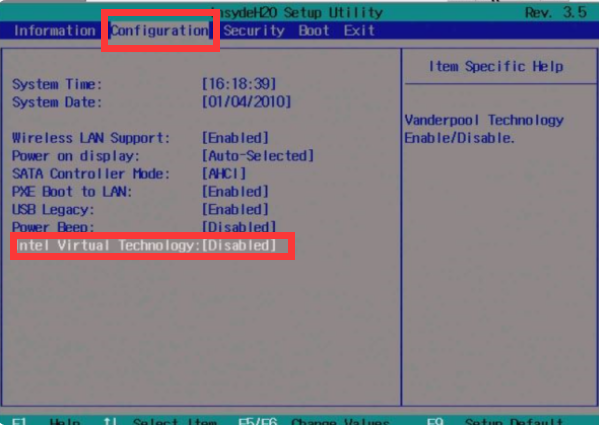
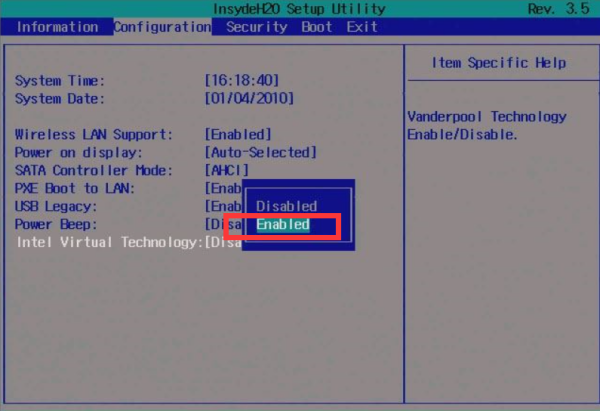
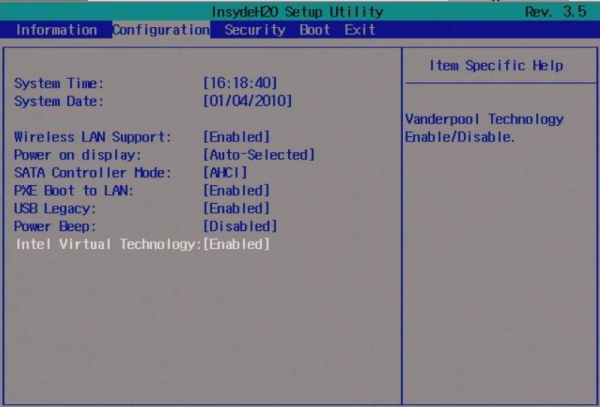
2. Locate the setting and enable VT:
Go to "Advanced" → "CPU Configuration" → select "SVM MOD"/"Intel Virtualization Technology", change it from "Disabled" to "Enabled" → press F10 to save the settings and exit.
End of Article
Keyword: