Enable VT on Biostar
1. Restart the computer, the screen lights up, and keep pressing the "F2" key to enter the BIOS page, what to do if the boot speed is too fast to enter the BIOS?

2. Find the VT option in the menu and turn it on. Different models of motherboards have different BIOS interfaces, and VT may also be called differently.
2.1 Enter the BIOS page, find the "Advanced" - "CPU Configuration" -- "Intel (R) Virtualization Technology" option, change "Disabled" to "Enabled".
2.2 Press the Save key F10 to save and exit (Save & Exit), and VT will be successfully enabled! If you have completed the above steps, but the emulator still shows that VT is not enabled, what should you do?
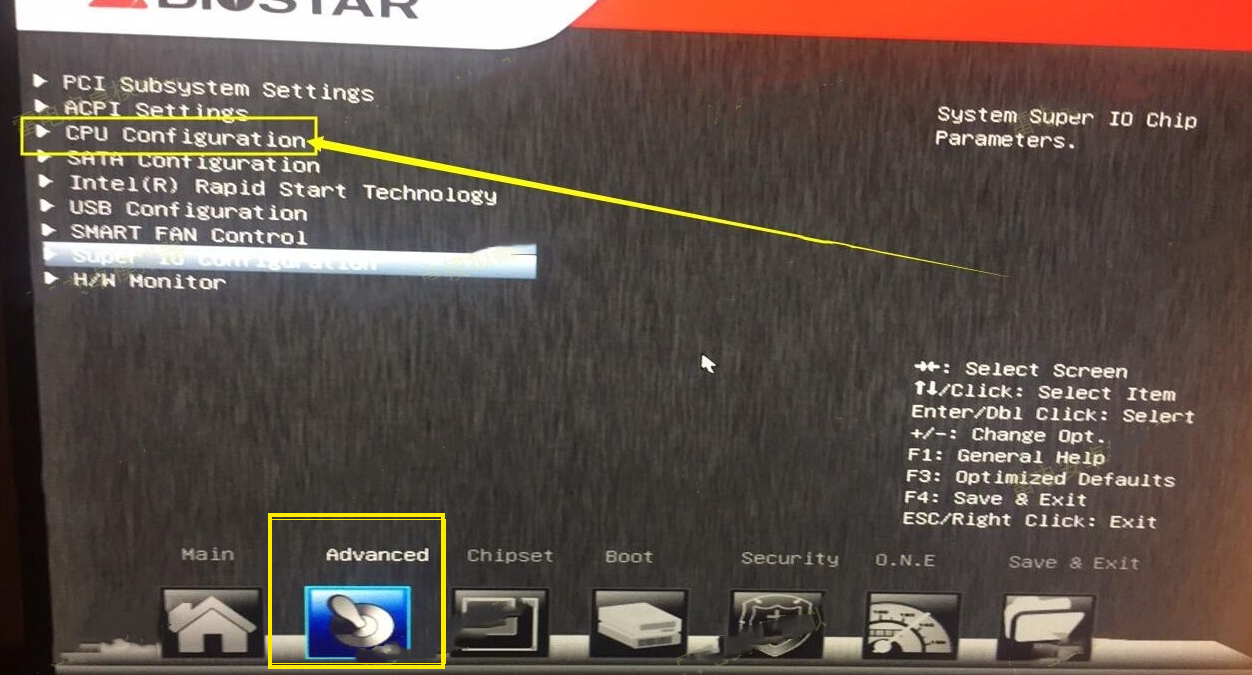
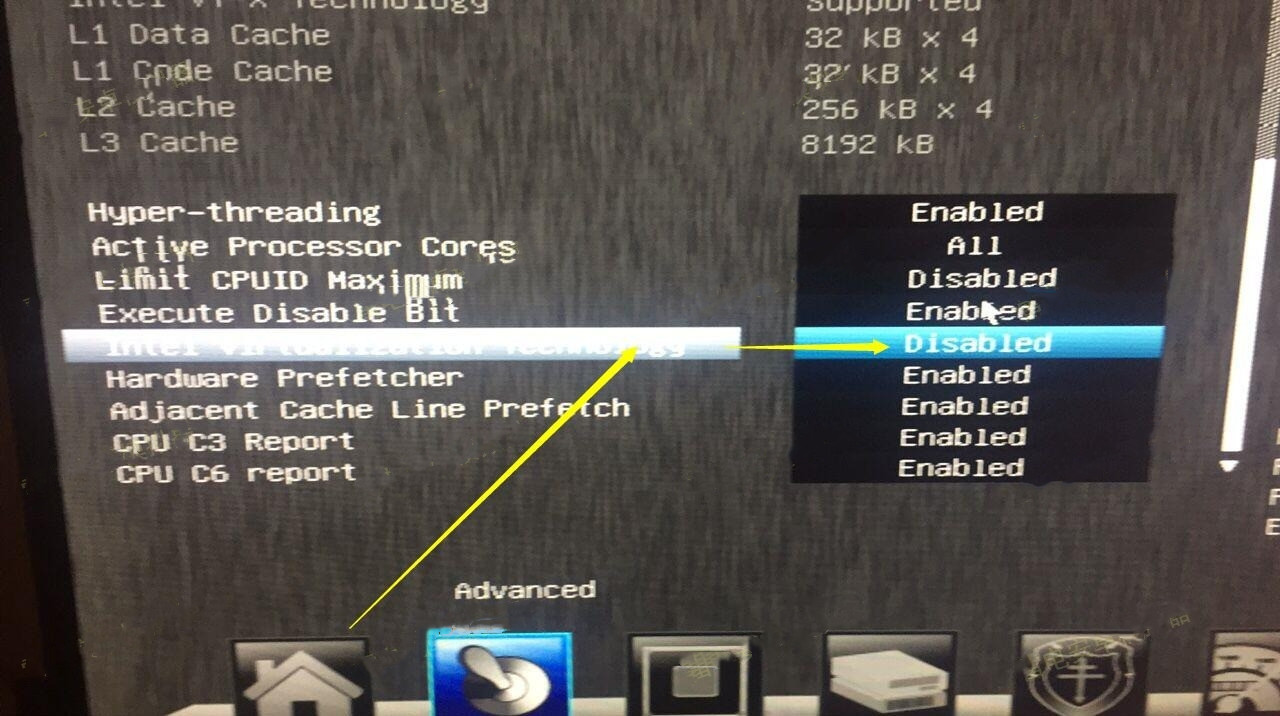
Attention: Some users may not find the option as described in the tutorial. In that case, you can go to different top menu bars to locate the VT settings using keywords such as "Intel(R) Virtualization Technology", "Virtual", "Virtualization", "VT-X", "SVM", "Virtualization Technology".
End of Article