How to free up disk space
After using the computer for a period of time, each disk accumulates many unnecessary files that take up memory space, such as: downloaded program files, temporary files, recycle bin, etc. If you need to clean up these files, you can follow the steps below:
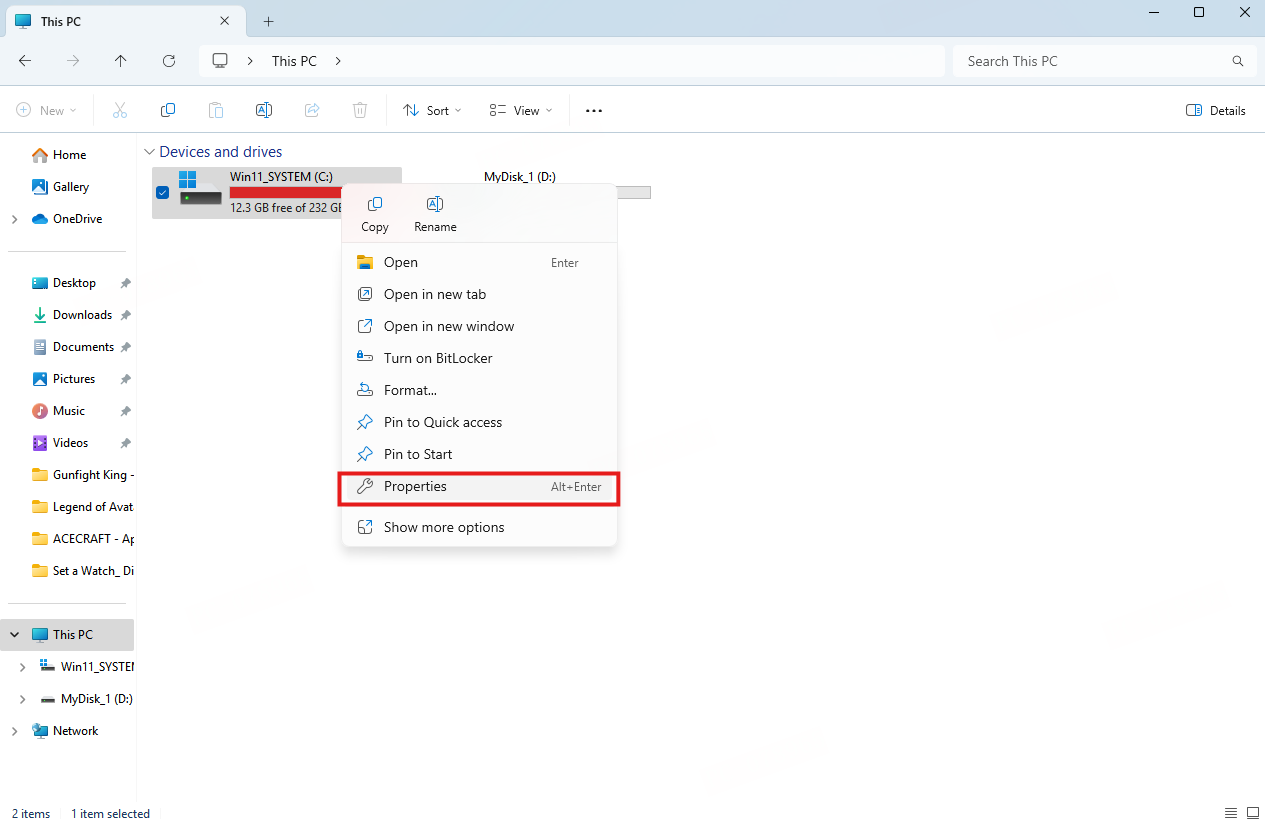
1. In My PC, right-click the disk you want to clean up, and then click "Properties".
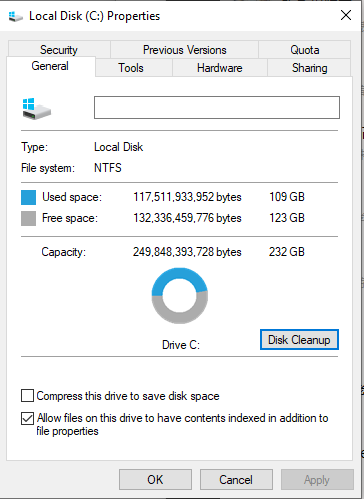
2. On the properties page, click Disk Cleanup.
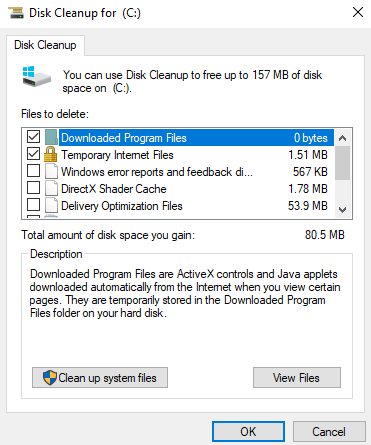
3. After clicking Disk Cleanup, the system will start scanning the disk. Once the scan is complete, a list of files that can be cleaned will appear. Check the files you want to delete and click OK to clean them up.
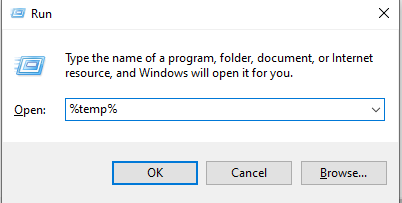
4. Press the Windows and R keys at the same time to open the Run window.
5. Enter %temp% and open the temp folder.
6. The files in the temp folder are temporary files, and you can delete all of them; if you can't, skip this step.
End of Article