What should I do if MuMu Player prompts that Hyper-V is not disabled after a Windows 11 system update?
After upgrading the Windows 11 system, some users may encounter a situation where the computer has turned off Hyper-V related components, but when starting the emulator, it still prompts that Hyper-V is not disabled.
This is because the Windows Defender Credential Guard in Windows 11 will automatically enable the virtualization-based security feature, and this feature will enable Hyper-V, causing the emulator to run inefficiently or even crash. Users who encounter this situation can refer to the following steps to disable Hyper-V:
Note: Microsoft official feature introduction document: Managing Windows Defender Credential Guard (Windows) | Microsoft Learn
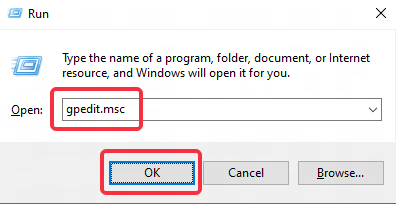
Step 1: Press win+R, enter gpedit.msc, and click OK to open the Local Group Policy Editor;
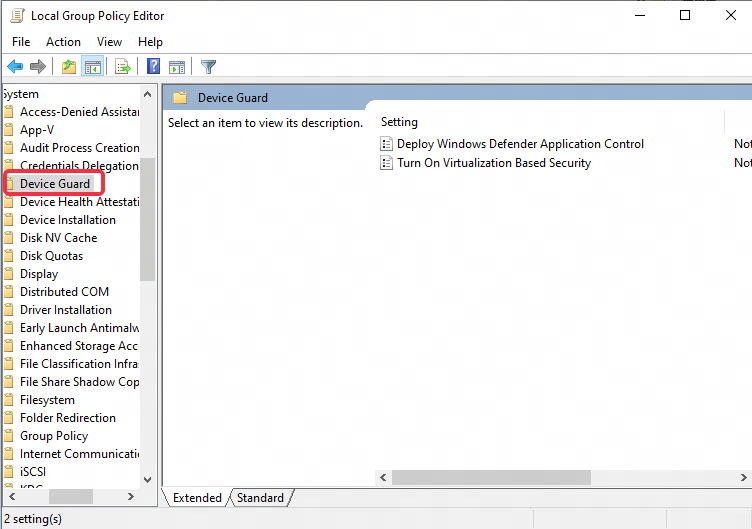
Step 2: After opening the Local Group Policy Editor interface, click Computer Configuration-Administrative Templates-System and find Device Guard;
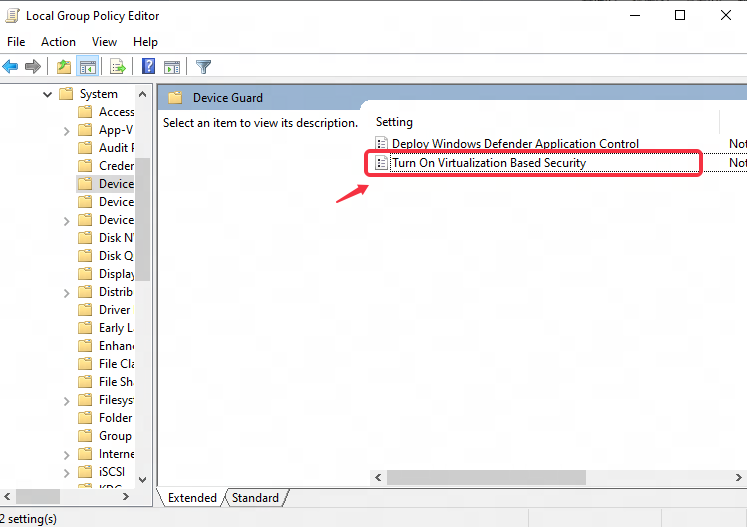
Step 3: After clicking Device Guard, find "Turn on virtualization Based Security";
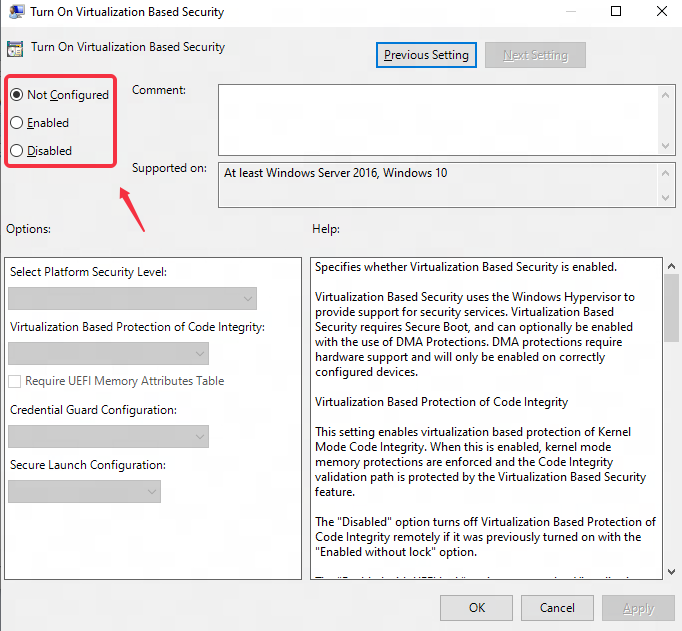
Step 4: Double-click to open "Turn on virtualization Based Security", change "Not configured" to "Disabled", then click OK to save, and finally restart the computer.
End of Article