How to import and export key plan in the emulator
When some users want to share or synchronize custom key schemes, you can do it in the following ways:
[How to import the key plan]
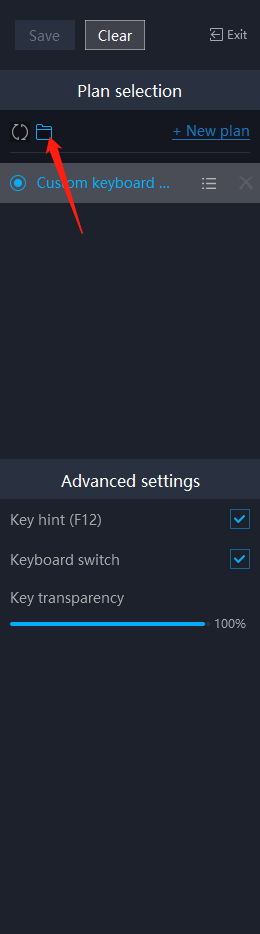
1. Click the [keyboard and mouse] button at the bottom of mumu, and then click the [open folder] button.
2. Paste the prepared keyboard/mouse/controller program (usually a file with the suffix "cfg") into the "keymapII_config" folder.
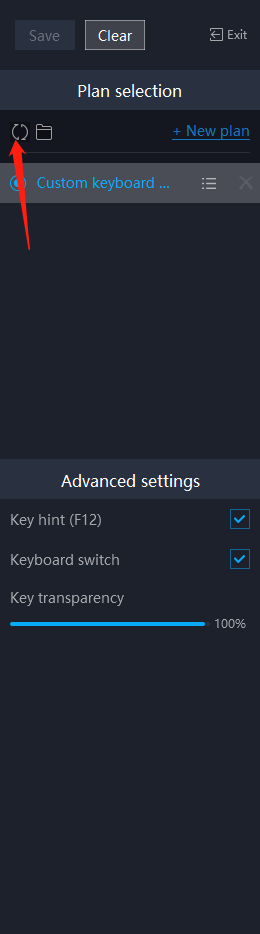
3. Return to the emulator, click the [Refresh] button, and then the import is successful.
[How to export the key plan]
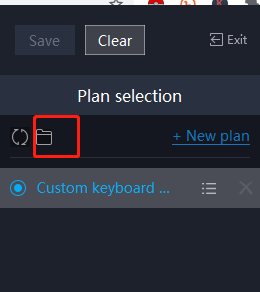
1. Click the [keyboard and mouse] button at the bottom of the emulator, find the keyboard and mouse/controller program that needs to be exported, and click the [open folder] button in the menu bar.
2. In the opened "keymapII_config" folder, find the selected file with the "cfg" suffix (this is the corresponding keyboard/mouse/controller program), and copy it anywhere to export.
You can also open the folder directly, and in the opened "keymapII_config" folder, copy all the files to any location to export.
View more frequently asked questions list for more help> https://www.mumuglobal.com/faq/index.html
End of Article