MuMu stops responding while loading or freezes at 100%
MuMu stops responding while loading or freezes at 100%
This is caused by the current computer graphics card driver not supporting the screen scaling ratio. Please troubleshoot the problem as follows:
Method 1: Upgrade the graphics card driver to the latest version >> How to upgrade the graphics card driver
Method 2: If you do not want to upgrade the graphics card driver, you can try the following solutions.
Case 1: Please check if there is an "external display". If so, please disconnect the external display, as it is temporarily unable to display normally on the external monitor.
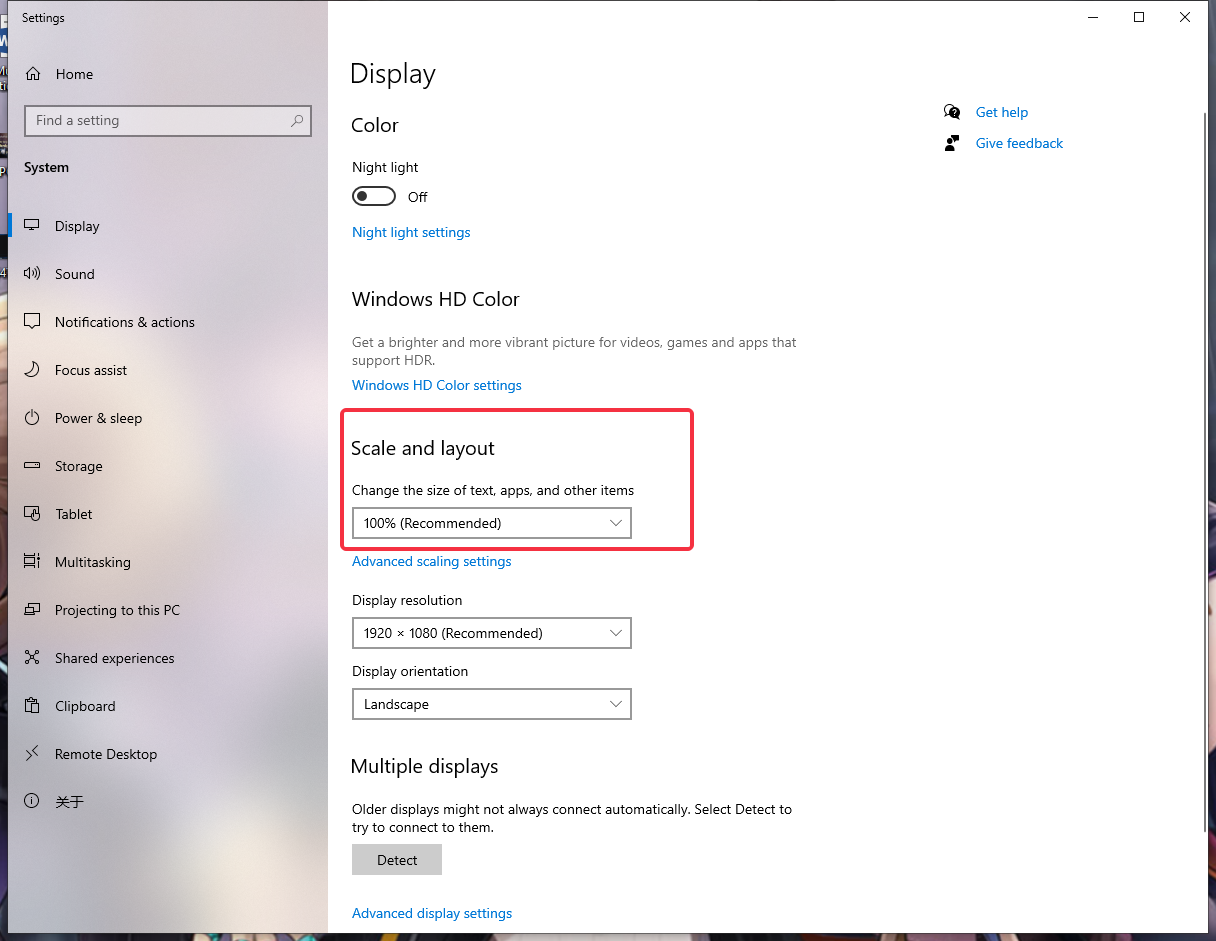
Case 2: Please make sure that the screen scaling and layout is set to "100%". Other ratios may cause display issues. You can right-click on the computer desktop, go to "Display" to view and set it.
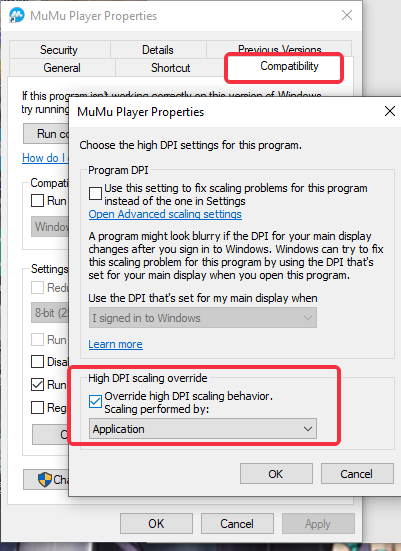
Case 3: Right-click the MuMu Player icon on your computer desktop, go to Properties——Compatibility——Change high DPI settings——Check High DPI scaling behavior and save, then restart the emulator.
End of Article