Function Shortcuts of MuMu Player
Nov 9, 2021
Screenshot: ALT+Q
Keyboard mapping: ALT+1
Toolbox: ALT+2
Volume increase: CTRL+up (↑)
Volume down: CTRL+down (↓)
Turn mute on/off: CTRL+M
Switch to the next tab: CTRL+TAB
Switch to the specified tab: CTRL+1~9
Zoom in/out: CTRL+mouse wheel
Home: Home
Return: ESC
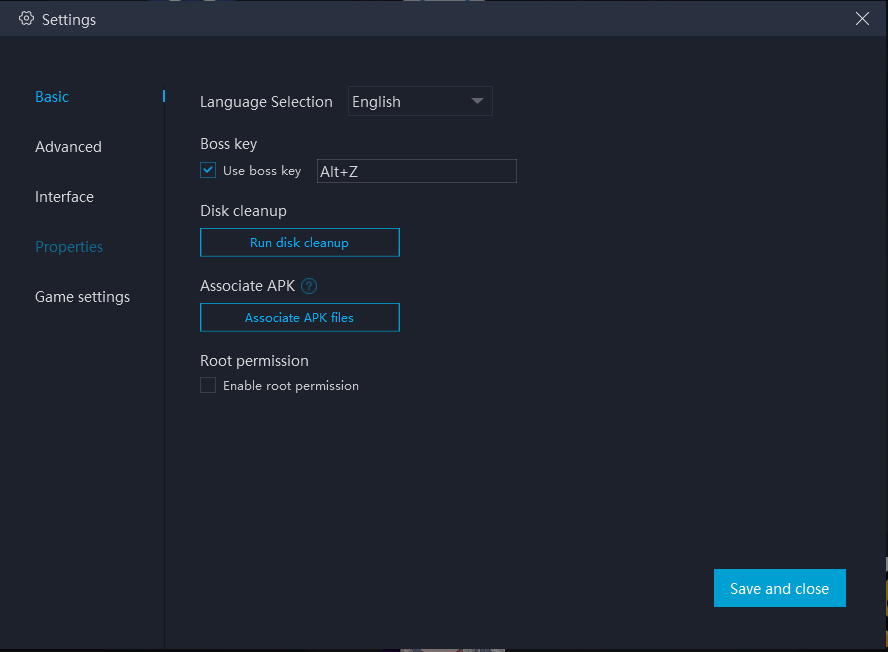
Boss key (customizable): ALT+Z
Enable/disable pinning: CTRL+T
Enable/disable mini mode: ALT+G
Full screen: F11
Hide/show toolbar: ALT+T
ROOT function: needs to be enabled in the settings at the upper right corner of MuMu Player.
End of Article
Keyword: