
Play Knightcore: Sword of Kingdom on PC and Mac
Download Knightcore: Sword of Kingdom on PC or Mac with MuMuPlayer, get a PC like gameplay along with smart control and high graphics performance.
MuMuPlayer, the top Android emulator for PC and Apple silicon Mac, delivers an optimal gaming experience with minimal RAM usage and high FPS. It also allows you to create multiple instances of the emulator and run several games simultaneously, thanks to its Multi-instance feature. Its advanced emulator features ensure smooth gameplay, even on low-end PCs.
Download and play Knightcore: Sword of Kingdom on PC or Mac with MuMuPlayer and start enjoying your gaming experience now.
About the Game
Action Packed Real Time Strategy RPG


Bored of all the slow turn-based SRPG Games?


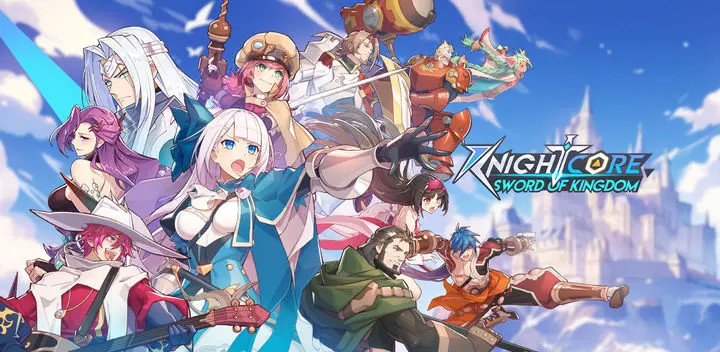
Wait no further! Dive into the world of Knightcore: Sword of Kingdom a unique tower offense game where Real-Time Strategy (RTS) meets RPG. Where you get to decide in real time the tides of the battle. Carrying on the immersive world and storyline from the Manga, Knightcore, this game combines elements of strategy, real time tower offense, a unique set of collectible heroes, and various armies to take to battle. Players take on the role of Lords, leading Heroes, and forming their own Legions to reclaim the glory of Camelot.


『Battle RTS and RPG with deep game experience』
Players will need to assess their Legions compositions and attack routes, then conquer maps using different heroes and army types to complete reclaim lands from the daemons. Designed to be easy to start, explore Knightcore’s deep game experience where users will discover unique strategies that vary from different challenges.


『Intricate Guild Wars』
Bored of brainless guild wars that has no thought put into it? Look no further! We uniquely designed the Guild Wars to embue elements of Strategy, where you get to take your guild to fight it off with everyone else in an epic battle to bring pride and rise as Kings of Camelot, triumphing over others.


『Cataclysmic World Bosses』
Put aside your banners and join up with the whole of Camelot to Protect it from global threats against unique world bosses to win numerous resources to further build your Army.

『Rich and Unique Army Types 』
Boasting a diverse array of army types, from Lancelots’ famed chilvarous cavaliers and Lionhearts’ brave Soldiers, to the mechanical soldiers of Gille, and the magic-savvy soldiers deep within the secret forest of Eden. Each unit possesses its own specialized abilities where you get to explore various compositions and create the most formidable Legion to rule Camelot.


『Rich Graphics and Visual Effects』
Showcasing the complete worldview of Camelot, each region has been uniquely designed to have its own distinctive style and culture. Players will govern and develop their lands that they have reclaimed. In addition to increasing resource outputs, training various army types, and leveling up, restoring Camelot to its former glory will be your responsibility.


Join us in our vibrant community where we’d also love to learn more from you on how we can make Knightcore great for you!
Emulator Features

With a smart button scheme and image recognition function, provide a more concise UI, and support custom button mapping to meet different needs.

Run multiple games independently at the same time, easily manage multiple accounts, play games while hanging.

Break through FPS limit, and enjoy a seamless gaming experience without lag and delay!

Get a 3-second startup with 52% less memory usage and 65% more stability.
How to Download and Play Knightcore: Sword of Kingdom on PC and Mac
Installation Guide
Download MuMuPlayer
Download and install MuMuPlayer on your PC or Mac
Sign-in Google Store
Complete Google sign-in to access the Play Store
Search and Install
Search Knightcore: Sword of Kingdom in the Play Store
Enjoy Gaming
Enjoy 120 FPS high-def gameplay with big screen
System Requirements
Windows PC
Vulkan / DirectX supported. 4 cores + 4GB RAM recommended. Up to 240 FPS. VT required.
macOS
Recommended: Apple Silicon Mac with 8GB RAM or above. Up to 240 FPS.

(1).png?fop=imageView/0/w/150/h/150)