Play Magic Chess: Go Go on PC and Mac
Magic Chess: Go Go is a strategy game developed by the team behind Mobile Legends: Bang Bang, bringing beloved MLBB heroes into a fresh auto-chess experience built around thoughtful decision-making, smart lineup building, and just the right dash of luck. Rather than demanding rapid reflexes, the game rewards players who think ahead, adapt to shifting conditions, and build clever combinations round after round. With MuMuPlayer, you can bring this full strategic experience to your PC, enjoying every match on a larger screen with smoother controls.
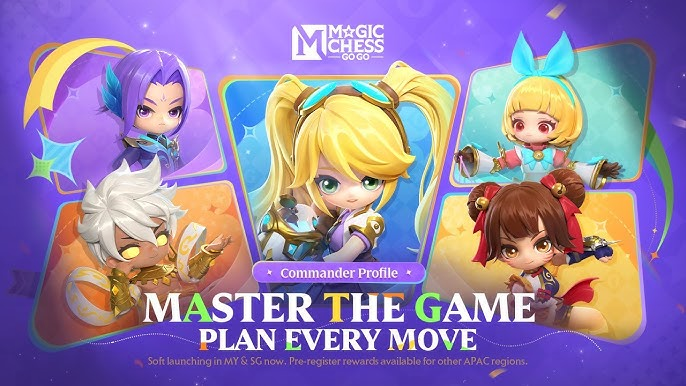
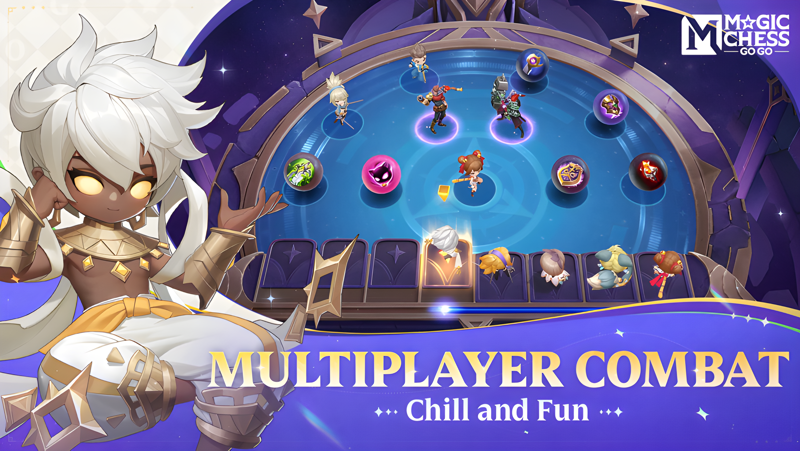
At its core, Magic Chess: Go Go pits eight players against one another in a battle of tactical wit. You recruit and merge MLBB heroes to construct powerful lineups, then watch them clash on the board while you adjust your strategy on the fly. Each Commander you choose comes with exclusive skills that open up distinct playstyles, letting you approach the game in bold and personalized ways. Go Go Cards add another layer of depth, offering key choices at critical stages that can flip the momentum of a match and turn a losing run into a championship run. The game is designed to be played casually anywhere, but rewards those who invest time in mastering its systems.
Playing Magic Chess: Go Go on PC through MuMuPlayer gives you a meaningful edge in the experience. The larger display makes it far easier to read the board state, track opponent lineups, and manage your roster without squinting at a small screen. MuMuPlayer's stable performance ensures that the game runs consistently throughout long sessions, so your strategic focus never gets disrupted by lag or battery concerns. Whether you are grinding ranked matches solo or teaming up with friends to take on the board together, MuMuPlayer provides a comfortable and reliable environment that lets you concentrate entirely on your next move.
About the Game
Magic Chess: Go Go takes the rich roster of Mobile Legends: Bang Bang and reimagines how those heroes can be used, placing them at the center of an auto-chess strategy experience that values planning and adaptability over quick fingers or fast reactions. This is a game about reading situations, building efficient combinations, and making smart calls under pressure, all wrapped in accessible, casual gameplay that anyone can pick up and enjoy.
The foundation of every match is an eight-player competitive format where all participants are working toward the same goal: outlast everyone else and claim the top spot. You are not simply playing against bots or a single opponent. You are navigating a dynamic battlefield where seven other strategists are each building their own lineups, adapting in real time, and trying to dismantle whatever you have constructed. That constant tension between your own plans and everyone else's progress is what makes each session feel alive and unpredictable.
Here is how the core gameplay breaks down:
- Recruit heroes from the MLBB universe and place them on your board to form a fighting lineup
- Merge duplicate heroes to upgrade them into more powerful versions with stronger stats
- Combine heroes with matching traits or synergies to unlock bonus effects that strengthen your entire team
- Choose and develop a Commander whose unique skills define your overall strategic direction
- Use Go Go Cards at pivotal moments during the match to shift the balance in your favor
The Commander system is one of the most distinctive features in Magic Chess: Go Go. Rather than everyone following the same strategic path, your chosen Commander opens up a specific set of tools and abilities that no other player has access to in the same way. This means two players can run similar hero compositions but arrive at completely different outcomes depending on how their Commander skills interact with the board. It encourages experimentation and allows for genuinely personalized approaches to every match.
Go Go Cards bring an exciting element of decision-making to key transitional points in the game. At certain stages, you are presented with a selection of cards, each offering a different kind of benefit or power. Choosing the right card at the right moment can reinforce a strategy that is already working or provide exactly the lifeline needed to stage a comeback from a difficult position. These moments of choice keep the pacing of each match engaging from start to finish.
Social play is also built into the experience. You can bring friends into the game and compete against each other directly, turning the tactical competition into a shared activity where bragging rights are always on the line. The game is designed to be genuinely enjoyable whether you are playing a quick solo session or coordinating with a group.
Magic Chess: Go Go is supported by an official website at magicchessgogo.com, a YouTube channel under the handle MagicChessGoGo, and a customer service contact at mobilechess.help@moonton.com. For players who want the full experience on a bigger screen with consistent performance, running the game through MuMuPlayer on PC is a natural choice that enhances both visibility and comfort across every match.
Emulator Features

With a smart button scheme and image recognition function, provide a more concise UI, and support custom button mapping to meet different needs.

Run multiple games independently at the same time, easily manage multiple accounts, play games while hanging.

Break through FPS limit, and enjoy a seamless gaming experience without lag and delay!

Get a 3-second startup with 52% less memory usage and 65% more stability.
How to Download and Play Magic Chess: Go Go on PC and Mac
Installation Guide
Download MuMuPlayer
Download and install MuMuPlayer on your PC or Mac
Sign-in Google Store
Complete Google sign-in to access the Play Store
Search and Install
Search Magic Chess: Go Go in the Play Store
Enjoy Gaming
Enjoy 120 FPS high-def gameplay with big screen
System Requirements
Windows PC
Vulkan / DirectX supported. 4 cores + 4GB RAM recommended. Up to 240 FPS. VT required.
macOS
Recommended: Apple Silicon Mac with 8GB RAM or above. Up to 240 FPS.