
Play Rememento - White Shadow on PC and Mac
Download Rememento - White Shadow on PC or Mac with MuMuPlayer, get a PC like gameplay along with smart control and high graphics performance.
MuMuPlayer, the top Android emulator for PC and Apple silicon Mac, delivers an optimal gaming experience with minimal RAM usage and high FPS. It also allows you to create multiple instances of the emulator and run several games simultaneously, thanks to its Multi-instance feature. Its advanced emulator features ensure smooth gameplay, even on low-end PCs.
Download and play Rememento - White Shadow on PC or Mac with MuMuPlayer and start enjoying your gaming experience now.
About the Game
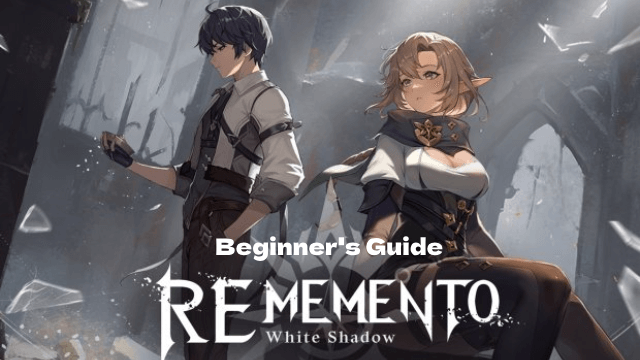
Step into a whole new level of strategy with 『Rememento - White Shadow』.
Download now and begin your legendary journey!

■ An Epic Story That Pulls You In
Defy the witches’ curse and unveil the truth behind the gods’ forgotten memories.
In the chaos of creation, shape your destiny and uncover what lies beyond the veil.

■ Smart, Satisfying Turn-Based Combat
Master the flow of battle with a streamlined MP-based system.
With every decision, manage your energy, time your skills, and outplay your enemies — easy to pick up, endlessly deep to master.

■ Cinematic Cutscenes & Stunning Unreal Graphics
Every chapter bursts to life with fully animated 3D cinematics.
Enjoy immersive visuals powered by Unreal Engine and a story told through rich, expressive animation.

■ PvP That Rewards Tactical Brilliance
Outsmart rivals in fierce real-time PvP with ever-evolving strategies.
Climb the ranks each season by adapting your tactics and proving your skill.

Rewrite fate sealed in divine memory. Illuminate the final dawn.
Download Rememento - White Shadow and begin your legendary journey now.
Emulator Features

With a smart button scheme and image recognition function, provide a more concise UI, and support custom button mapping to meet different needs.

Run multiple games independently at the same time, easily manage multiple accounts, play games while hanging.

Break through FPS limit, and enjoy a seamless gaming experience without lag and delay!

Get a 3-second startup with 52% less memory usage and 65% more stability.
How to Download and Play Rememento - White Shadow on PC and Mac
Installation Guide
Download MuMuPlayer
Download and install MuMuPlayer on your PC or Mac
Sign-in Google Store
Complete Google sign-in to access the Play Store
Search and Install
Search Rememento - White Shadow in the Play Store
Enjoy Gaming
Enjoy 120 FPS high-def gameplay with big screen
System Requirements
Windows PC
Vulkan / DirectX supported. 4 cores + 4GB RAM recommended. Up to 240 FPS. VT required.
macOS
Recommended: Apple Silicon Mac with 8GB RAM or above. Up to 240 FPS.
(1).png?fop=imageView/0/w/150/h/150)