
Play Somnolent: Action RPG Fantasy on PC and Mac
Download Somnolent: Action RPG Fantasy on PC or Mac with MuMuPlayer, get a PC like gameplay along with smart control and high graphics performance.
MuMuPlayer, the top Android emulator for PC and Apple silicon Mac, delivers an optimal gaming experience with minimal RAM usage and high FPS. It also allows you to create multiple instances of the emulator and run several games simultaneously, thanks to its Multi-instance feature. Its advanced emulator features ensure smooth gameplay, even on low-end PCs.
Download and play Somnolent: Action RPG Fantasy on PC or Mac with MuMuPlayer and start enjoying your gaming experience now.
About the Game
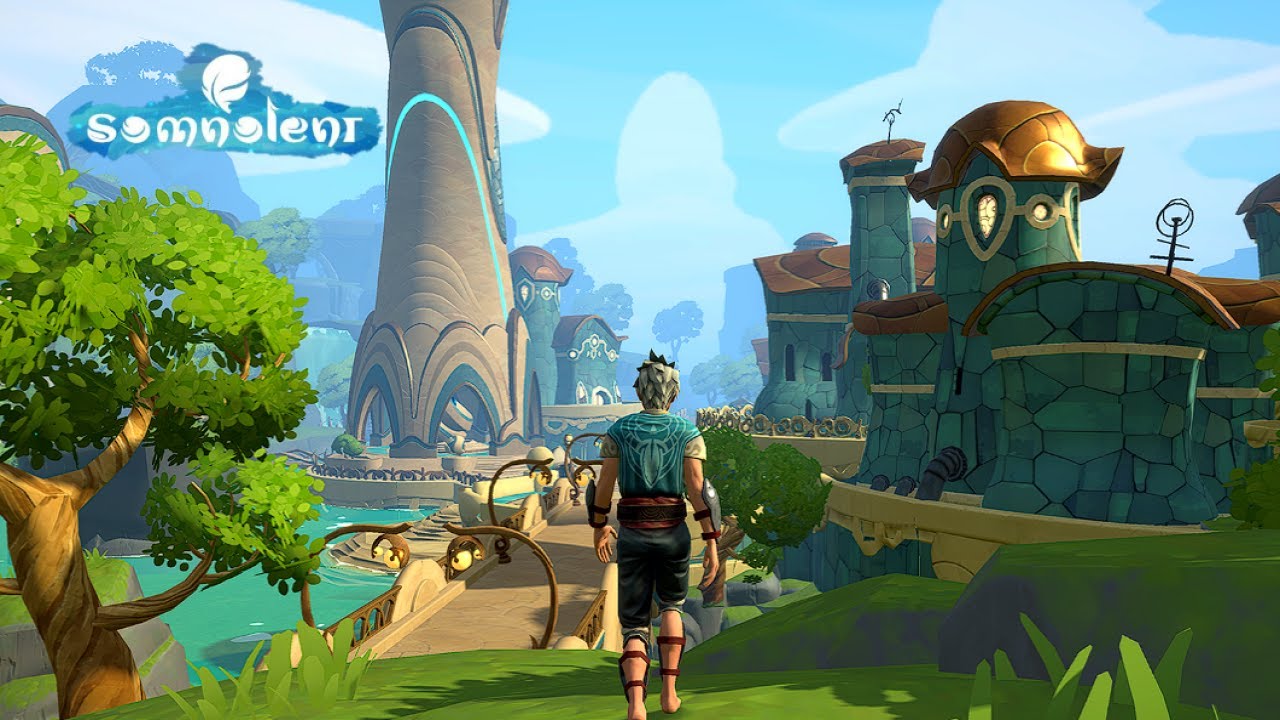
Darkness envelops the World of Dreams, and an army of nightmare monsters approaches. A long and dangerous journey awaits you! Immerse yourself in the RPG fantasy world of this thrilling adventure ARPG game. Embark on a journey and eradicate the source of evil before it engulfs everything around you.

Somnolent is a magical action RPG game with an original lore, intuitive gameplay and a dynamic combat system with special effects. The game is in an early stage of development.

Experience a fantasy role playing with adventure elements! Travel through dreams, engage in battle with armies of nightmares and learn the history of the world of Somnolent!

Main features:

MOBILE ROLE PLAYING
Fight crowds of enemies anywhere, and win battles designed exclusively for mobile devices!

CRUSH MONSTERS AND PROTECT DREAMERS
Liberate enemy controlled territories and defeat bosses with killer skills and magic. Protect peaceful dreamers, save the World of Dreams from evil and become a true hero in this RPG adventure!

EXPLORE A FANTASY WORLD!
Many fantasy locations await you for solo campaigns. Go to deserts, snowy cliffs and frozen lakes, explore forests and villages. Meet unusual flora and fauna and enjoy the action RPG gameplay and adventure!

DEVELOP AND CUSTOMIZE YOUR CHARACTER
Level up your character and earn skill points. Learn to control magic, masterfully choose the right weapons and armor while battling monsters in this character boosting in this !

COMPLETE QUESTS AND EARN REWARDS
Follow the story or just kill nightmare enemies, get valuable resources in quests and use them to boost your character. Collect essential items of varying rarity, from starter items to rare and legendary items!

We always welcome feedback from our players:
Email us with your ideas: support@akarso.gg

NOTE: Somnolent is free to play action RPG adventure, but some additional items in the game can be purchased for real money. You can turn off in-game purchases in your device settings.

More information about the game on our official website: https://akarso.gg/
Privacy Policy https://akarso.gg/privacy
Term of Use https://akarso.gg/terms

Minimum technical requirements:
- OS: Android 9.0 (Pie), upgradeable to Android 11, MIUI 12.5
- RAM: 6GB
- Chipset: Qualcomm SDM665 Snapdragon 665 (11nm)
- CPU: Eight-core (4x2.0GHz Kryo 260 Gold and 4x1.8GHz Kryo 260 Silver)
- GPU: Adreno 610
Emulator Features

With a smart button scheme and image recognition function, provide a more concise UI, and support custom button mapping to meet different needs.

Run multiple games independently at the same time, easily manage multiple accounts, play games while hanging.

Break through FPS limit, and enjoy a seamless gaming experience without lag and delay!

Get a 3-second startup with 52% less memory usage and 65% more stability.
How to Download and Play Somnolent: Action RPG Fantasy on PC and Mac
Installation Guide
Download MuMuPlayer
Download and install MuMuPlayer on your PC or Mac
Sign-in Google Store
Complete Google sign-in to access the Play Store
Search and Install
Search Somnolent: Action RPG Fantasy in the Play Store
Enjoy Gaming
Enjoy 120 FPS high-def gameplay with big screen
System Requirements
Windows PC
Vulkan / DirectX supported. 4 cores + 4GB RAM recommended. Up to 240 FPS. VT required.
macOS
Recommended: Apple Silicon Mac with 8GB RAM or above. Up to 240 FPS.

(1).png?fop=imageView/0/w/150/h/150)