
Trials of Heroes: Idle RPG (macOS)
Play Trials of Heroes: Idle RPG on PC and Mac
Download Trials of Heroes: Idle RPG on PC or Mac with MuMuPlayer, get a PC like gameplay along with smart control and high graphics performance.
MuMuPlayer, the top Android emulator for PC and Apple silicon Mac, delivers an optimal gaming experience with minimal RAM usage and high FPS. It also allows you to create multiple instances of the emulator and run several games simultaneously, thanks to its Multi-instance feature. Its advanced emulator features ensure smooth gameplay, even on low-end PCs.
Download and play Trials of Heroes: Idle RPG on PC or Mac with MuMuPlayer and start enjoying your gaming experience now.
About the Game
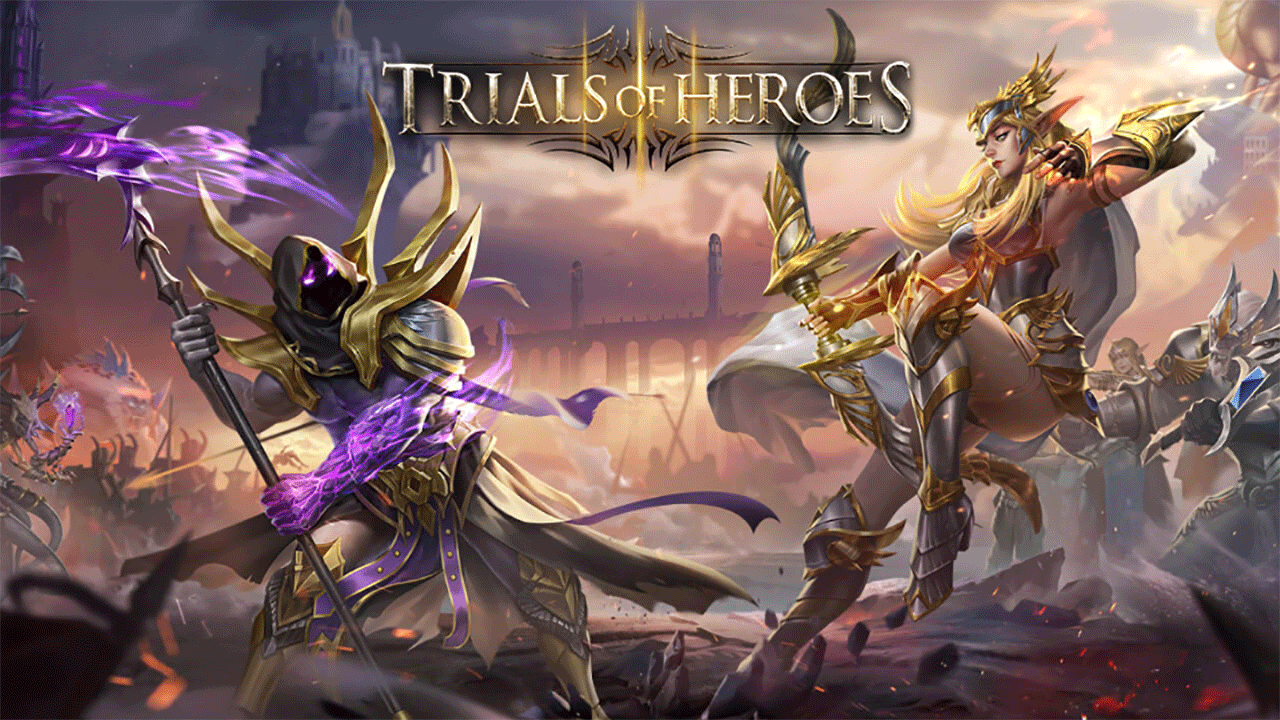
The brand new mobile game Trials of Heroes is an action-packed fantasy RPG with massive hero summon and epic idle style gameplay. You will be gaming with over 1 million players around the world for glory in the championship arena.

Game Features:

[Idle Battle Gameplay]
Auto-battle mode is in!
No time to fight and train every minute but in badly need of resources for level ups?
Try out the offline auto mode anytime and everywhere! You can go deep into steppes, marshes, labyrinths or other dungeons with your heroes while enjoying never-ending battles. Even if you are offline for a break, your heroes will still be fighting for you!

[Summon Massive Heroes]
Over 100 epic heroes and monsters from 6 different races are available in your collection! Upgrade and improve their power and special skills, craft and forge ultimate weapons and equipments for their fancy outfit and evolutionary strength!
Collect as many as you can!

[Assemble The Right Squad and Strategy]
Who you bring to the fight matters. Recruit the right strike force and choose a formation of five powerful heroes wisely for a sure victory!

[More Than Idle Style]

Climb up the Dark Tower for nonstop challenges, complete quests from various heroes in Tavern, launch an all-out attack in the Burning Crusade, forge legendary equipment for your heroes, defeat Dark Forest Bosses for special rewards, and enter various Raids for extra gains! More exciting contents are waiting for you to discover!

[Fight with Your Allies Worldwide]

Make new allies from all over the world, upgrade Guild Skills in Academy for bonuses, get rewards from Mine orders, win increasing rewards by taking down numerous guild bosses and participate in a week-long Guild Campaign with guild members. Make it to Finals for glory!

[Show Your Skills in The Arena]

Unique Championships and Elite Trials are offered in Arena. Array your team wisely, defeat those from all over the world and always aim to be the first!

Summon your hero now and let’s begin an epic adventure in this mysterious yet unknown land!

PLEASE NOTE
Network connection is required.
Trials of Heroes is free to download and play, some in-app items can also be purchased for real money. In-app purchases can be disabled through your device’s settings.
By downloading this app, you agree to our privacy policy and terms of use. http://toh.jupiterltd.net/Privacy_Policy.html

Follow us on Facebook for updates, reward events and more!
https://www.facebook.com/trialofheroes.page/
Emulator Features

With a smart button scheme and image recognition function, provide a more concise UI, and support custom button mapping to meet different needs.

Run multiple games independently at the same time, easily manage multiple accounts, play games while hanging.

Break through FPS limit, and enjoy a seamless gaming experience without lag and delay!

Get a 3-second startup with 52% less memory usage and 65% more stability.
How to Download and Play Trials of Heroes: Idle RPG on PC and Mac
Installation Guide
① Download and install MuMuPlayer on your PC or Mac. It will identify automatically your current system and download the latest version.
② Start MuMuPlayer and complete Google sign-in to access the Play Store, or do it later.
③ Search Trials of Heroes: Idle RPG in the Play Store.
④ Complete Google sign-in (if you skipped step 2) to install Trials of Heroes: Idle RPG.
⑤ Once installation completes, click the Trials of Heroes: Idle RPG icon on the home page to start the game.
⑥ Enjoy playing Trials of Heroes: Idle RPG on your PC or Mac with MuMuPlayer.
Installation Guide
Recommended computer configuration
For Windows:4-core CPU, 4GB RAM, i5 OS, GTX950+ graphics card
For macOS: 4-core CPU, 4GB RAM
Recommended Android Device performance settings
Graphics renderer mode
Vulkan and DirectX both supported
Performance Settings
Recommended performance settings: 2 cores, 2GB. >>How to adjust performance settings
Recommended Android Device Display Settings
Resolution Settings
Go to Device Settings > Display > Resolution Settings to adjust your device's resolution as needed.
FPS Settings
MuMuPlayer supports up to 240 FPS. >>How to enable high FPS mode
Recommended to enable VT
Enabling VT will significantly improve emulator performance, reduce screen freezing, and make games run more smoothly. >>How to enable VT
(1).png?fop=imageView/0/w/150/h/150)