Play Turnip Boy Robs a Bank on PC and Mac
Download Turnip Boy Robs a Bank on PC or Mac with MuMuPlayer, get a PC like gameplay along with smart control and high graphics performance.
MuMuPlayer, the top Android emulator for PC and Apple silicon Mac, delivers an optimal gaming experience with minimal RAM usage and high FPS. It also allows you to create multiple instances of the emulator and run several games simultaneously, thanks to its Multi-instance feature. Its advanced emulator features ensure smooth gameplay, even on low-end PCs.
Download and play Turnip Boy Robs a Bank on PC or Mac with MuMuPlayer and start enjoying your gaming experience now.
About the Game
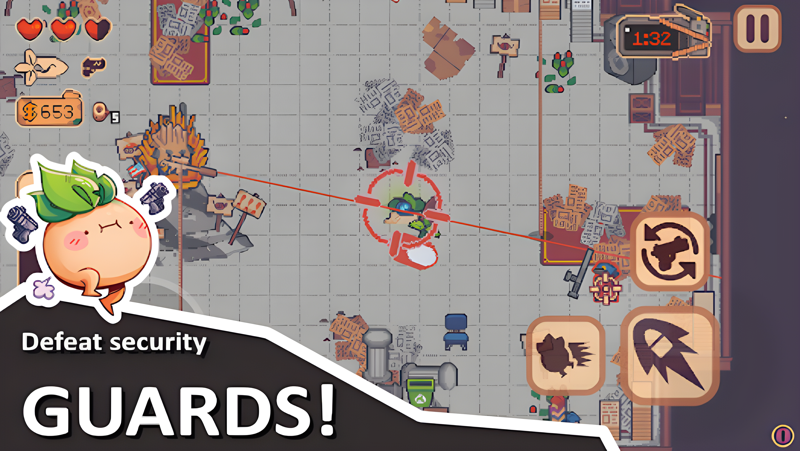
Turnip Boy is ready to commit more felonies in this comedic action-adventure game with roguelite elements. This time the career criminal is teaming up with the fearsome Pickled Gang to plan and execute the weirdest heist of all time! Shake down hostages, steal precious valuables, and explore the deep, dark depths and history of the Botanical Bank.

To pull off the perfect heist, you’ll need to purchase an array of dangerous and wacky tools from the dark web, including a diamond pickaxe, C4, and a radio jammer. However, bank robbing isn’t easy, so be prepared for intense shootouts with security guards, the police, elite swat teams and more.

Features:
* A thrilling single-player adventure full of bank robbing, dark web browsing, and fuzz fighting.
* Roguelite elements to turnip the action.
* A big ol’ bank to explore and loot.
* An array of wacky weapons found in the bank.
* Take on whoever the bank throws at you in intense shootouts, from security guards to elite veggie swat teams!
* A large cast of quirky food-based characters, including some familiar faces and new citizens with their own stories and problems.
* Earn collectable hats to wear & cassettes with new banger tracks to blast.
* Discover a deeper history of Turnip Boy’s world and how it became what it is.
* Play in 4:3 like the original game, or in fullscreen!

Turnip Boy adventures are fun, so to make sure everyone can enjoy the game, you can change some settings in the game including:
- 4 different enemy outline colors
- 4 different interact outline colors
- A god mode so Turnip Boy becomes invincible!
- Damage boost up to 200% or a damage nerf to 50% if you dare!
- An aim laser to help you in fights
- Autoaim to help you aim on touchscreens!
Emulator Features

With a smart button scheme and image recognition function, provide a more concise UI, and support custom button mapping to meet different needs.

Run multiple games independently at the same time, easily manage multiple accounts, play games while hanging.

Break through FPS limit, and enjoy a seamless gaming experience without lag and delay!

Get a 3-second startup with 52% less memory usage and 65% more stability.
How to Download and Play Turnip Boy Robs a Bank on PC and Mac
Installation Guide
Download MuMuPlayer
Download and install MuMuPlayer on your PC or Mac
Sign-in Google Store
Complete Google sign-in to access the Play Store
Search and Install
Search Turnip Boy Robs a Bank in the Play Store
Enjoy Gaming
Enjoy 120 FPS high-def gameplay with big screen
System Requirements
Windows PC
Vulkan / DirectX supported. 4 cores + 4GB RAM recommended. Up to 240 FPS. VT required.
macOS
Recommended: Apple Silicon Mac with 8GB RAM or above. Up to 240 FPS.