Play Zen Sort: Match Puzzle on PC and Mac
Download Zen Sort: Match Puzzle on PC or Mac with MuMuPlayer, get a PC like gameplay along with smart control and high graphics performance.
MuMuPlayer, the top Android emulator for PC and Apple silicon Mac, delivers an optimal gaming experience with minimal RAM usage and high FPS. It also allows you to create multiple instances of the emulator and run several games simultaneously, thanks to its Multi-instance feature. Its advanced emulator features ensure smooth gameplay, even on low-end PCs.
Download and play Zen Sort: Match Puzzle on PC or Mac with MuMuPlayer and start enjoying your gaming experience now.
About the Game
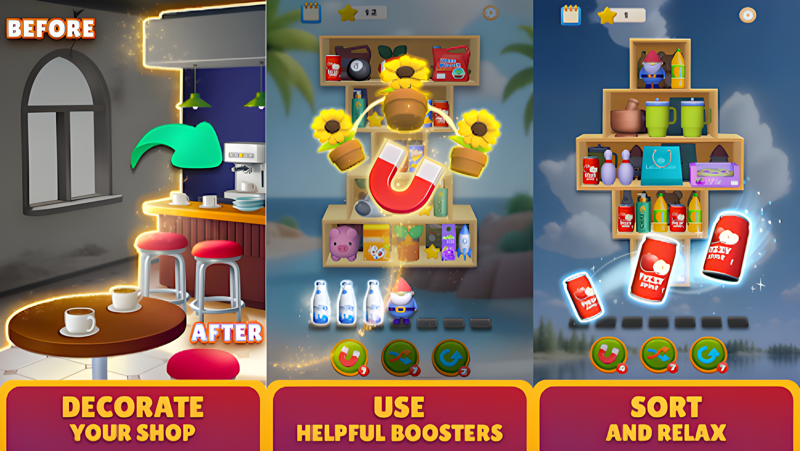
Welcome to Zen Sort, where the art of shelf sorting meets the challenge of mahjong-style puzzles! Immerse yourself in a one-of-a-kind relaxing gameplay experience that combines mindful organization with the joy of giving your messy shelves a much-needed refresh.

In Zen Sort, chaos turns into calm as you uncover the perfect matches to tidy up your shelves and breathe new life into your store. With every satisfying sort, you’ll upgrade and transform your shop into a beautifully designed space that reflects your inner peace . This is your chance to reset, refresh, and find your zen.

Why Zen Sort is unlike anything else:

- A Unique Combination: The layered strategy of mahjong puzzles meets the satisfying simplicity of shelf sorting.
- Relaxing Gameplay: No timers, no pressure—just soothing vibes as you clear out clutter and create order.
- Creative Makeovers: Design and decorate your shop with stunning upgrades that reflect your style.
- Endless Challenges: Tackle hundreds of thoughtfully crafted levels designed to inspire and relax.
- Daily Rewards: Stay motivated with exciting daily quests and special rewards to unlock.
- Mindful Boosters: Powerful tools that help you sort smarter, not harder.

Take a break from the ordinary and step into a world where finding the perfect match is the ultimate satisfaction. Zen Sort is more than a game; it’s your daily dose of peaceful organization.
Emulator Features

With a smart button scheme and image recognition function, provide a more concise UI, and support custom button mapping to meet different needs.

Run multiple games independently at the same time, easily manage multiple accounts, play games while hanging.

Break through FPS limit, and enjoy a seamless gaming experience without lag and delay!

Get a 3-second startup with 52% less memory usage and 65% more stability.
How to Download and Play Zen Sort: Match Puzzle on PC and Mac
Installation Guide
Download MuMuPlayer
Download and install MuMuPlayer on your PC or Mac
Sign-in Google Store
Complete Google sign-in to access the Play Store
Search and Install
Search Zen Sort: Match Puzzle in the Play Store
Enjoy Gaming
Enjoy 120 FPS high-def gameplay with big screen
System Requirements
Windows PC
Vulkan / DirectX supported. 4 cores + 4GB RAM recommended. Up to 240 FPS. VT required.
macOS
Recommended: Apple Silicon Mac with 8GB RAM or above. Up to 240 FPS.