

Best Android Emulators in 2026 for PC and Mac: 13 Top Picks Compared
Whether you’re a gamer chasing ultra-smooth 240+ FPS performance or a developer testing apps with GPS and sensor simulations, there’s an Android emulator designed for your needs. Emulators let gamers enjoy mobile titles on PC, help developers test apps efficiently, and give everyday users the freedom to run mobile-only tools on desktop.
But with so many options available, how do you know which one fits best? Which emulator offers the right balance of features, performance, and usability?
With dozens of Android emulators available in 2026, choosing the right one depends on performance, compatibility, features, and overall user experience. In this updated 2026 guide, we compare 10+ popular Android emulators to help you find the best option for gaming, app testing, and everyday use.
As Android gaming continues to evolve, emulator technology has also advanced with better performance optimization, higher FPS support, improved compatibility, and more powerful features. Among them, MuMuPlayer delivers a powerful Android gaming experience with Android 15 support, high FPS performance, optimized multi-instance capabilities, ADB tools, and improved compatibility across a wide range of mobile games.
Here’s a quick comparison of some leading Android emulators:
- MuMuPlayer – Android 15 support, upgraded graphics performance with OpenGL & Vulkan optimization, enhanced multi-instance efficiency, up to 480 FPS support, and improved compatibility with the latest mobile games
- BlueStacks – Macros, Eco Mode, APK drag & drop
- LDPlayer – High compatibility, macro & screen recording
- NoxPlayer – Multi-instance, controller support, scripting
- MEmu – GPS simulation, custom key mapping, root access
These are just a few of the most recognized names in the emulator space. In the following sections, we’ll dive deeper into 10+ Android emulators, exploring their unique features, performance, pricing, and user feedback, so you can confidently choose the one that best fits your needs.
Top 13 Android Emulators at a Glance - 2026 Quick Comparison Table
|
Name |
OS Support |
Android Version |
Main Audience |
Price |
Key Strength |
|
Windows 8+, macOS (M-Series) |
Android 15, Android 12 |
Gamers & Developers (multi-instance + graphics performance) |
Windows Free, macOS Subscription after 7-day trial |
Up to 480 FPS, multi-instance, upgraded graphics performance |
|
|
BlueStacks |
Windows 7+, macOS 11+ (Apple Silicon) |
Android 11 (stable), Android 13 (beta) |
Gamers & casual users |
Free |
Eco Mode, macro creation, APK drag & drop |
|
LDPlayer |
Windows XP/7/8/10/11 |
Android 7.1 & 9 |
Gamers (esp. competitive) |
Free (ads supported) |
High compatibility, macro recorder, screen recording |
|
NoxPlayer |
Windows 10/11, macOS |
Android 9 & Android 12 Beta |
Gamers & app testers |
Free (ad-supported) |
Multi-instance, controller support, root/scripting |
|
MEmu |
Windows 10/11 (VT-enabled) |
Android 5, 7, 9 |
Gamers & power users |
Free (ads supported) |
GPS simulation, root access, custom key mapping |
|
Genymotion |
Windows, macOS, Linux, Cloud (AWS, Azure) |
Up to Android 16 (Cloud) |
App developers, QA teams |
Free personal use; $412/yr Pro |
Cloud-based testing, CI/CD integrations |
|
BlissOS |
Windows 7–11 (64-bit) |
Android 13 (QPR2) |
Tech enthusiasts & developers |
Free (GPLv3) |
Open source, multi-window, fast on hardware |
|
PrimeOS |
x86 PCs via ISO or installer |
Android 7–11 (depends on build) |
Gamers & users repurposing old PCs |
Free |
Windows-like desktop, built-in key mapping |
|
Remix OS Player |
Windows 7–11 (64-bit) |
Android 6.0 Marshmallow |
Students, office workers, multitaskers |
Free (discontinued) |
Multi-window support, desktop-style multitasking |
|
Samsung Galaxy Emulator |
Windows, macOS |
Latest Samsung Galaxy Builds |
Professional developers (Samsung ecosystem) |
Free |
Samsung hardware simulation (S Pen, Edge Panel) |
|
Android Studio Emulator |
Windows 10+, macOS 12+, Linux, ChromeOS |
All Android versions (legacy → latest) |
Professional developers |
Free |
Official Google tool, adva |
The 13 Best Android Emulators in 2026: Features, Performance & Reviews
1. MuMuPlayer (2026 Top Recommendation)
Supported Platforms: Windows (Win 8 or higher), macOS (M series chips only)
Android Version(s) Supported: Android 15, Android 12
Pricing: Windows (Free), MacOS (Subscription Plan after 7-day free trial)
- Android 15 Support: Experience next-generation compatibility and performance with MuMuPlayer 6.0, the first Android emulator to support Android 15.
- Up to 480 FPS Gaming: Enjoy smoother gameplay with enhanced rendering performance and OpenGL & Vulkan optimization.
- Optimized Multi-Instance: Run multiple games or accounts with improved efficiency and reduced resource usage.
- Custom Controls: Personalize keyboard and gamepad mappings for a seamless PC gaming experience.
- Developer Tools: Support app testing, device customization, and advanced configurations.
- Game Acceleration & Translation: Access built-in tools designed to enhance gameplay convenience.
- MacOS Gesture Control – Enhanced interaction with gesture features (macOS version).
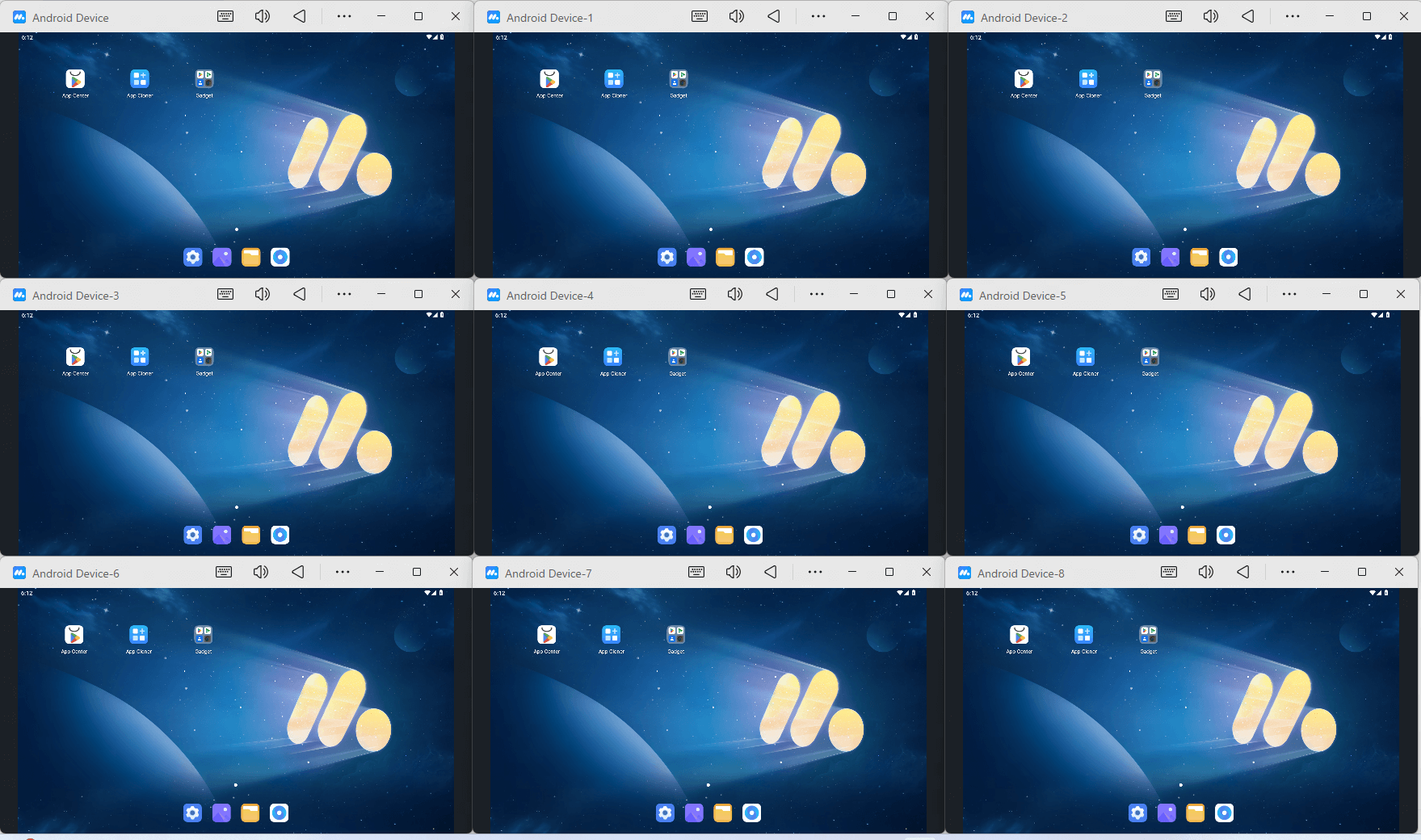
MuMuPlayer is more than a gaming emulator. With support for gamers, developers, and everyday users, it provides a flexible way to run Android apps on PC and Mac with strong performance and advanced customization options.
Developed by NetEase, MuMuPlayer leverages years of experience in gaming technology and graphics optimization. The latest MuMuPlayer 6.0 introduces Android 15 support, enhanced rendering performance, and high frame rate support of up to 480 FPS, making it a strong choice for users looking for smoother gameplay and better compatibility with modern mobile apps.
For developers and power users, MuMuPlayer offers ADB support for app testing and device customization, along with optimized multi-instance features for running multiple apps or accounts efficiently. Mac users can also take advantage of enhanced gesture controls for a more seamless Android experience.
|
Strengths |
Weaknesses |
|
✔ First Android emulator with Android 15 Engine ✔ Up to 480 FPS with 4K Resolution Support ✔ Multi-Instance Feature ✔ Frequent Updates for Performance ✔ Frequent Updates for Performance ✔ Supports ADB |
✘ Can Conflict with Windows Hyper-V ✘ Older Versions are Buggy |
2. BlueStacks
Supported Platforms: Windows (Win 7 or higher, Intel or AMD CPU with at least 4GB RAM), macOS (macOS 11 Big Sur or higher, Apple Silicon chips only).
Android Version(s) Supported: Android 11 and a beta version for Android 13
Pricing: Free to Use
Key Features
- Eco Mode to Reduce Resource (CPU and GPU) Usage
- Macro Creation for Complex In-Game Combos
- Ability to Choose Specific Android Version for Games
BlueStacks has been around for more than a decade, with its first version launched in 2011. Their flagship version, BlueStacks 5, runs using Android 11. Their cloud gaming service includes BlueStacks X, which runs directly from the browser. Its highlight is its comprehensive resource control and management. Moreover, users can simply drag and drop an APK onto the BlueStack screen to start the installation process.
|
Strengths |
Weaknesses |
|
✔ Comprehensive Resource Control ✔ Currently Runs Android 13 (Beta) ✔ Virtual GPS Feature |
✘ Can Conflict with Windows Hyper-V ✘ Older Versions are Buggy |
3. LDPlayer
Supported Platforms: Windows (Win XP/7/8/10/11, x86/x86_64 CPU, with at least 4GB RAM). No Support for macOS.
Android Version(s) Supported: LDPlayer has multiple versions that support different Android OS versions. Standard versions are based on Android 9 (Pie) and Android 7.1 (Nougat).
Pricing: Free to use. (Include Advertising and Sponsored Offers)
Key Features
- Multiple Versions for Different Android Versions
- Powerful Performer on Low-End PCs
- Macro Recorder
Users who want to utilize their laptop or PC to the fullest use LDPlayer to turn it into a powerful gaming machine that runs the latest software, utilizing all of the PC hardware, including CPU, GPU, and RAM, to make sure that your device is optimized for perfect compatibility with the latest gaming titles. If you love playing competitive games like PUBG, Call of Duty, Clash of Clans, or Clash Royale, and gain a competitive advantage using custom keyboard and mouse mapping, this emulator is a perfect fit. A great proof of its compatibility is that the most popular game publishers have elected to use LDPlayer as an emulator to offer their games for PC.
|
Strengths |
Weaknesses |
|
✔ Macro Recording enables repetitive tasks ✔ Screen Recording for content creation ✔ High performance and compatibility ✔ Multi-instance support |
✘ Supports Windows OS ✘ Certain Games may require in-app purchases ✘ Struggle with Low-end PCs |
4. NoxPlayer
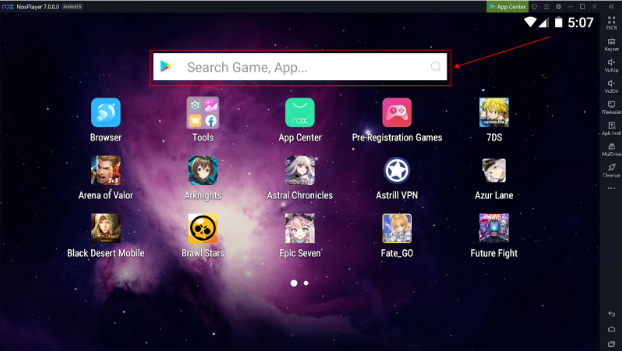
Supported Platforms: Windows 11 or Windows 10, or MacOS. Multiple core processor, 4GB RAM, and 2.5 GB Free Disk Space
Android Version(s) Supported: Android 9 or Android 12 Beta
Pricing: Free to use, but users may see in-app ads to support developers
Key Features:
- Supports all GPS-based games
- Supports app testing and development
- In-app screen recording and macro recording
When it comes to the best emulators, NoxPlayer ranks among the top spots with over 150 million users in over 150 countries worldwide. With support for 20 or more languages, it provides the best Android emulator experience for Windows and Mac users. A high amount of customizability options, such as custom key mapping, controller integration, and high FPS optimization, enhances the gaming experience of its users. For more flexibility, root access and scripting options are also available, while for casual players, support of the Play Store is also incorporated in the emulator. So, if you are a developer looking to run or test performance on Android OS or play Android games, NoxPlayer is an excellent option.
|
Strengths |
Weaknesses |
|
✔ Multi-Instance support ✔ User-friendly interface ✔ Latest Android version support ✔ Advanced customization |
✘ Resource intensive ✘ Users may face stability issues ✘ In app-adds or promotions |
5. MEmu
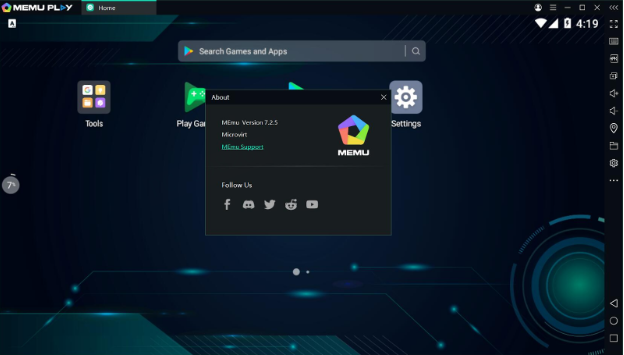
Supported Platforms: Microsoft Windows 11/10 with VT Enabled. Processor either Intel or AMD scoring at least 1500 in single-thread PassMark tests. Dedicated or built-in GPU with a PassMark score above 750. Support for DirectX 11 and OpenGL 4.5 or higher with a minimum of 8GB RAM and 10GB of free disk space.
Android Version(s) Supported: Android 5 (Lollipop), Android 7 (Nougat), and Android 9 (Pie) for advanced compatibility with newer games.
Pricing: Completely free but may show ads.
Key Features:
- Root access
- Custom key mapping for keyboard, mouse, and gamepad
- File sharing between Windows and Android
MEmu is an Android emulator that delivers smooth and powerful performance on Windows PC. It features advanced customizability options, including keyboard/joystick controls, as well as screen touch, for an improved gaming experience. MEmu offers flexibility in allowing users to adjust CPU Cores, allocate memory, set desired resolution and device, and even enable root mode for advanced controls. Moreover, the multi-instance manager allows users to run multiple accounts simultaneously, providing an advantage in strategic games. Additionally, features like GPS simulation enable users to run location-based apps and games, such as Pokémon Go. MEmu is known for delivering high-end performance, but it requires a moderately high-end PC to achieve smooth performance due to its resource-intensive nature.
|
Strengths |
Weaknesses |
|
✔ GPS simulation for location-based apps ✔ Roots access for advanced users ✔ Custom Key Mapping ✔ Game optimization |
✘ Only available for Windows OS ✘ Data collection is causing privacy concerns ✘ Resource Intensive |
6. Genymotion
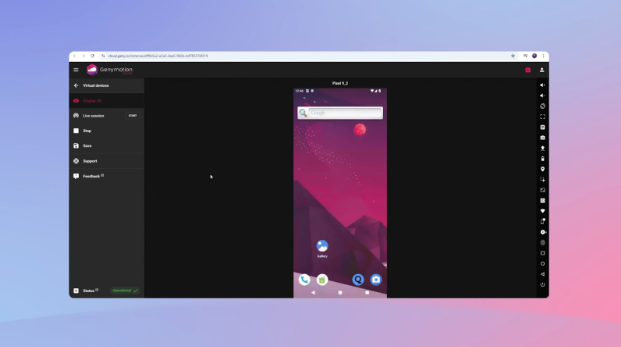
Supported Platforms: Windows 10/11 (64bit), Linux (64bit), macOS (x86_64, arm64) and AWS, Azure (cloud)
Android Version(s) Supported: up to Android 16 on cloud devices
Pricing: Free for personal desktop use. $412 per user annually for pro or enterprise plans, and separate cloud pricing.
Key Features
- GPS and Camera Simulation
- Battery and Network Testing
- CI/CD Integrations
For app developers, QA testers, and enterprises that are looking for reliability, this emulator could be a great choice. Genymotion enables developers to test virtual Android devices with automated systems, ensuring that apps function correctly across various Android versions without requiring manual switching. Moreover, it allows dozens of devices to run simultaneously, utilizing hardware acceleration and cloud scalability to deliver smooth performance.
|
Strengths |
Weaknesses |
|
✔ Highly Compatible Across PC Platforms ✔ Runs on Cloud for Automated Testing ✔ Broad Android version/device coverage |
✘ Pro features/licensing can be pricey ✘ Cloud costs can add up for large fleets |
7. BlissOS
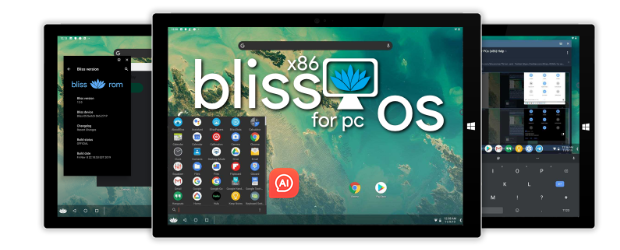
Name & Supported Platforms: Windows 7 64 / Windows 8 64 / Windows 10 64 / Windows 11. Requires Intel or AMD 64-bit CPU, 2GB minimum RAM, while 4GB is recommended, and storage of at least 8GB of free space. Graphics requirements are an integrated or dedicated GPU with OpenGL support and UEFI or Legacy BIOS support.
Android Version(s) Supported: BlissOS 16, which is currently the latest version, is based on Android 13 (QPR2), ensuring that the emulator is compatible with the latest apps and games.
Pricing/licensing: BlissOS is open source and completely under GPLv3. For enterprise use, commercial licenses are also available.
Key Features:
- Desktop-style taskbar
- Multi-window support
- Bliss OS is suitable for low-end devices
BlissOS is ideal for users who want to experiment with technology, explore its capabilities, or revive their old systems with a fully functional Android desktop. Developers who prefer open-source flexibility also prefer BlissOS. Additionally, it relies directly on hardware rather than virtualization, enabling it to deliver significantly faster and more reliable performance on supported devices. For devices that are using older hardware, Bliss OS Go could be a perfect fit.
|
Strengths |
Weakness |
|
✔ Free/open source ✔ Fast on supported hardware ✔ Highly customizable ✔ Bliss OS Go for low-end devices ✔ Regular Updates |
✘ Compatibility issues with hardware ✘ Setup requires an ISO install ✘ Support/community-driven |
8. PrimeOS
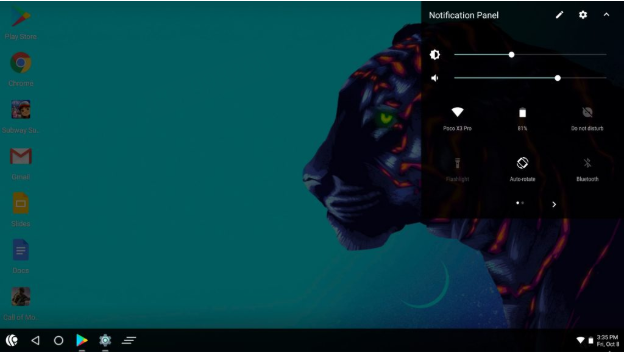
Name & Supported Platforms: PrimeOS is installable through ISO or a Windows-based installer and supports x86 PCs and laptops. It requires an Intel/AMD processor with 64-bit support, 4 GB of RAM, 16 GB of storage space, and a graphics card with OpenGL 3.0 or higher.
Android Version(s) Supported: It all depends on the build. PrimeOS is known for supporting Android versions 7 (Nougat) through approximately 11, which provides decent support for most apps.
Pricing/licensing: Due to PrimeOS support from its community and based on the Android-x86 project, it's completely free to download and use.
Key Features:
- Built-in key mapping
- Windows-like desktop
- Multi-window support
PrimeOS is designed for gamers who want to repurpose their old PCs for a seamless desktop-style Android experience and seamless multitasking. Additionally, it runs directly on hardware, providing its users with swift responsiveness and optimized gaming performance, especially when combined with its built-in key-mapping tools. If you are using an x86 PC or laptop and want to experience Android, PrimeOS could be a perfect fit.
|
Strengths |
Weakness |
|
✔ Gamer-friendly UX ✔ Straightforward installer ✔ Free ✔ Good way to repurpose old hardware |
✘ Fragmented builds and version clarity ✘ Compatibility varies by GPU/Wi-Fi hardware |
9. Samsung Galaxy Emulator
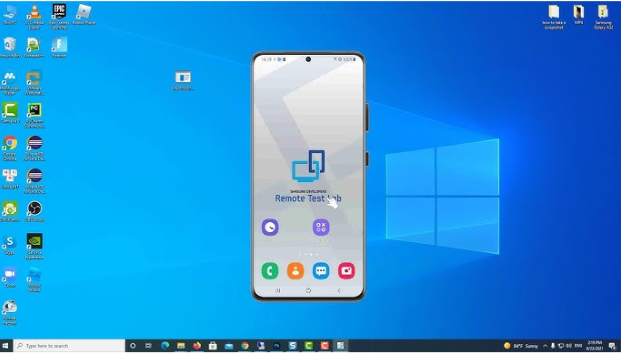
Supported Platforms: Windows and macOS, specialized for building and optimizing apps for Samsung devices.
Android Version(s) Supported: Works for multiple Android versions, including the latest Samsung Galaxy Builds.
Pricing: It is entirely free and comes under Samsung's SDK package.
Key Features
- Gives developers a feel of Samsung-specific hardware and APIs like S Pen and Edge Panels
- Provides accurate device emulation with various screen sizes
- Designed to integrate with Samsung’s development ecosystem
Samsung Galaxy Emulator is a platform for developers that allows them to run and test apps and optimize them specifically for Samsung devices. Samsung, in their phone, offers features such as S Pen gestures, edge screen shortcuts, or custom UI overlays, so to make sure the app works properly and is optimized enough to run with these features, developers use the Samsung Galaxy Emulator to ensure the app runs as expected on Samsung's hardware. Unlike other emulators, Samsung Galaxy Emulator isn’t designed for gaming or casual app use, but is valuable for professional developers looking to optimize apps for the Samsung ecosystem.
|
Strengths |
Weaknesses |
|
✔ Free and focused for Developers ✔ Accurate Testing environment ✔ Unique Samsung Features ✔ Integration with Samsung’s SDK |
✘ Limited to Samsung Devices ✘ Can be resource-heavy ✘ Higher learning Curve for Non-developers |
10. Android Studio Emulator
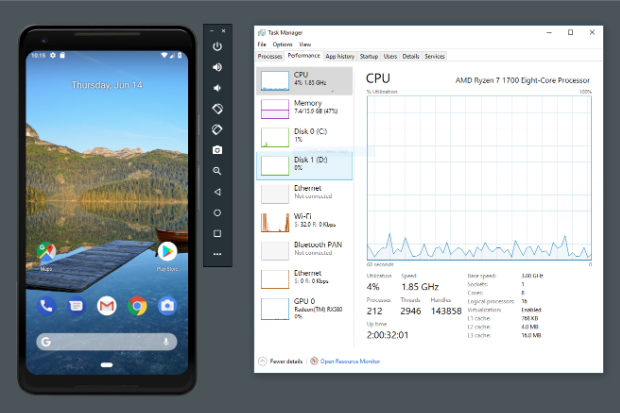
Supported Platforms: 64-bit Windows 10 or higher, macOS 12 or higher, Linux, or ChromeOS operating system. Requires a multi-core CPU with virtualization (Intel VT-x or AMD-V), 8 GB RAM minimum (16 GB+ recommended), 16 GB disk space, and GPU acceleration via OpenGL
Android Version(s) Supported: Supports all Android versions, from legacy builds to the latest versions.
Pricing: Completely free
Key Features
- Support of multiple devices and various screen sizes
- Advanced debugging tools for developers
- Simulation for network conditions, battery state, and sensors.
Professional developers looking to build, test, and debug apps can utilize the Android Studio Emulator, which provides accurate emulation for multiple devices, including low-end phones, tablets, and even foldable devices, without requiring physical hardware. Moreover, developers can test real-world scenarios in simulations, such as poor network conditions, low battery states, and different resolutions, to ensure optimal performance without any significant issues or bugs. Android Studio Emulator is a gem for developers who want their apps to be market-ready and tested in real-world conditions.
|
Strengths |
Weaknesses |
|
✔ Official Google support ✔ Advanced Debugging ✔ Supports all Android versions ✔ Simulation for real-world scenarios |
✘ Not beginner-friendly ✘ Requires good hardware |
11. Phoenix OS
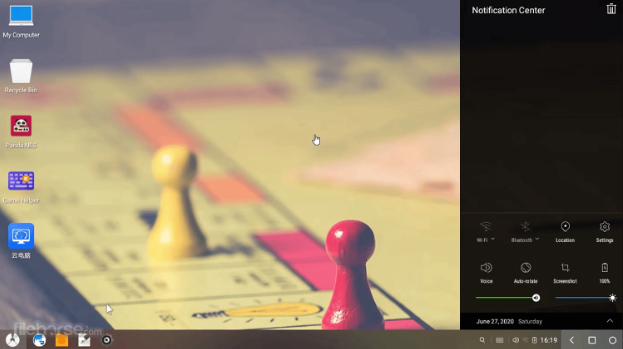
Supported Platforms: Intel x86 or AMD processor with virtualization extensions (Intel VT-x/AMD-V), 2GB RAM or more, 16GB of free disk space, Intel HD Graphics or dedicated GPU with OpenGL 3.0 support, and BIOS/UEFI Legacy or UEFI boot mode
Android Version(s) Supported: Based on Android 5.1 Lollipop and 7.0
Pricing: Completely free to use and download
Key Features
- Gaming-focused experience
- App Compatibility
- Built-in file manager and system tools
Phoenix OS is designed for users who want to experience Android on their setup, run games, and multitask, combining the versatility of a traditional PC layout with a vast library of Android apps. For running mobile games on PC, there are custom key mappings for gamers that they can set up and gain an advantage over mobile gamers through keyboard and mouse. Phoenix OS is not only great for gamers, but it also provides multitaskers with a windowed mode, allowing them to run multiple apps side by side just like on Windows. So, if you are looking to repurpose your old laptop or system and run various games or apps to increase your productivity, Phoenix OX is your go-to option.
|
Strengths |
Weaknesses |
|
✔ Gaming Performance optimization ✔ Desktop-like multitasking ✔ Gaming-friendly with key mapping ✔ Integration of Android apps on pc |
✘ Absence of Google Play ✘ Compatibility issue with some hardware |
12. Gameloop (Tencent Gaming Buddy)

Supported Platforms: Windows 7/8/10/11 (32 or 64-bit), processor either Intel or AMD CPU (x86 / x86_64), 4GB RAM or more, DirectX 11 compatible GPU, at least 4GB of free disk space required.
Android Version(s) Supported: Runs originally on Android 4.4 (Lollipop) and can be upgraded to Android 7.1.2 (Nougat) using a specific game installation method.
Pricing: 100% free to download and install.
Key Features
- Clean and user-friendly interface
- High-quality graphics based on the capabilities of the PC
- Performance optimization for a smooth and lag-free gaming experience
Tencent Gaming Buddy is a heaven for PUBG Mobile and Call of Duty Mobile gamers who are looking to improve their game using a keyboard, mouse, and a bigger screen with better FPS. Since it is the official gaming emulator for these games, the performance you get is unmatched and optimized in a way that provides users with a smooth gaming experience, accurate controls, and fewer compatibility issues and glitches when running games. With built-in screen recording features and streaming options, Tencent Gaming Buddy is an excellent choice for streamers. Although it's heavily made and optimized for gaming, Tencent Gaming Buddy may struggle running general Android apps, but for competitive gaming, it's the best option you can get.
|
Strengths |
Weaknesses |
|
✔ Developed officially by Tencent Games ✔ Keymapping and controls are customizable ✔ Optimized performance for smooth gaming ✔ Wide variety of supported games |
✘ Can’t run on a low-spec PC ✘ Some games may not be compatible |
13. MSI App Player

Supported Platforms: Windows 7, 8, 10, or 11 (64-bit). Intel or AMD processor with virtualization technology (VT-X/AMD-V) support, 4GB RAM or more. 2GB of free storage space and a DirectX 11 or later compatible graphics card
Android Version(s) Supported: Not specified
Pricing: App is free to install and use, with no hidden charges or subscription fees.
Key Features
- High performance based on CPU, GPU, RAM, and Cooling System
- Up to 240 FPS, low-latency mobile gaming
- Supports keyboard, mouse, and game controller
- Game Locally or Play on Cloud
If you are a gamer who is using MSI hardware, MSI App Player is an Android emulator that leverages the system’s GPU and CPU to give a smooth gaming experience. It's known for providing a lag-free, low-latency, smooth gaming experience running mobile games up to 240 FPS using MSI’s refined gaming optimizations. Moreover, players can run multiple instances of games and accounts, such as Clash of Clans, Mobile Legends, or any other games, to boost efficiency in planning and strategic games. MSI App Player could work on a non-MSI build, too, but gamers using MSI hardware benefit the most due to its custom enhancements. MSI App Player is an emulator that is not designed for developers, but for gamers who require peak performance and smooth gameplay.
|
Strengths |
Weaknesses |
|
✔ 240 FPS Low Latency Gaming ✔ Multiple instances of Mobile games at once ✔ Supports keyboard, mouse, and controller ✔ Game Locally or Play on Cloud |
✘ Only for Windows ✘ CPU with virtualization technology |
Android Emulators That Are No Longer Actively Supported
1. Leapdroid
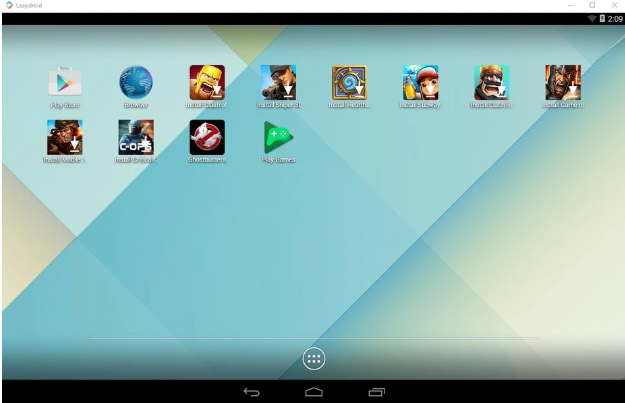
Leapdroid was a lightweight Windows Android emulator known for smooth performance and a simple interface. However, development was discontinued after the team was acquired by Google in 2016, and it no longer receives updates or compatibility improvements for newer systems.
2. Andy
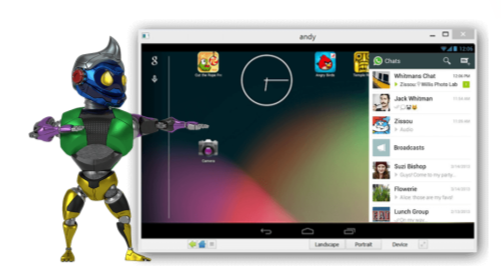
Andy (Andyroid) was an early Android emulator for Windows and macOS, offering features such as app synchronization, file sharing, and mobile device controller support. However, it is no longer actively maintained, with limited updates and declining community support for modern Android gaming and apps.
3. Remix OS Player
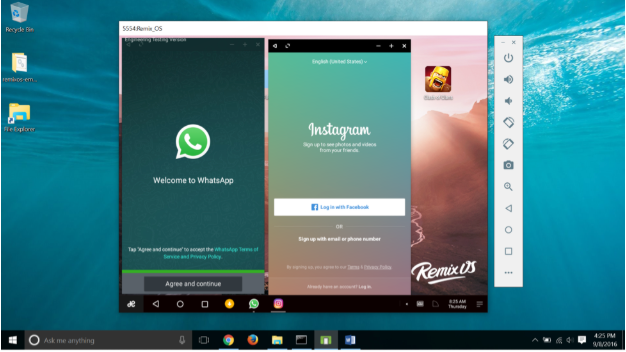
Remix OS Player was an Android emulator developed by Jide Technology, offering a desktop-style Android experience with features like multi-window support and keyboard controls. It gained popularity among users looking for a PC-friendly Android environment, but development stopped after Jide discontinued its consumer Android projects.
4. KOPlayer
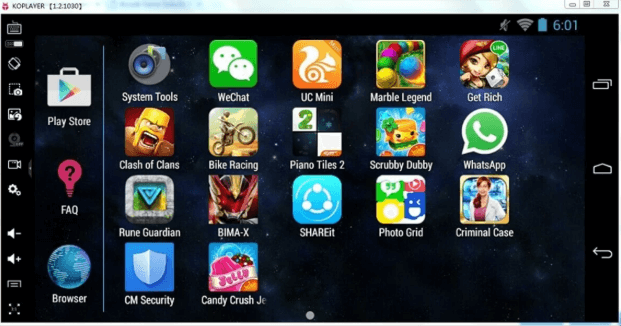
KOPlayer was a free Android emulator for Windows and macOS, offering features such as keyboard mapping, multi-account support, screen recording, and game optimization tools. However, it has seen limited development in recent years, with fewer updates and reduced community support compared with newer alternatives.
5. Droid4X
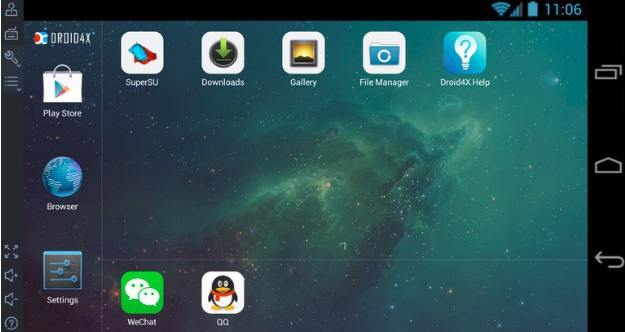
Droid4X was a lightweight Android emulator for Windows, known for gaming performance, keyboard mapping, and support for lower-end PCs. However, it has not received official updates for years and is no longer suitable for modern Android games requiring newer system compatibility.
6. ARChon
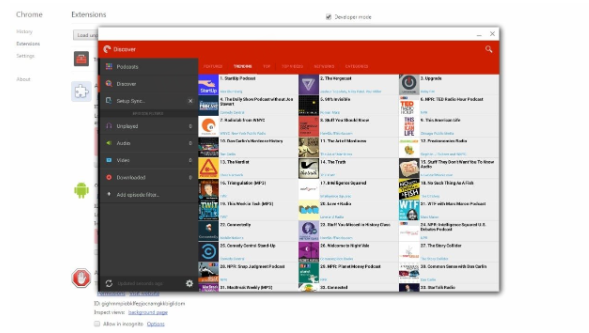
ARChon was an open-source Android runtime that allowed users to run Android apps through Google Chrome on Windows, macOS, and Linux. It was mainly used by developers and advanced users due to its lightweight but technical setup. As Google’s Chrome Android Runtime project was discontinued, ARChon is no longer actively maintained.
7. SmartGaGa
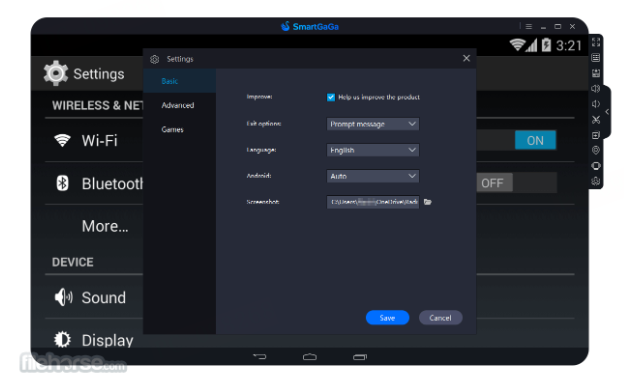
SmartGaGa was a lightweight Android emulator for Windows, designed for gamers with lower-spec PCs. Powered by the Titan engine, it offered smooth performance with lower resource usage. However, it has not been actively updated for years and now has limited compatibility with newer Android games and systems.
Additional promising options: Lemuroid, ARC Welder, AMIDuOS, Anbox, YouWave, VirtualBox + custom Android, OpenThos, etc.
In addition to the emulators mentioned above, there are many other emulators that users may prefer for testing and development, gaming, or running casual apps, with many of them fulfilling the specific needs of their users. Below, we have mentioned some of the emulators you can try that may be the best fit for you.
- Lemuroid: An all-in-one emulator built for retro gaming. It runs on Android devices rather than PCs and supports classic consoles, including NES, SNES, and PlayStation. It's ideal for a portable retro gaming experience.
- ARC Welder: It is a Chrome extension that allows developers to test and run Android apps directly on the Chrome browser. Currently, it is discontinued, but it highlights the potential of lightweight browser-based emulation.
- AMIDuOS: It was a premium emulator for Windows PC providing a very similar Android experience and performance while featuring full tablet mode and app compatibility. It has also been discontinued.
- Anbox: It is a Linux-only emulator that runs Android in a containerized environment. Anbox is a good choice for Linux users or developers who want seamless Android integration without the added burden of full virtualization.
- YouWave: YouWave is a lightweight Windows-focused emulator preferred for daily productivity and Android apps.
- VirtualBox + custom Android and OpenThos: These emulators provide a platform to bring Android apps to the desktop in multiple experimental ways. It is appealing to tech lovers who enjoy customization.
What to Consider When Choosing an Android Emulator (2026 Criteria)
Android emulators are meant for one thing, and that is to run the Android operating system on a PC. They enable users to combine the benefits of an Android operating system and the power potential of a desktop PC. A PC’s CPU and GPU are built to provide raw power and sustained workloads. In comparison, smartphones have SoC chips that are meant to provide power efficiency.
Android emulators offer advanced features, including superior keymapping, multi-instance support, and precise hardware simulation, making them relevant to the 2026 criteria. Here are some features that users should consider when selecting an Android emulator for their next project:
System Compatibility
Ensuring that you have a compatible operating system installed on your PC is the first step. The Android emulator is a software program that utilizes the PC's operating system resources to run the Android OS. Therefore, you can either have Windows, Mac, or Linux already installed on the computer. Some Android emulators boot directly into the Android environment without the need for any OS, but we will mention them as bare-metal Android OS.
Performance and Resource Usage
Determining whether an Android emulator efficiently utilizes your PC's full resource potential can be challenging. Monitoring the performance of the application itself, including the Android app's performance, memory utilization, and space requirements, requires feedback from a variety of users. We will provide quantifiable performance and resource utilization details for each Android emulator.
Gaming Optimization
Android emulators designed for gaming offer advanced options that can enhance the gaming experience or give players a competitive edge over others. Some emulators can push framerates beyond the limits, providing the superior control and accuracy needed in some competitive games. Gamers can map keys and even log in with multiple accounts for a single game using the Android emulator.
Development Tools, Debugging, ADB Support
For developers aiming to test and debug their Android application, ADB (Android Debug Bridge) support is essential. It forms a connection between the computer and Android emulator, allowing developers to install and uninstall apps, transfer files, and view real-time logs (called "logcat") using a command line. It enhances productivity for developers.
Moreover, the support for development tools in emulators enables the simulation of real-world scenarios to check how an application behaves, allowing data to be taken from an Android device without the need to invest in a physical device.
UI/UX and Accessibility
The Android emulator with a user-friendly and clean user Interface (UI) is key. Convenient access to features like a dock or sidebar with quick controls, such as volume, screenshots, and screen recording, elevates the user experience (UX). It's also vital to evaluate how easily you can access frequently used tools and controls when picking the ideal Android emulator.
Extra features: Root Management, App Store Support, Security, etc.
Some emulators come with a built-in toggle to enable or disable root access directly from the settings. It allows seamless switching between rooted and unrooted environments. This is otherwise challenging in Google's official Android Studio Emulator. Having a Google Play Store for
Value: Free, Freemium, Paid Models
Depending on the business model of the Android emulator, there can be price variations. The free version is accessible to all and generates revenue through in-app advertisements, affiliate partnerships, and sponsored apps that come pre-installed. The freemium model offers free services with limited options, and users can opt for premium services through a paid subscription, unlocking additional features for professionals. Then there are paid models that are only accessible after a subscription. We will specify the emulator type in each Android emulator.
Specialized Use Cases in 2026
Best Android Emulators for Gaming
- MuMuPlayer: The 2026 Top Recommendation delivers an upgraded mobile gaming experience on PC with the latest Android 15 support in MuMuPlayer 6.0. It offers improved game compatibility, smoother performance, and optimized resource usage, with support for up to 240 FPS in compatible games. Backed by NetEase’s gaming expertise, MuMuPlayer also features powerful multi-instance capabilities, making it an ideal choice for players who want to run mobile games more efficiently on PC.
- BlueStacks: An industry veteran known for its comprehensive resource control, including Eco Mode to reduce CPU/GPU usage. It also offers macro creation and a virtual GPS feature.
- LDPlayer: A powerful performer on low-end PCs, with multiple versions that support different Android OS versions.
- MSI App Player: This emulator leverages the system's GPU and CPU to provide up to 240 FPS and low-latency gaming, especially for users with MSI hardware.
- Gameloop: Developed by Tencent Games, it's the official emulator for titles like PUBG Mobile and Call of Duty Mobile, offering unmatched optimization and a user-friendly interface.
For Low-End PCs & Lightweight Use
- MuMuPlayer: Combines powerful performance with a surprisingly lightweight design. With the 2026 upgrade to MuMuPlayer 6.0, enhanced OpenGL support improves graphics compatibility and rendering efficiency, allowing smoother performance even on lower-end PCs.
- KOPlayer: An extremely lightweight emulator that's perfect for users who want to run older apps or simple games on low-spec hardware. It can run on as little as 2 GB of RAM.
- Droid4X: A discontinued but lightweight emulator designed to repurpose old systems to run older Android apps and games without demanding high resources.
For Productivity and Multi-Tasking
- MuMuPlayer: For productivity and multi-tasking, MuMuPlayer’s Multi-Instance feature lets you run multiple games or apps simultaneously, whether it’s managing several accounts, testing different app environments, or simply boosting efficiency. Its built-in synchronization tool ensures smooth parallel operations without lag.
- Phoenix OS & PrimeOS: Both offer a Windows-like desktop environment with multi-window support, making them great for multitaskers who want to run multiple apps at once.
For Developers & QA Engineers
- Android Studio Emulator: The official Google tool for developers. It provides a free and accurate testing environment with advanced debugging tools, supporting all Android versions.
- MuMuPlayer: Supports ADB for app testing and customization, with stable multi-instance environments—ideal for developers and QA engineers.
- Genymotion: A robust, enterprise-focused emulator that allows developers to test apps with automated systems, and features GPS and camera simulation and CI/CD integrations.
- Samsung Galaxy Emulator: A specialized platform for developers to test and optimize apps specifically for Samsung devices and their unique features like the S Pen and Edge Panels.
Frequently Asked Questions (2026 Update)
Q: Is it legal and safe to use Android emulators in 2026?
A: Yes, Android emulators are generally safe and legal to use in 2026, as long as you take some precautions:
- Always download from the official website or a trusted/reputable source, rather than random links.
- Remember, emulators only replicate the Android environment on a PC or Mac and do not break any laws by themselves.
- The real risks usually come from unverified or shady downloads, which may include malware or security threats.
- To stay safe, stick to verified platforms and avoid third-party installers.
Q: Will these emulators support the latest Android apps/games?
A: Support for the latest apps and games can vary depending on the emulator you choose:
- Some lightweight emulators are designed for low-end PCs and may run on older Android versions, which can limit compatibility with new apps or games.
- Most mainstream emulators today support Android 9–12 or higher, making them capable of running modern apps smoothly.
- If your goal is to play the latest releases, look for emulators that are regularly updated and actively maintained.
- On the other hand, avoid using discontinued emulators, as they may quickly fall behind in compatibility.
Q: How can I improve emulator performance on my PC?
A: Running an emulator smoothly depends not just on the software but also on how your PC is configured:
- First, enable virtualization (VT-x/AMD-V) in your BIOS for better performance.
- Allocate at least 4 CPU cores and 4–8 GB of RAM to your emulator to ensure apps run without lag.
- Install the emulator on an SSD, which significantly reduces loading times.
- Keep your GPU drivers updated to avoid graphical glitches.
- Close unnecessary background tasks, especially when running resource-heavy games like COD or PUBG Mobile.
- If you’re on a low-end PC, don’t worry, simply choose an emulator that is well-optimized with lower system requirements, so you can still get a smooth experience.
Conclusion
Not all emulators are designed to serve the same purpose: running Android apps on Windows. They have some different features, catering to the needs of multiple users who look to fulfill various purposes and preferences. Some emulators are popular for competitive gaming, like MuMuPlayer. Meanwhile, some are made for developers, such as Android Studio, to test Android apps on a PC. For users who want a whole desktop-style Android experience, PrimeOS or BlissOS can be a great option. For users who want to repurpose their old PC or laptop with dated hardware, NoxPlayer or MEmu could be a great alternative.
In short, our top editorial picks for 2026 are MuMuPlayer for gaming and everyday Android use, and Android Studio Emulator for professional app development and testing. These recommendations are based on our evaluation of performance, compatibility, features, and user experience — but the best Android emulator ultimately depends on your specific needs, whether you’re gaming, developing apps, testing software, or running multiple Android environments.
Still unsure which Android emulator to choose? Try MuMuPlayer 6.0, the latest version designed for a faster, smoother, and more compatible Android experience on PC. Featuring Android 15 integration, upgraded graphics performance, optimized multi-instance management, and support for 240+ FPS, MuMuPlayer 6.0 helps gamers enjoy demanding mobile games with greater stability while providing developers with a flexible environment for app testing. With continuous improvements in compatibility and performance, MuMuPlayer 6.0 is a reliable choice for anyone looking to run Android apps and games on Windows in 2026.
If you’re ready to upgrade your Android experience, download MuMuPlayer today and explore the latest improvements introduced in MuMuPlayer 6.0.
End of Article