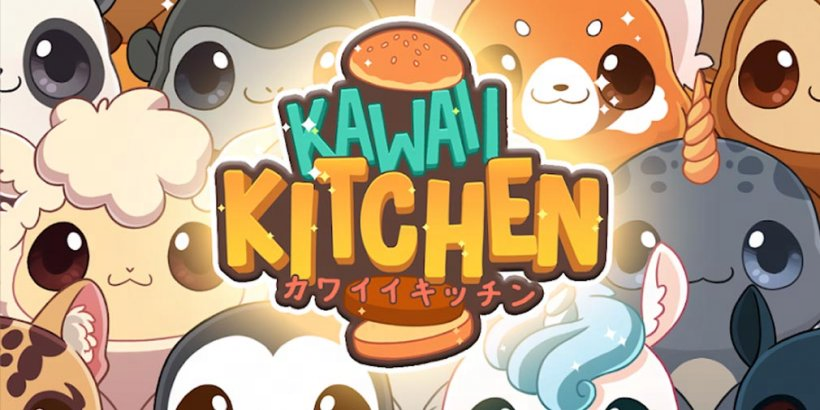
Play Crunchyroll: Kawaii Kitchen on PC Play Crunchyroll: Kawaii Kitchen on PC and Mac
Download Crunchyroll: Kawaii Kitchen on PC with MuMuPlayer, get a PC like gameplay along with smart control and high graphics performance.
MuMuPlayer, the top Android emulator for PC and Apple silicon Mac, delivers an optimal gaming experience with minimal RAM usage and high FPS. It also allows you to create multiple instances of the emulator and run several games simultaneously, thanks to its Multi-instance feature. Its advanced emulator features ensure smooth gameplay, even on low-end PCs.
Download and play Crunchyroll: Kawaii Kitchen on PC with MuMuPlayer and start enjoying your gaming experience now.
Download Crunchyroll: Kawaii Kitchen on PC or Mac with MuMuPlayer, get a PC like gameplay along with smart control and high graphics performance.
MuMuPlayer, the top Android emulator for PC and Apple silicon Mac, delivers an optimal gaming experience with minimal RAM usage and high FPS. It also allows you to create multiple instances of the emulator and run several games simultaneously, thanks to its Multi-instance feature. Its advanced emulator features ensure smooth gameplay, even on low-end PCs.
Download and play Crunchyroll: Kawaii Kitchen on PC or Mac with MuMuPlayer and start enjoying your gaming experience now.
About the Game
Play free anime-themed mobile games with Crunchyroll® Game Vault, a new service included in Crunchyroll Premium Memberships. No ads, no in-app purchases! *Requires a Mega Fan or Ultimate Fan membership, register or upgrade now for mobile exclusive content.

EXOTIC BURGERS

Ever wanted to know what it feels like to run your own burger shop? Tie your apron and sharpen your knives because it’s time for a crazy cooking adventure! Do your best to fulfill orders from customers to keep them happy while making enough money to keep your shop open!

Starting as an amateur cook with a small kitchen, you’ll combine exotic ingredients from all around the world to create over 100+ different burgers and serve delicious dishes to hungry customers. Complete quests, customize your chef and improve your skills to become the world’s greatest master chef!

COLOR-BASED SMOOTHIES & MILKSHAKES

Work fast to assemble customer's orders from a recipe list that starts simple and grows as more ingredients and colours are unlocked. The more you play, the more ingredients will appear!

The simple color-based recipes are easy and intuitive, while the extra combinations add complexity and keep the game interesting. Fill orders quickly and accurately to keep your costumers happy, giving you more and better tips!

-------- FEATURES --------

- Super fun, challenging and addictive quick and casual arcade
- Easy to play - Simple and intuitive one tap game
- SUPER CUTE outfits to dress your chefs. Collect them all!
- 10 different and exotic themed restaurants from all around the world: American, Vegan, Spanish, Mexican, Chinese...
- Mix colorful smoothies and milkshakes!
- Family-friendly! Great for kids, moms, grannies, food lovers and cool dudes alike :D
- Unique west cute kawaii graphic style

————
Crunchyroll Premium members enjoy an ad-free experience, with full access to Crunchyroll's library of over 1,300 unique titles and 46,000 episodes, including simulcast series that premiere shortly after premiering in Japan. In addition, membership offers special benefits including offline viewing access, discount code to Crunchyroll Store, Crunchyroll Game Vault access, streaming simultaneously on multiple devices, and more!
Emulator Features
Highest Android 15 Support Best Compatibility on Mac

With a smart button scheme and image recognition function, provide a more concise UI, and support custom button mapping to meet different needs. With a smart button scheme and image recognition, enjoy a cleaner UI and custom button mapping to fit different gaming needs on Mac.

Run multiple games independently at the same time, easily manage multiple accounts, play games while hanging. Take your Mac gaming further with multiple independent instances, easy account management, and seamless AFK gaming on Apple Silicon Mac.

Break through FPS limit, and enjoy a seamless gaming experience without lag and delay! Break through FPS limits for a seamless, lag-free gaming experience on MacBook, Mac mini, iMac, and Mac Studio.

Get a 3-second startup with 52% less memory usage and 65% more stability. Enjoy 3-second startup, 52% less memory usage, and 65% greater stability on Apple Silicon Mac.
How to Download and Play Crunchyroll: Kawaii Kitchen on PC and Mac
Installation Guide
Download MuMuPlayer
Download MuMuPlayer and install it on your PC or Mac
Sign-in Google Store
Complete Google sign-in to access the Play Store
Search and Install
Search Crunchyroll: Kawaii Kitchen in the Play Store
Enjoy Gaming
Enjoy 120 FPS high-def gameplay with big screen
System Requirements
Windows PC
Vulkan / DirectX supported. 4 cores + 4GB RAM recommended. Up to 240 FPS. VT required.
macOS
Recommended: Apple Silicon Mac with 8GB RAM or above. Up to 240 FPS.