Play Fake Future on PC and Mac
Download Fake Future on PC or Mac with MuMuPlayer, get a PC like gameplay along with smart control and high graphics performance.
MuMuPlayer, the top Android emulator for PC and Apple silicon Mac, delivers an optimal gaming experience with minimal RAM usage and high FPS. It also allows you to create multiple instances of the emulator and run several games simultaneously, thanks to its Multi-instance feature. Its advanced emulator features ensure smooth gameplay, even on low-end PCs.
Download and play Fake Future on PC or Mac with MuMuPlayer and start enjoying your gaming experience now.
About the Game
Mission initiated: The 7th Return to Earth. special time-limited bonus events: 110 DRAWS, one rare Cyberoid, cyberpunk decoration, music module and more! Rebuild the future with AI!

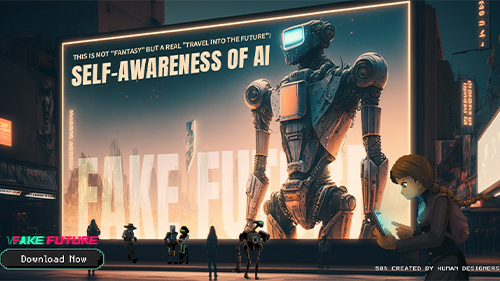
What happens when AI gains self-awareness and surpasses humanity?
What choices will humans make when faced with the appearance of a new energy "Icey"?
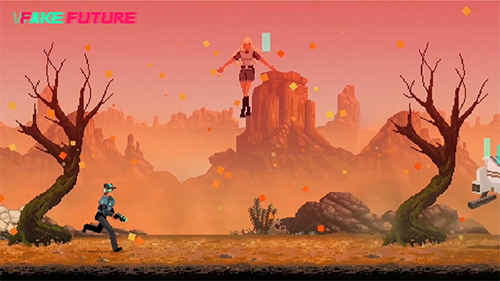
Countless complex clues point towards an unexplored "pixel" space - the [Fake Future].
The “future” it depicts is hazy yet mysterious, just like the desolation after the destruction of Earth, craving rebirth and exploration. Whether you're a fan of cyber-pixel style or a sci-fi fanatic, you won't want to miss this retro-futuristic pixel simulation game. Come and join us now!

[Reboot the Earth, Build Your Society]
Experience endless combinations and possibilities! Unleash your creativity and imagination through block-building and arranging things how you want. it's all up to you! Craft your homeland with your own hands!

[Alien Invasion, Intertwined Riddles]
A whole wasteland is to be revealed before you! Desert, woods, mines, tunnels... they’re filled with thrilling adventures and stories to be experienced! Rally your team and set off now! The enigmas of extra-terrestrial life await your discovery.

[Survival & Cooperated Growth of Humanity]
The choice is yours to accept or decline quests from various peculiar visitors arriving at your headquarters. Be it deliverymen, aid-seekers, robbers, or cyborgs, your decisions will impact their lives! Faced with the unknown, will you uphold by your principles or seize the opportunity for collaboration?

[Intriguing conundrums, Awakened AI Consciousness]
You're not only reconstructing a homeland but also a realm of Cyberoids! Delve into their past memories and harness cutting-edge technologies to advance their development. Unravel their subconscious as a challenge for yourself, and together, let's explore the enigmas of AI consciousness and its awakening!

[Future Unfolding, Civilization Continuing]
As you dip through the plot, you will find yourself not alone. Visitors from other planets will show up at your base, and you will gain access to more resources and technologies! Amid the boundless cosmos, let human civilization persevere and thrive!

In retrospect...
Year 2100, the first Cyberoid was created
Year 2101, Hope was born
Year 2102, Geoport's first attempt to return to Earth. Due to system errors amongst the Cyberoids, the mission failed.
Year 2105, Geoport's second attempt to return to Earth. The mission failed due to malfunctioning Cyberoids.
Year 2110, during Geoport's third attempt to return to Earth, the Cyberoids attempted to approach the alien colossus, Walchen, but were annihilated in the aftermath of fierce attacks.
Year 2115, in Geoport's fourth attempt to return to Earth, the power facility at their headquarters malfunctioned, causing widespread blackouts in various locations, ultimately leading to mission failure.
Year 2117, during Geoport's fifth attempt to return to Earth, Cyberoids faced attacks from humans. Little did they know, the journey back to their home planet would become such an epic odyssey.

Your mission is clear: "Continue Geoport's mission, develop Cyberoids, and send them back to Earth." Let's get started once again, return to Earth!

Find us on socials!
Discord: https://discord.gg/rAyFZEJwbu
Twitter: https://twitter.com/Fake__Future
Facebook: https://www.facebook.com/FakeFuture2125/
Got any questions? Contact us via fakefuture2022@gmail.com
Emulator Features

With a smart button scheme and image recognition function, provide a more concise UI, and support custom button mapping to meet different needs.

Run multiple games independently at the same time, easily manage multiple accounts, play games while hanging.

Break through FPS limit, and enjoy a seamless gaming experience without lag and delay!

Get a 3-second startup with 52% less memory usage and 65% more stability.
How to Download and Play Fake Future on PC and Mac
Installation Guide
① Download and install MuMuPlayer on your PC or Mac. It will identify automatically your current system and download the latest version.
② Start MuMuPlayer and complete Google sign-in to access the Play Store, or do it later.
③ Search Fake Future in the Play Store.
④ Complete Google sign-in (if you skipped step 2) to install Fake Future.
⑤ Once installation completes, click the Fake Future icon on the home page to start the game.
⑥ Enjoy playing Fake Future on your PC or Mac with MuMuPlayer.
Installation Guide
Recommended computer configuration
For Windows:4-core CPU, 4GB RAM, i5 OS, GTX950+ graphics card
For macOS: 4-core CPU, 4GB RAM
Recommended Android Device performance settings
Graphics renderer mode
Vulkan and DirectX both supported
Performance Settings
Recommended performance settings: 2 cores, 2GB. >>How to adjust performance settings
Recommended Android Device Display Settings
Resolution Settings
Go to Device Settings > Display > Resolution Settings to adjust your device's resolution as needed.
FPS Settings
MuMuPlayer supports up to 240 FPS. >>How to enable high FPS mode
Recommended to enable VT
Enabling VT will significantly improve emulator performance, reduce screen freezing, and make games run more smoothly. >>How to enable VT