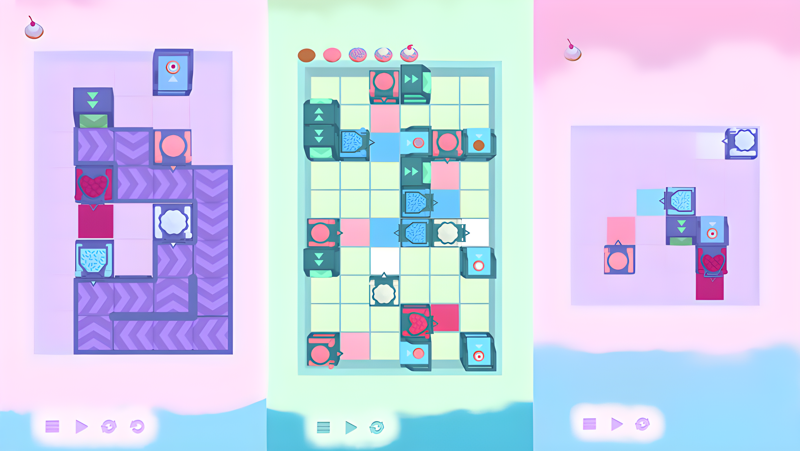
Play Freshly Frosted on PC and Mac
Download Freshly Frosted on PC or Mac with MuMuPlayer, get a PC like gameplay along with smart control and high graphics performance.
MuMuPlayer, the top Android emulator for PC and Apple silicon Mac, delivers an optimal gaming experience with minimal RAM usage and high FPS. It also allows you to create multiple instances of the emulator and run several games simultaneously, thanks to its Multi-instance feature. Its advanced emulator features ensure smooth gameplay, even on low-end PCs.
Download and play Freshly Frosted on PC or Mac with MuMuPlayer and start enjoying your gaming experience now.
About the Game
Solve puzzles in the world's most adorable donut factory!

A dozen dozen dazzling donut dilemmas await you, that's 144 puzzles to please your particular puzzley passions. To excite and delight there are mechanics galore; from splitters to pushers, mergers and cloners, randomizers, teleporters, and more!

What's your favorite donut? Sweet and sprinkled... a jolly jelly-filled... perhaps a marvelous maple bar? What about one shaped like a pumpkin, a snowflake, or a star! Discover many a whimsical shape as you explore a sweet skyscape of pastry possibilities.

Journey through this sweet sensation accompanied by soothing narration. A calming voice over focused on positivity guides you through each puzzle with assuring affability.

With pleasant pastels and mesmerizing machines the satisfying scenes will catch your eyes and mesmerize! Each of a dozen donut boxes brings its own fetching flavor; a taste of autumn, a sip of summer, a whisper of winter. Days in the sun. Nights under the moon. And each world with its own special tune. The lullabies of these pastel skies are all unique and each reaches its peak when you find your way and set your factory to play!
Emulator Features
Highest Android 15 Support Best Compatibility on Mac

With a smart button scheme and image recognition function, provide a more concise UI, and support custom button mapping to meet different needs. With a smart button scheme and image recognition, enjoy a cleaner UI and custom button mapping to fit different gaming needs on Mac.

Run multiple games independently at the same time, easily manage multiple accounts, play games while hanging. Take your Mac gaming further with multiple independent instances, easy account management, and seamless AFK gaming on Apple Silicon Mac.

Break through FPS limit, and enjoy a seamless gaming experience without lag and delay! Break through FPS limits for a seamless, lag-free gaming experience on MacBook, Mac mini, iMac, and Mac Studio.

Get a 3-second startup with 52% less memory usage and 65% more stability. Enjoy 3-second startup, 52% less memory usage, and 65% greater stability on Apple Silicon Mac.
How to Download and Play Freshly Frosted on PC and Mac
Installation Guide
Download MuMuPlayer
Download MuMuPlayer and install it on your PC or Mac
Sign-in Google Store
Complete Google sign-in to access the Play Store
Search and Install
Search Freshly Frosted in the Play Store
Enjoy Gaming
Enjoy 120 FPS high-def gameplay with big screen
System Requirements
Windows PC
Vulkan / DirectX supported. 4 cores + 4GB RAM recommended. Up to 240 FPS. VT required.
macOS
Recommended: Apple Silicon Mac with 8GB RAM or above. Up to 240 FPS.