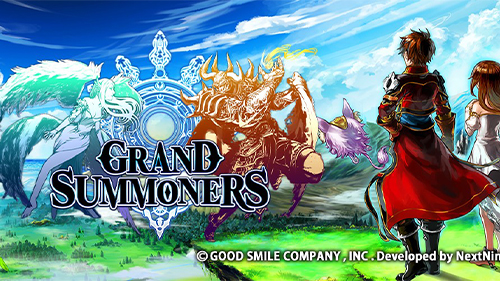
Grand Summoners - Anime RPG (macOS)
Play Grand Summoners - Anime RPG on PC Play Grand Summoners - Anime RPG on PC and Mac
Grand Summoners is a pixel-art RPG developed by GOOD SMILE COMPANY, Inc. that drops players into the fantasy realm of Raktehelm, where ancient demons have returned to shatter centuries of hard-won peace. Blending classic JRPG sensibilities with fast-paced, intuitive combat, the game challenges players to summon legendary heroes, build powerful teams, and fight back against a growing demonic threat. The latest collaboration brings characters from Solo Leveling into the mix, including Sung Jinwoo, Choi Jong-In, Cha Hae-In, and Igris, making now the perfect time to dive in. Playing on PC through MuMuPlayer lets you experience all of this on a bigger screen with smoother controls.
At its core, Grand Summoners is built around collecting and raising a diverse roster of heroes, then combining their strengths to take on increasingly powerful enemies. The battle system is designed to feel both approachable and rewarding, offering straightforward controls that still leave plenty of room for strategy and team composition. One of the standout features is the online co-op mode, which supports up to four players simultaneously, letting you team up with adventurers worldwide to tackle massive boss encounters. The game also features PvP modes for players who want to test their team-building skills against real competition, and the visual presentation pushes detailed 2D sprite work across units, bosses, and environments alike.
Bringing Grand Summoners to your PC through MuMuPlayer adds a layer of comfort that mobile simply cannot match. The larger display makes the game's high-quality 2D artwork and animations far more impressive, while keyboard and mouse support gives you more precise control over battles and menu navigation. For co-op sessions that can run long, playing on PC removes the strain of holding a phone and eliminates battery concerns entirely. MuMuPlayer also helps maintain stable performance during online multiplayer encounters, so your connection to teammates stays consistent even through the most demanding boss fights.
Download Grand Summoners - Anime RPG on PC or Mac with MuMuPlayer, get a PC like gameplay along with smart control and high graphics performance.
MuMuPlayer, the top Android emulator for PC and Apple silicon Mac, delivers an optimal gaming experience with minimal RAM usage and high FPS. It also allows you to create multiple instances of the emulator and run several games simultaneously, thanks to its Multi-instance feature. Its advanced emulator features ensure smooth gameplay, even on low-end PCs.
Download and play Grand Summoners - Anime RPG on PC or Mac with MuMuPlayer and start enjoying your gaming experience now.
About the Game
Grand Summoners throws players into Raktehelm, a once-peaceful realm now pushed to the brink of collapse. Demons that were sealed away long ago have broken free, and the fragile order that humanity built over centuries is crumbling fast. The only answer is to summon warriors of legend, assemble a team worthy of the challenge, and push back against the darkness before it consumes everything. This is the world you step into from the moment you launch the game, and its sense of scale and urgency sets the tone for everything that follows.
The game's most talked-about recent development is its crossover with Solo Leveling, one of the most popular manhwa and anime properties in the world right now. Sung Jinwoo, Choi Jong-In, Cha Hae-In, and Igris are all available to add to your roster, bringing their iconic abilities and visual styles directly into Raktehelm. Collaborations like this are a recurring part of what makes Grand Summoners exciting for fans of anime and manga, since the game regularly expands its hero pool through major pop culture partnerships.
Who is this game built for? Several types of players will find something to love here:
- Anime enthusiasts looking for a game that celebrates the genre through frequent major collaborations
- JRPG veterans who want a fantasy world with real depth in its hero-building systems
- Nostalgic gamers drawn to expressive pixel art and 2D combat rooted in classic console RPG design
- Competitive players who want to prove their team-building instincts in PvP modes
- Co-op fans who enjoy coordinating with others against difficult boss encounters
The combat system is one of the game's strongest points. Controls are kept accessible enough that newcomers can get into battles without a steep learning curve, but the strategic layer runs deep. Building the right team composition, understanding each hero's role, and planning how abilities chain together becomes increasingly important as you advance. This balance between simplicity and depth is what keeps both casual and dedicated players engaged over the long term.
Multiplayer is another major pillar of the experience. The online co-op system supports up to four players at once, letting you join forces with friends or connect with other adventurers from around the world to challenge formidable boss encounters. These fights are designed to reward coordination and teamwork, making the social side of the game just as compelling as solo progression.
Visually, Grand Summoners commits fully to a high-quality 2D aesthetic. Character units, enemy bosses, and stage backgrounds all receive detailed attention, resulting in a presentation that holds up well even when compared to far newer titles. The pixel art style carries genuine personality, and each new hero or boss introduced through collaborations fits naturally into the game's overall visual language.
For players who want to take things further, MuMuPlayer offers a natural way to enjoy all of this on a PC. The expanded screen real estate brings out the full detail in the artwork, and the ability to use keyboard shortcuts alongside mouse input can make navigating menus and executing battle commands feel more fluid. Long play sessions, whether grinding for better gear or running co-op content repeatedly, become far more comfortable when you are not tied to a small handheld screen. Grand Summoners on PC through MuMuPlayer is simply a more expansive and relaxed way to experience everything the game has to offer.
Emulator Features
Highest Android 15 Support Best Compatibility on Mac

With a smart button scheme and image recognition function, provide a more concise UI, and support custom button mapping to meet different needs. With a smart button scheme and image recognition, enjoy a cleaner UI and custom button mapping to fit different gaming needs on Mac.

Run multiple games independently at the same time, easily manage multiple accounts, play games while hanging. Take your Mac gaming further with multiple independent instances, easy account management, and seamless AFK gaming on Apple Silicon Mac.

Break through FPS limit, and enjoy a seamless gaming experience without lag and delay! Break through FPS limits for a seamless, lag-free gaming experience on MacBook, Mac mini, iMac, and Mac Studio.

Get a 3-second startup with 52% less memory usage and 65% more stability. Enjoy 3-second startup, 52% less memory usage, and 65% greater stability on Apple Silicon Mac.
How to Download and Play Grand Summoners - Anime RPG on PC and Mac
Installation Guide
Download MuMuPlayer
Download MuMuPlayer and install it on your PC or Mac
Sign-in Google Store
Complete Google sign-in to access the Play Store
Search and Install
Search Grand Summoners - Anime RPG in the Play Store
Enjoy Gaming
Enjoy 120 FPS high-def gameplay with big screen
System Requirements
Windows PC
Vulkan / DirectX supported. 4 cores + 4GB RAM recommended. Up to 240 FPS. VT required.
macOS
Recommended: Apple Silicon Mac with 8GB RAM or above. Up to 240 FPS.