
Play Infinity Nikki on PC and Mac
Infinity Nikki is an open-world adventure game developed by Infold Games and built on the Unreal Engine 5 platform. As the fifth entry in the beloved Nikki series, it invites players into the breathtaking world of Miraland, where fashion, exploration, and storytelling come together in a richly crafted experience. Alongside her companion Momo, Nikki wields the mysterious power of Whim and a collection of ability outfits to overcome challenges, uncover secrets, and chase miracles across a beautifully realized living world. You can bring this entire adventure to your PC screen by running Infinity Nikki through MuMuPlayer, giving you a larger canvas to appreciate every detail of this visually stunning game.
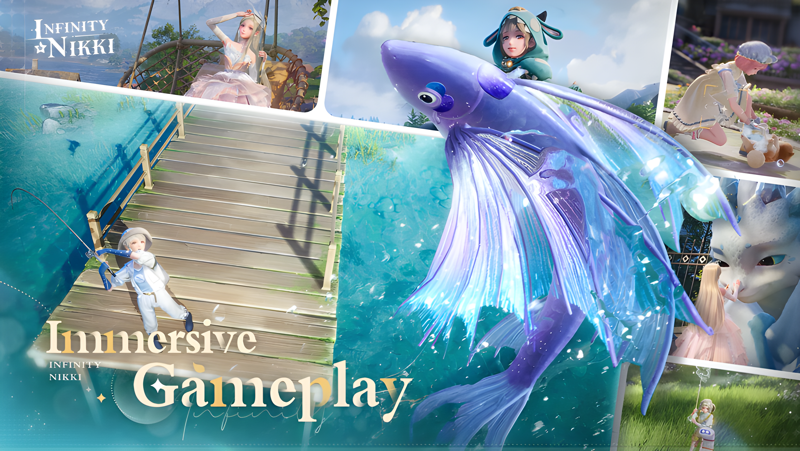
The game offers a wide range of features that keep every session feeling fresh and rewarding. The open world is packed with exploration opportunities, including Gigantification transformations that boost your speed and jumping ability, the Sticky Claw for aerial traversal, and encounters with massive Behemoths waiting to be challenged. A new Archery combat system layers in skill-based gameplay, letting players break shields, solve environmental puzzles, and find hidden routes. The newest story chapter, Where All Souls Return, opens the Boneyard region within Itzaland, exploring the ancient homeland of dragons and the fate of the Parksolian people. Beyond the main adventure, online co-op lets you team up with Nikkis from parallel worlds, while home building on your personal Floating Island lets you farm, fish, and design your dream space. Fashion photography rounds out the experience, giving you full control over color palettes, filters, and composition to capture your most stylish moments.
Playing Infinity Nikki on PC through MuMuPlayer brings meaningful advantages to every part of the game. The expanded screen real estate makes exploring the open world, appreciating outfit details, and composing fashion photography far more immersive than on a mobile display. Keyboard and mouse controls give you sharper precision during archery combat and puzzle-solving, while MuMuPlayer's stable performance ensures smooth gameplay even in graphically demanding areas like the dragon bone-filled Boneyard. Whether you are building your Floating Island, adventuring through new story chapters, or meeting friends in online co-op, MuMuPlayer lets you enjoy Infinity Nikki with the comfort and control that a full PC setup provides.
About the Game
Infinity Nikki brings the long-running Nikki series into its most ambitious chapter yet, delivering a full open-world experience built on the Unreal Engine 5 platform. Developed by Infold Games, this multi-platform release centers on Nikki and her wisecracking companion Momo as they journey through Miraland, a world overflowing with color, mystery, and hidden wonders. Rather than focusing purely on combat, the game weaves together exploration, fashion, creative expression, and storytelling into a single cohesive adventure.
The open world itself is one of the game's strongest elements. Miraland is a vast and living environment where exploration is rewarded at every turn. Nikki can undergo Gigantification, a transformation that dramatically increases movement speed, jump height, and physical power, making traversal feel exhilarating and opening paths that would otherwise be unreachable. The Sticky Claw ability allows Nikki to glide through the air and cling to surfaces, reaching secluded spots scattered throughout the landscape. Towering Behemoths roam the world, offering large-scale confrontations that test player reflexes and preparation.
Combat in Infinity Nikki has grown more layered with the addition of a dedicated Archery system. Rather than relying on brute force alone, the bow mechanic encourages players to think carefully about how they engage each encounter. Shields can be broken with well-aimed shots, environmental puzzles can be solved through targeted interactions, and hidden routes become accessible once the right targets are struck. Players can also select Battle Companions who specialize in either offensive or defensive roles, allowing for a personalized approach to every confrontation.
The latest story chapter, titled Where All Souls Return, expands the world significantly. The newly opened Boneyard region lies within Itzaland and serves as the ancient resting place of dragon bones. Exploring this area reveals the history of the Parksolian people, the grandeur of the Great Lumieville, and a narrative centered on the cyclical relationship between life, death, and rebirth. The storytelling in this chapter adds emotional depth to a world that might otherwise seem purely whimsical on the surface.
Beyond solo play, Infinity Nikki supports online co-op that lets players encounter Nikkis from parallel worlds. The experience is designed to feel warm and social, with the gentle ringing of the Starbell signaling when friends have reunited. Whether players choose to explore side by side or drift off on their own paths, the multiplayer mode adds a layer of shared discovery to the journey.
For those who prefer a quieter pace, the Floating Island home-building system provides a personal creative space. Players can:
- Design and decorate every corner of their island home
- Grow crops and tend to a garden at their own rhythm
- Raise fish and gather stars as part of daily island life
- Express their personal aesthetic through spatial design
Fashion photography is another pillar of the Infinity Nikki experience. Using Momo's Camera, players can adjust filters, fine-tune settings, and select photo styles to compose images that capture both their outfits and the world around them. Color mixing and styling choices allow for a high degree of personalization, turning each screenshot into a genuine creative statement.
With its blend of open-world exploration, skill-based combat, deep narrative content, social features, and creative tools, Infinity Nikki offers something meaningful for a wide range of players. Running the game through MuMuPlayer on PC lets you experience every detail on a larger display, with the added precision of keyboard and mouse controls enhancing everything from archery aiming to fashion photography composition.
Emulator Features
Highest Android 15 Support Best Compatibility on Mac

With a smart button scheme and image recognition function, provide a more concise UI, and support custom button mapping to meet different needs. With a smart button scheme and image recognition, enjoy a cleaner UI and custom button mapping to fit different gaming needs on Mac.

Run multiple games independently at the same time, easily manage multiple accounts, play games while hanging. Take your Mac gaming further with multiple independent instances, easy account management, and seamless AFK gaming on Apple Silicon Mac.

Break through FPS limit, and enjoy a seamless gaming experience without lag and delay! Break through FPS limits for a seamless, lag-free gaming experience on MacBook, Mac mini, iMac, and Mac Studio.

Get a 3-second startup with 52% less memory usage and 65% more stability. Enjoy 3-second startup, 52% less memory usage, and 65% greater stability on Apple Silicon Mac.
How to Download and Play Infinity Nikki on PC and Mac
Installation Guide
Download MuMuPlayer
Download MuMuPlayer and install it on your PC or Mac
Sign-in Google Store
Complete Google sign-in to access the Play Store
Search and Install
Search Infinity Nikki in the Play Store
Enjoy Gaming
Enjoy 120 FPS high-def gameplay with big screen
System Requirements
Windows PC
Vulkan / DirectX supported. 4 cores + 4GB RAM recommended. Up to 240 FPS. VT required.
macOS
Recommended: Apple Silicon Mac with 8GB RAM or above. Up to 240 FPS.
Get more news, guides and redeem codes about Infinity Nikki

Infinity Nikki x Stardew Valley Collaboration: A Cozy Crossover with Music Season Update

Join Infinity Nikki's Version 1.8: Danqing Season - Unleash Ancient Artistry
Dive into the Emotional Depths of Infinity Nikki Version 1.7 Blue Tears
Infinity Nikki 1.1 Update: New Shooting Star Season —— A Starry Adventure Awaits!
Master Infinity Nikki: Top Tips to Earn Diamonds Fast
Ultimate Guide to Infinity Nikki Redeem Codes and Rewards
How to play Infinity Nikki on Mac with MuMuPlayer Pro
.png?fop=imageView/0/w/150/h/150)