
Play Last Ultima on PC and Mac
Download Last Ultima on PC or Mac with MuMuPlayer, get a PC like gameplay along with smart control and high graphics performance.
MuMuPlayer, the top Android emulator for PC and Apple silicon Mac, delivers an optimal gaming experience with minimal RAM usage and high FPS. It also allows you to create multiple instances of the emulator and run several games simultaneously, thanks to its Multi-instance feature. Its advanced emulator features ensure smooth gameplay, even on low-end PCs.
Download and play Last Ultima on PC or Mac with MuMuPlayer and start enjoying your gaming experience now.
About the Game
「Darkness descends. Devil dragon revived」

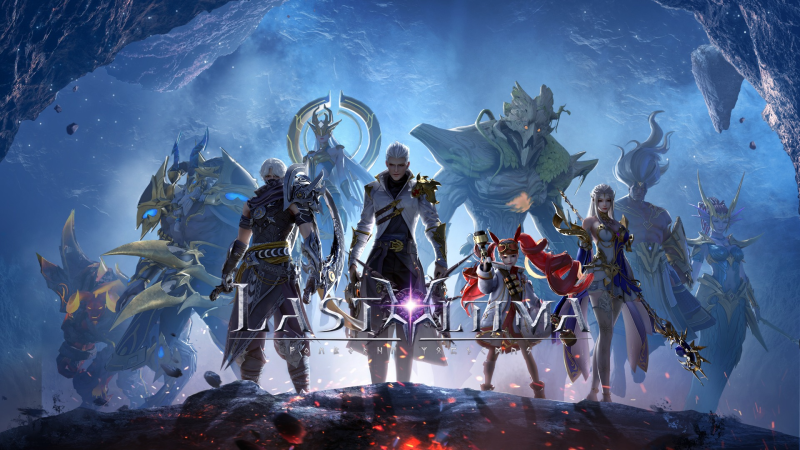
Last Ultima is an epic Western fantasy world immersive MMORPG, which has next-generation 3D graphics, 360-degree free viewing angle and face customization with unlimited options. Players can trade with friends, cooperate with hundreds of war pets, even experience the extremely exciting battle to slay demons and dragons in the cross-server battlefield.

The sleeping Chaos Demon Dragon is about to awaken, the Lord of Chaos is on the way …

The consciousness of the ancient gods has found you, come to discover the secrets of the magic crystal nucleus and to protect the mysterious creatures. It’s your time to explore the new world outside the magic continent! Only you can stop the invasion of the Chaos Legion!

Dominate the multiverse and guard the peace of our new world!

Dear warrior, come to embark on this ultimate RPG journey and conquer your throne!
Emulator Features

With a smart button scheme and image recognition function, provide a more concise UI, and support custom button mapping to meet different needs.

Run multiple games independently at the same time, easily manage multiple accounts, play games while hanging.

Break through FPS limit, and enjoy a seamless gaming experience without lag and delay!

Get a 3-second startup with 52% less memory usage and 65% more stability.
How to Download and Play Last Ultima on PC and Mac
Installation Guide
Download MuMuPlayer
Download and install MuMuPlayer on your PC or Mac
Sign-in Google Store
Complete Google sign-in to access the Play Store
Search and Install
Search Last Ultima in the Play Store
Enjoy Gaming
Enjoy 120 FPS high-def gameplay with big screen
System Requirements
Windows PC
Vulkan / DirectX supported. 4 cores + 4GB RAM recommended. Up to 240 FPS. VT required.
macOS
Recommended: Apple Silicon Mac with 8GB RAM or above. Up to 240 FPS.

(1).png?fop=imageView/0/w/150/h/150)