Monster High Fangtastic Life (macOS)
Play Monster High Fangtastic Life on PC Play Monster High Fangtastic Life on PC and Mac
Download Monster High Fangtastic Life on PC with MuMuPlayer, get a PC like gameplay along with smart control and high graphics performance.
MuMuPlayer, the top Android emulator for PC and Apple silicon Mac, delivers an optimal gaming experience with minimal RAM usage and high FPS. It also allows you to create multiple instances of the emulator and run several games simultaneously, thanks to its Multi-instance feature. Its advanced emulator features ensure smooth gameplay, even on low-end PCs.
Download and play Monster High Fangtastic Life on PC with MuMuPlayer and start enjoying your gaming experience now.
Download Monster High Fangtastic Life on PC or Mac with MuMuPlayer, get a PC like gameplay along with smart control and high graphics performance.
MuMuPlayer, the top Android emulator for PC and Apple silicon Mac, delivers an optimal gaming experience with minimal RAM usage and high FPS. It also allows you to create multiple instances of the emulator and run several games simultaneously, thanks to its Multi-instance feature. Its advanced emulator features ensure smooth gameplay, even on low-end PCs.
Download and play Monster High Fangtastic Life on PC or Mac with MuMuPlayer and start enjoying your gaming experience now.
About the Game
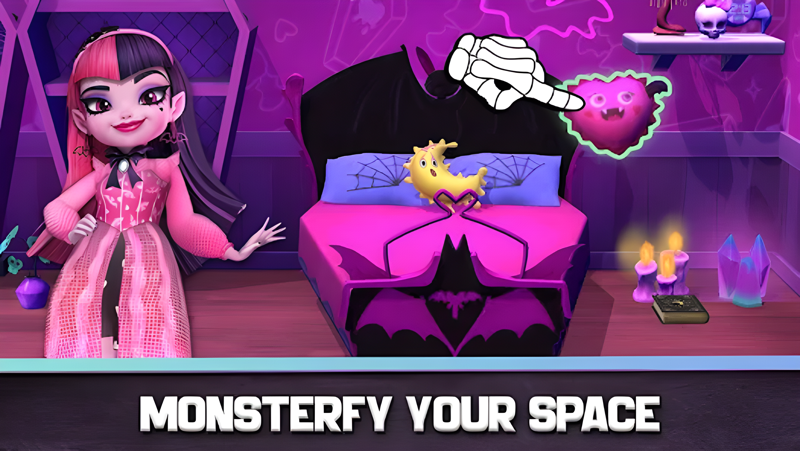
Explore Monster High with your Best Boos and discover frightful fashions, mad science experiments, and more!
Join Draculaura, Clawdeen Wolf, Frankie Stein & more familiar friends on an interactive and skele-fun adventure!
Let your inner monster shine in this fun, creative and imaginative kids game.

BE YOURSELF. BE UNIQUE. BE A MONSTER.
Discover the ghoulest high school around! Play and create your own screamworthy stories, or re-create your favorite Monster High moments.

BOOLICIOUS  COOKING
Visit the Creepateria for a bite and try out some fangtastic food! Experiment, combine and make spook-tacular potions or ingredients to create ghoul-icous recipes.

SCARY CUTE STYLES
Mix and match frightful fashions to create haunt couture looks! Explore your unique freaky-fab style.

EXPLORE MONSTER HIGH
The Boo Crew is waiting for you! Every room is full of clawsome activities and scream-tastic surprises to discover.

FANGTASTIC FUN
Express yourself and skelebrate what makes you unique in this virtual immersive world. This interactive Monster High game is easy and fun to play for girls & boys of all ages.

ABOUT MONSTER HIGH
Monster High is one of the most successful and beloved kids’ properties of all time, featuring a world of fangtastic characters that embrace what makes them unique and rally people everywhere to be yourself, be unique, and be a monster. In this reimagined world, being called “four eyes” is a badge of honor and “mummy issues” are par for the course. The Boo Crew—Clawdeen Wolf, Draculaura, Frankie Stein, and more are not just attending Monster High; they’re shattering expectations, shaking up the status quo, and celebrating what makes them special.


SUBSCRIPTION DETAILS
- This app may offer monthly or yearly subscriptions
- Subscription automatically renews unless auto-renew is turned off at least 24-hours before the end of the current period
- Subscriptions may be managed by the user and auto-renewal may be turned off by going to the user's Account Settings after purchase
- Your account will be charged for renewal within 24-hours prior to the end of the current period
- You can cancel your subscription at any time, but please note that you will not get a refund for any remaining period of a subscription

PRIVACY & ADVERTISING
Budge Studios takes children's privacy seriously and ensures that its apps are compliant with privacy laws. This application has received the “ESRB Privacy Certified Kids’ Privacy Seal”. Read our privacy policy at: https://budgestudios.com/en/legal/privacy-policy/, or email our Data Protection Officer at: privacy@budgestudios.ca

END-USER LICENSE AGREEMENT
https://budgestudios.com/en/legal-embed/eula/

ABOUT BUDGE STUDIOS
Budge Studios was founded in 2010 with the mission to entertain and educate boys and girls around the world, through innovation, creativity and fun. Its high-quality app portfolio consists of original and branded properties, including Disney Frozen, Bluey, Barbie, PAW Patrol, Thomas & Friends, Transformers, My Little Pony, Strawberry Shortcake, Miraculous, Caillou, The Smurfs, Miss Hollywood, Hello Kitty and Crayola. Budge Studios maintains the highest standards of safety and age-appropriateness, and has become a global leader in children’s apps for smartphones and tablets.

HAVE QUESTIONS?
We always welcome your questions, suggestions and comments. Contact us 24/7 at support@budgestudios.ca

BUDGE and BUDGE STUDIOS are trademarks of Budge Studios Inc.

MONSTER HIGH™ and associated trademarks and trade dress are owned by, and used under license from, Mattel. ©2024 Mattel

Monster High Fantastic Life ©2024 Budge Studios Inc. All Rights Reserved.
Emulator Features
Highest Android 15 Support Best Compatibility on Mac

With a smart button scheme and image recognition function, provide a more concise UI, and support custom button mapping to meet different needs. With a smart button scheme and image recognition, enjoy a cleaner UI and custom button mapping to fit different gaming needs on Mac.

Run multiple games independently at the same time, easily manage multiple accounts, play games while hanging. Take your Mac gaming further with multiple independent instances, easy account management, and seamless AFK gaming on Apple Silicon Mac.

Break through FPS limit, and enjoy a seamless gaming experience without lag and delay! Break through FPS limits for a seamless, lag-free gaming experience on MacBook, Mac mini, iMac, and Mac Studio.

Get a 3-second startup with 52% less memory usage and 65% more stability. Enjoy 3-second startup, 52% less memory usage, and 65% greater stability on Apple Silicon Mac.
How to Download and Play Monster High Fangtastic Life on PC and Mac
Installation Guide
Download MuMuPlayer
Download MuMuPlayer and install it on your PC or Mac
Sign-in Google Store
Complete Google sign-in to access the Play Store
Search and Install
Search Monster High Fangtastic Life in the Play Store
Enjoy Gaming
Enjoy 120 FPS high-def gameplay with big screen
System Requirements
Windows PC
Vulkan / DirectX supported. 4 cores + 4GB RAM recommended. Up to 240 FPS. VT required.
macOS
Recommended: Apple Silicon Mac with 8GB RAM or above. Up to 240 FPS.